46 SMARTING User Manual – Release 11/03/2019
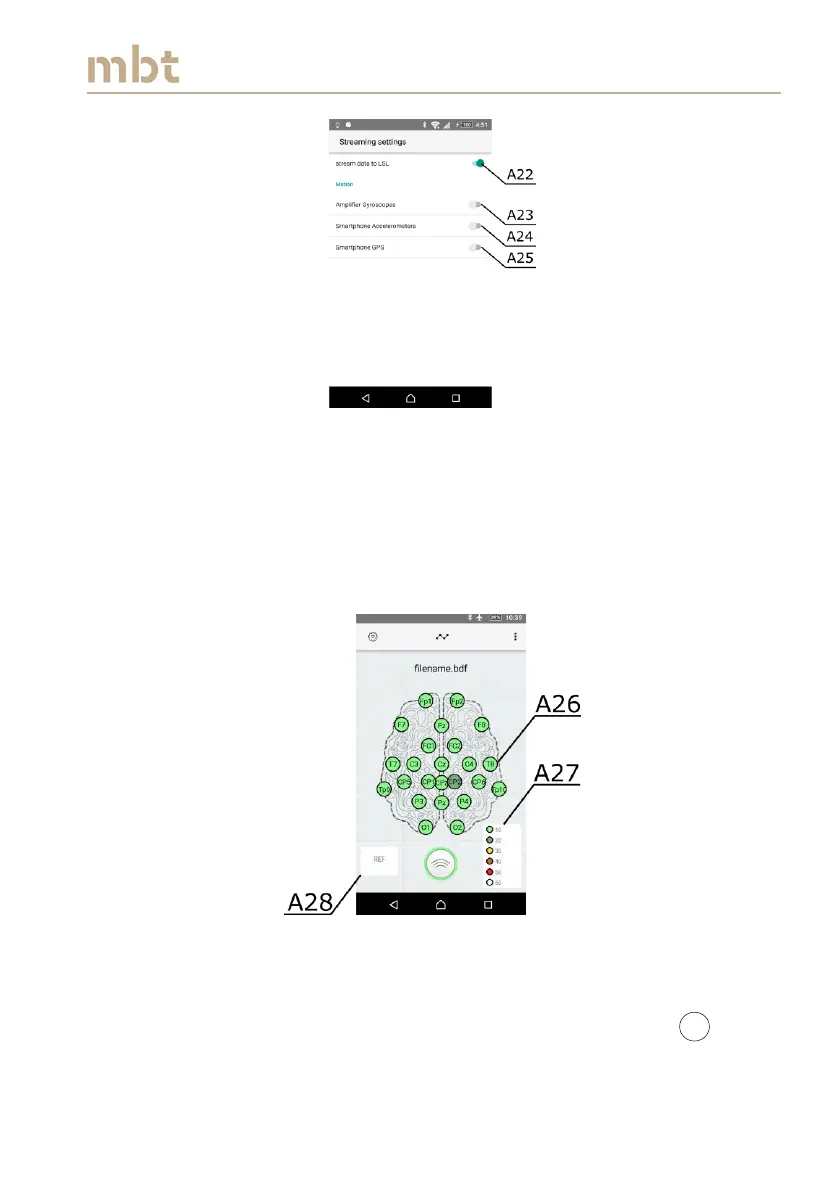
Figure 8.13 Streaming settings window
The electrode layouts can be selected by pressing the menu button (as
depicted by A30 in Figure 8.15), and the available layouts will appear in the
drop down menu (A31 – Figure 8.15). There are two preinstalled layouts.
However, the user can add custom layouts by adding them in the root folder
of the cellphone’s internal memory. Upon adding the new layouts, they will
appear in the drop down menu, after pressing the button (A30 – Figure 8.15).
Figure 8.14 The overview of the main window, when the impedances are enabled
If, for any reason, the electrodes should be switched off, the user can simply
tap the particular electrode and the electrode will be marked as . Once
the electrode is switched off, it will no longer be available neither in Signal



 To Next Page