12
2. Volume
The MC 701 is equipped with a special potentiometer made for audio use. Press the right button for volume up
and the left button for volume down.
3. Input selectors
With the input selectors you can select one of the various sources connected to the amplifier. The processor
input enables the connection of an extern sourround-decoder. Choosing this input will engage a signal to the
connected amplifier (Bypass). This gives the possibility to switch between audio (music replay) and video (DVD).
Input selector Source
Balanced Balanced XLR input
CD 1 RCA, CD input, 10 kOhm
CD 2 RCA, CD input, 10 kOhm
Tuner RCA high level input, 50 kOhm
Aux RCA high level input, 50 kOhm
Option optional input for Phono MM, Phono MC
Processor Bypass for surround-processor, 10 kOhm
4. On / Standby / Off
The “on button“ on the front panel puts the amplifier into standby and turns it back to “on” (this function can
also be accomplished by remote control). The blue LED located on the front panel lights when the amplifier is
in stand by mode.
To turn off the amplifier completely (the unit is no longer connected to the mains and therefore does not con-
sume current), disconnect the power cord from the mains socket. This is recommended, when the amplifier is
not in use for a longer period of time.
5. Display
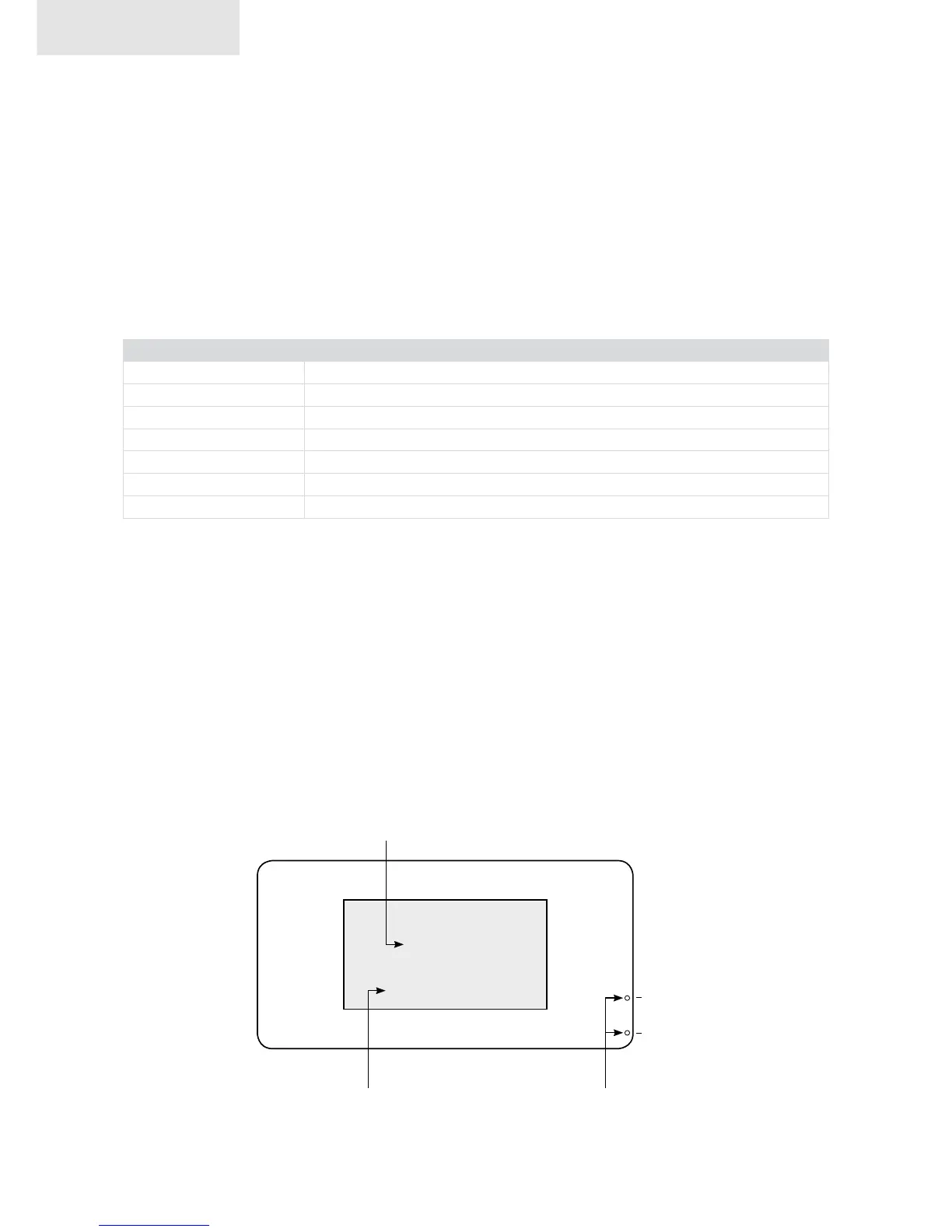
The display indicates the volume level as well as the input that is currently in use.
19,2
balanced
standby
disp.off
function LED‘sinput indicator
volume
mc 701


 To Next Page