16
F. Operating the remote control
1. Replacement of the batteries
First unsrew the four screws on the bottom of the remote control to remove the bottom plate. Inside the unit
you will find the bettery holder. Insert the batteries with correct +/- orientation. Replace the bottom plate and
re-screw it on the remote control.
Attention: Use only standard “AAA” batteries (1.5 V). Do not use old and new batteries together. If the perfor-
mance of your remote control becomes unsteady, always change the batteries. If you do not use the remote
control for an extended period of time, please remove the batteries. Dispose off batteries in an ecologically
friendly manner.
2. CD player controls
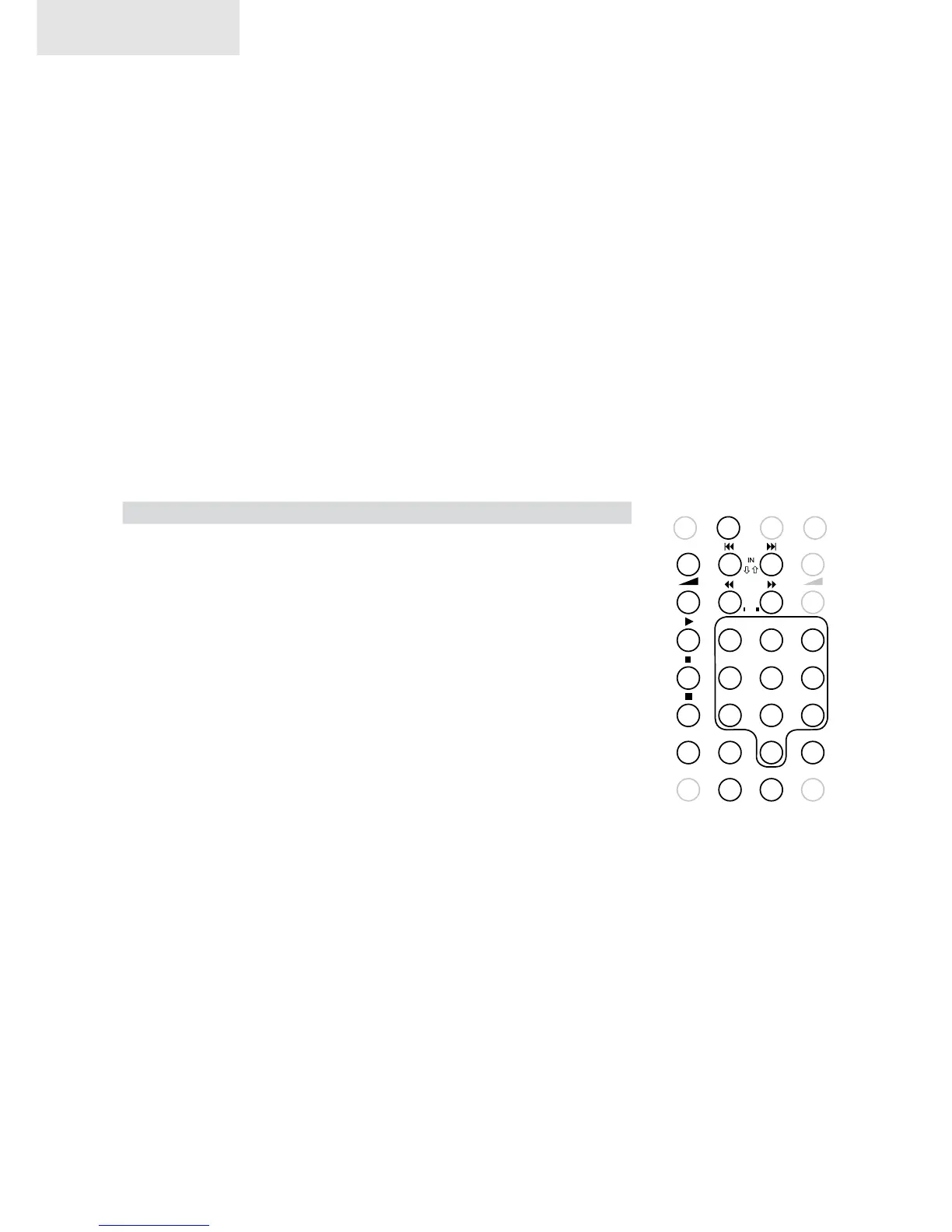
The CD button (1) activates the CD player. The other CD player related controls are as follows:
Button Function
2: preamp volume up
3: preamp volume down
4: skip back
5: skip forward
6: review (during playback)
7: fast forward (during playback
8: play
9: CD pause
10: CD stop
11: select title by number
12: press 1x: CD repeat
press 2x: active title repeat
press 3x: repeat off
13: specify passages for repeat playback (works only during playback)
14: program title
15: remaining time indicated in the display changes between active
title and entire CD
16: random play
1 2 3
4 5 6
7 8 9
0
1
5
OUT
PRE
REPEAT
MUTE T IME SHUFFLE STANDBY
DISP OFF
ERR LEV
A/B PROG
TUNER D/ACD
8
9
10
11
12 13
15 16 17
14
7
2
4
3
6
Remote Control


 To Next Page