7
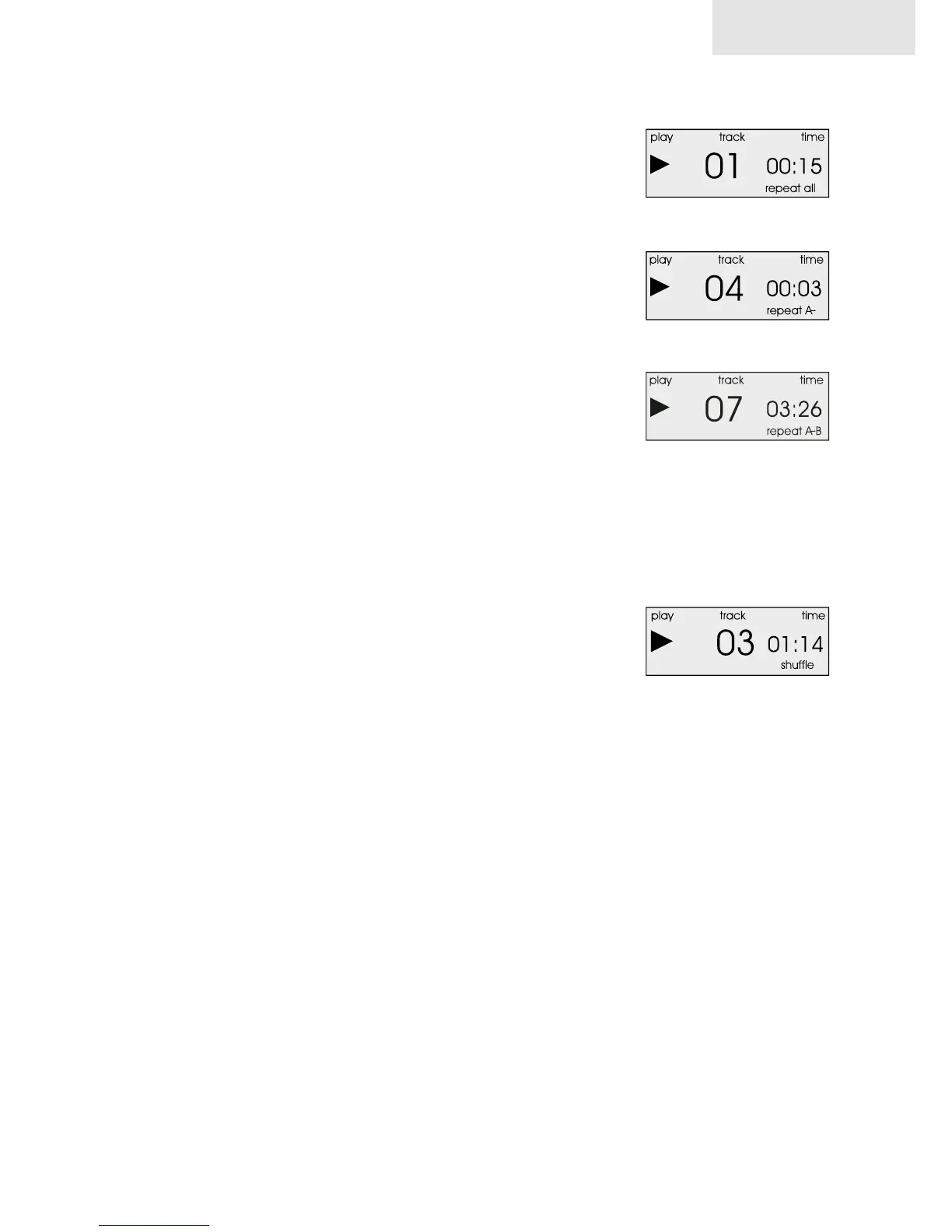
To continuously repeat the playback of all tracks of a CD, press the repeat
button twice during playback. The display will show “repeat all”.
Press the repeat button three times to cancel the repeat mode and return
to normal playback. The repeat indicator on the display will disappear.
3.5 A,B Repeat playback
The “A/B” button on your remote control identifies passages for repeat
playback. This button works only during playback.
To select the begin of a passage press the A/B button. When CD play
reaches the point you want to select as the end of your passage, press
the A/B button again.
After having entered the beginning and the end of a passage, the unit
will begin to repeat that same passage over and over.
Passage markers may also be identified during program play.
To delete a marker and proceed with normal CD play,
Press the “A/B” button again, or press the skip forward or skip back buttons,
or end the playback by pressing the stop button.
3.6 Shuffle (random play)
If you like to activate random play, press the “shuffle” button on your re-
mote control. To proceed with normal CD play, press the “shuffle” button
again.
3.7 Mute
If you like to turn off the sound without interrupting CD play, press the
“mute“ button on your remote control. In mute mode the CD continues
to play, but no sound signal is sent from the player. To engage the sound,
press the “mute” button again.
mc 501
repeat all
select passage begin
select passage end
shuffle


 To Next Page