9 Add the Sensor to the Manager
The Manager displays the Logon page.
a
Log on to the Manager using the default user name (admin) and password (admin123).
b Click Devices.
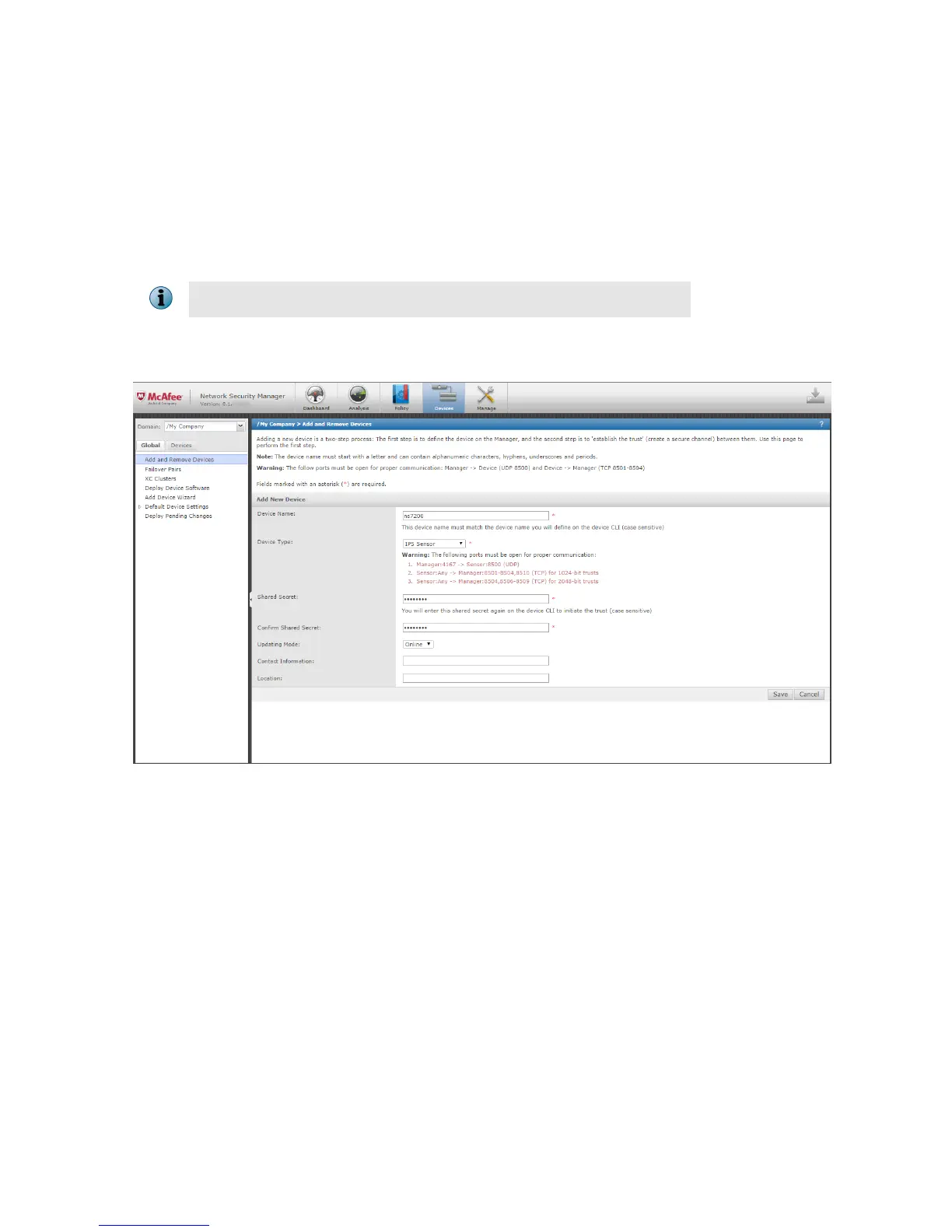
c To add a Sensor in the Manager, click Global | Add and Remove Devices, then click New.
You do not require a license le to enable IPS on NS-series Sensors.
The Add New Device page is displayed. We recommend using the Add Device wizard to add a device.
d
Enter the following mandatory information in the appropriate elds.
1) Device Name — The Sensor name must begin with a letter. The maximum length of the name is 25
characters.
2) Device Type — Species the type of device to be added. Select IPS Sensor.
10



 To Next Page