Minimum Recommended
CPU 1.5 GHz processor 1.5 GHz or faster
Browser
• Microsoft Internet Explorer 9, 10, or 11
• Mozilla Firefox
• Google Chrome (App mode in Windows 8 is not
supported.)
If you are using Google Chrome, add the Manager
certicate to the trusted certicate list.
• Internet Explorer 11
• Mozilla Firefox 20.0 or
later
• Google Chrome 24.0 or
later
Install the following software:
• Sensor image
• Manager image
• Signature set
3 Install the slide rails and rack-mount the Sensor
McAfee recommends rack-mounting your Sensor. For maintenance purposes, you must have access to the
front and rear of the Sensor.
Before you mount the Sensor on the rack, make sure that the power is o. Remove the power cable
and all network interface cables from the Sensor.
Due to the weight of the appliance, McAfee recommends that two people place the chassis into the
rail cabinet.
a
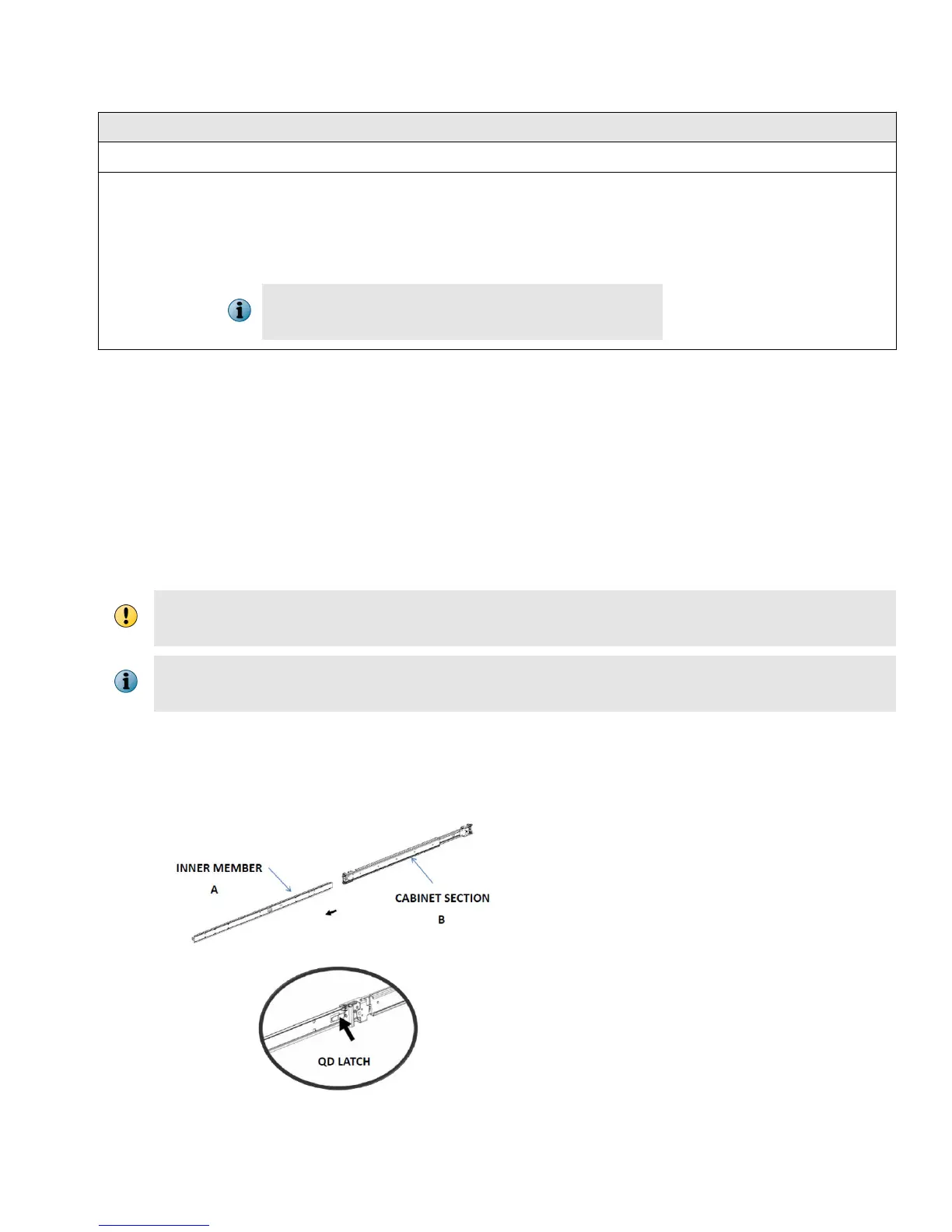
Disassemble the inner slide rail members from the cabinet sections.
a
Pull the inner member out until it comes to a lock position.
b
Depress the QD latch to fully disconnect the inner members.
4



 To Next Page