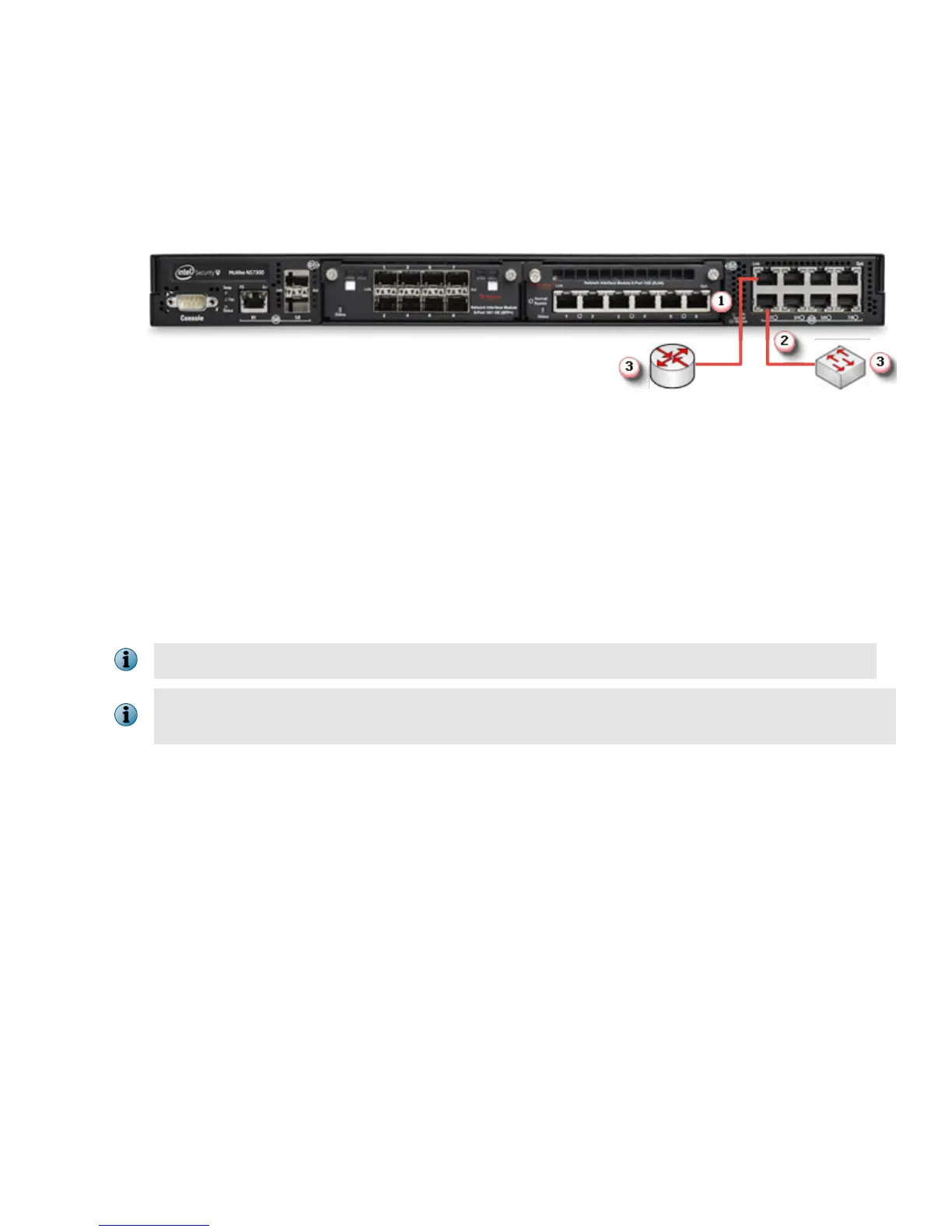
6 Connect the monitoring ports
This procedure describes how to connect cables to a Sensor that runs in in-line mode.
a
Plug the cable appropriate for use with your transceiver module into one of the monitoring ports labeled
x (for example, 1).
b
Plug the cable appropriate for use with your transceiver module into one of the monitoring ports labeled
y (for example, 2).
c
Connect the other end of each cable to the network devices that you want to monitor. For example, if you
plan to monitor trac between a switch and a router, connect the cable connected to 1 to the router and
the one connected to 2 to the switch.
7 Install the Manager software
For detailed instructions, see the McAfee Network Security Platform Installation Guide.
You must have administrator rights on the target Windows Server to install the Manager software.
A MySQL database is included with the Manager and is installed (embedded) automatically on your
target Windows Server during this process.
The following steps briey explain the Manager installation:
a
Prepare the system according to the requirements outlined in McAfee Network Security Platform Installation
Guide and the McAfee Network Security Platform Release Notes.
b
Close all open applications.
c
Go to the McAfee Update Server (https://menshen1.intruvert.com/) and log on, using the grant number
and password.
d Go to the Manager Software Updates folder and select the latest Manager software version available.
e
Download the .zip
le to the target Windows Server and extract the setup le.
f Double-click Manager _<version>_setup.exe and follow the on-screen prompts.
8 Start the Manager
Click Start | Programs | McAfee | Network Security Manager | Network Security Manager.
9



 To Next Page