d
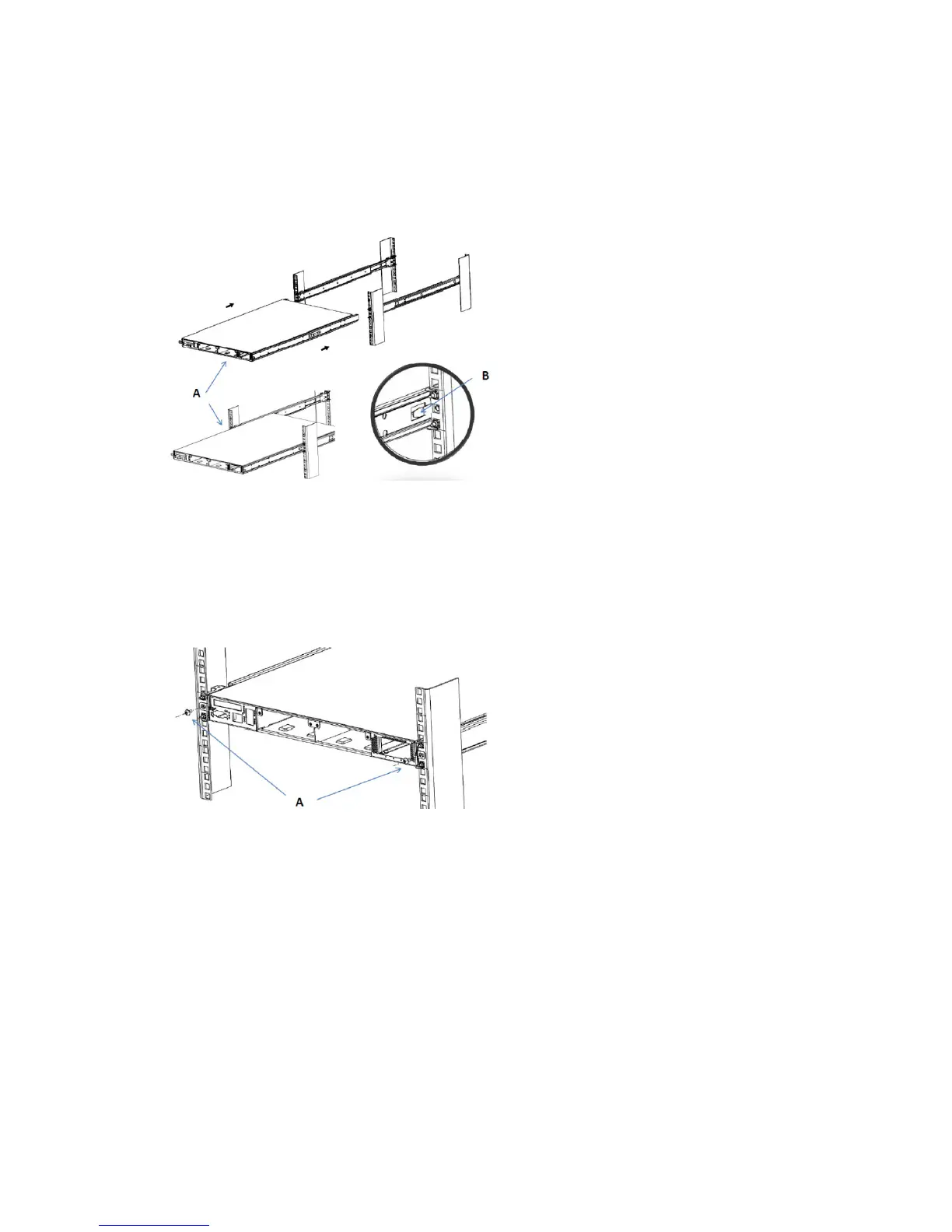
Mount the chassis unit into the mounted cabinet sections.
a
Guide the chassis unit into the pre-installed cabinet sections. Allow the pre-installed inner members
to slide into the outer members until they lock in place.
b
Depress the QD latch on both sides and continue to push the chassis unit in until fully closed.
e
Secure the chassis unit through the rack rails.
a
With the chassis unit in a fully closed position, secure using two truss head screws.
b
Drive the screws through the inner member ange and through the rack rails. The screws thread
directly to the cabinet slide members. Tighten the screws.
4 Install the interface modules
You can purchase the following interface modules and insert them into the relevant slots on your NS7x00
Sensor.
• 8-port SFP/SFP+ 1/10 Gigabit interface module
• 6-port RJ-45 10/100/1000 Mbps with internal fail-open interface module
• 4-port 10/1 GigE SM 8.5 micron with internal fail-open interface module
6



 To Next Page