EasyManua.ls Logo

McCrometer ProComm HL - User Manual

McCrometer ProComm HL
51 pages
Print Icon
To Next Page IconTo Next Page
Loading...
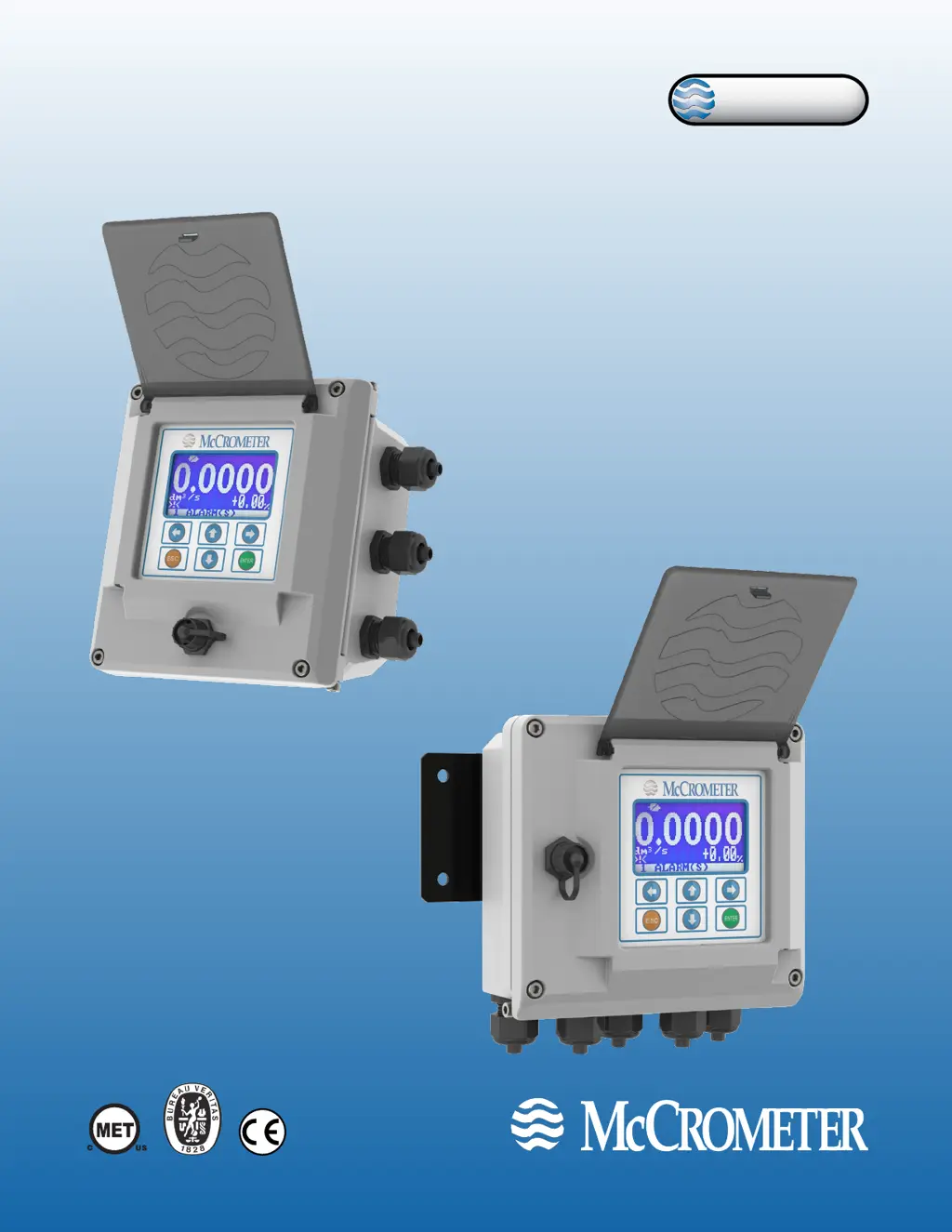
ProComm
Electromagnetic
Flow Meter Converter
30124-60 Rev. 1.2
December 16, 2019
ProComm
Installation, Operation and
Maintenance Manual
www.mccrometer.com
Standard Model
For use in non-hazardous locations
HL Model
For use in hazardous locations:
Class I, Division 2, Groups A-D, T5
Class I, Zone 2 IIC T5

Questions and Answers

  • D
    Devon MosleyAug 3, 2025
    What to do if I'm not getting the expected 4-20mA output from my McCrometer ProComm HL Media Converter?
    • N
      Nathaniel SandersAug 3, 2025
      If you are not getting the expected 4-20mA output, make sure the wiring is firmly connected to the 4-20mA output terminals. Also, verify that the resistor has been removed from the terminal block and that the FS1 setting in the main menu is set to the correct value, matching the PLC/SCADA value. Finally, measure the output on the 4-20mA terminals and compare it to the calculated current value.
  • C
    Cynthia ThomasAug 7, 2025
    What to do if my McCrometer ProComm HL Media Converter shows a 'Curr. Loop Open Alarm'?
    • A
      Amy FullerAug 7, 2025
      If your McCrometer Media Converter displays a 'Curr. Loop Open Alarm', ensure the wiring is firmly connected on the 4-20mA output terminals. If the 4-20mA output is not being used, ensure the 4-20mA terminals have a load resistor installed. You can also remove the wires from the 4-20mA terminals and measure the current output directly.
  • C
    Carla ScottAug 12, 2025
    Why are my flow readings unstable on the McCrometer ProComm HL?
    • C
      Christopher OconnorAug 12, 2025
      Unstable flow readings can occur if the installation straight run requirements are not met. Check the grounding connections and the power circuit for other devices. Consider installing a dedicated ground circuit.
  • M
    Megan MartinAug 17, 2025
    What to do if my McCrometer ProComm HL Media Converter shows an 'Empty Pipe Alarm'?
    • P
      plloydAug 17, 2025
      If your McCrometer Media Converter shows an 'Empty Pipe Alarm', try increasing the threshold to 250 kΩ. Confirm the pipe is full, and if it is always full, turn off EP Detect. Check that the sensor is properly grounded and inspect the cable between the sensor and converter for damage. You can also conduct a bucket test to confirm the EP Threshold value is set correctly.
  • S
    sharon54Aug 22, 2025
    What does 'Excitation Fail (0800) Alarm' mean on my McCrometer ProComm HL Media Converter and how do I fix it?
    • J
      javierandersonAug 23, 2025
      If you see an 'Excitation Fail (0800) Alarm', make sure the wiring is firmly connected. Disconnect the coil wires from the converter and check their resistance with a standard multi-meter.
  • L
    Logan RyanAug 28, 2025
    What to do if my McCrometer Media Converter has a 'Noisy Input Alarm'?
    • E
      Elizabeth HendersonAug 28, 2025
      If your McCrometer Media Converter displays a 'Noisy Input Alarm', verify the converter ground is connected to earth ground. Also, check for any damage to the cable between the sensor and the converter.

Summary

Safety

Safety Symbols and Warnings

Explains safety symbols and provides critical warnings for installation, operation, and maintenance.

Connecting Wires to Terminals

4-20 mA Output Hook-Up

Explains how to connect isolated 4-20mA current loops for flow data output.

Converter Operation

Starting Up and Menu Navigation

Steps for initial startup and how to navigate the converter's menus using the keypad.

Front Panel Display Screens

Describes the information shown on the converter's LCD and its different screen modes.

Menu Structure and Descriptions

Main Menu Overview

Outlines the main menu categories and their primary functions.

Main Menu Settings Adjustment

Detailed steps for changing configuration parameters through the main menu.

Sensor Menu Configuration

Configuration options for sensor model, lining, type, diameter, and calibration factors.

Scales Menu Configuration

Settings for full scale values, including units and numeric fields.

Alarms Menu Configuration

Configuration for maximum/minimum flow rate alarms and hysteresis.

Outputs Menu Configuration

Configuration for output function selection (pulse, frequency, alarms) and current output settings.

Built-In Verification (BIV)

Error Codes

Alarm Messages

Specifications

Returning Unit for Repair

Troubleshooting Guide

McCrometer ProComm HL Specifications

General IconGeneral
BrandMcCrometer
ModelProComm HL
CategoryMedia Converter
LanguageEnglish

Related product manuals