5.0 MENU DESCRIPTIONS
The main menu is selected from the Quick Start Menu by pressing the ENTER key and entering the access code (xxxxxxx).
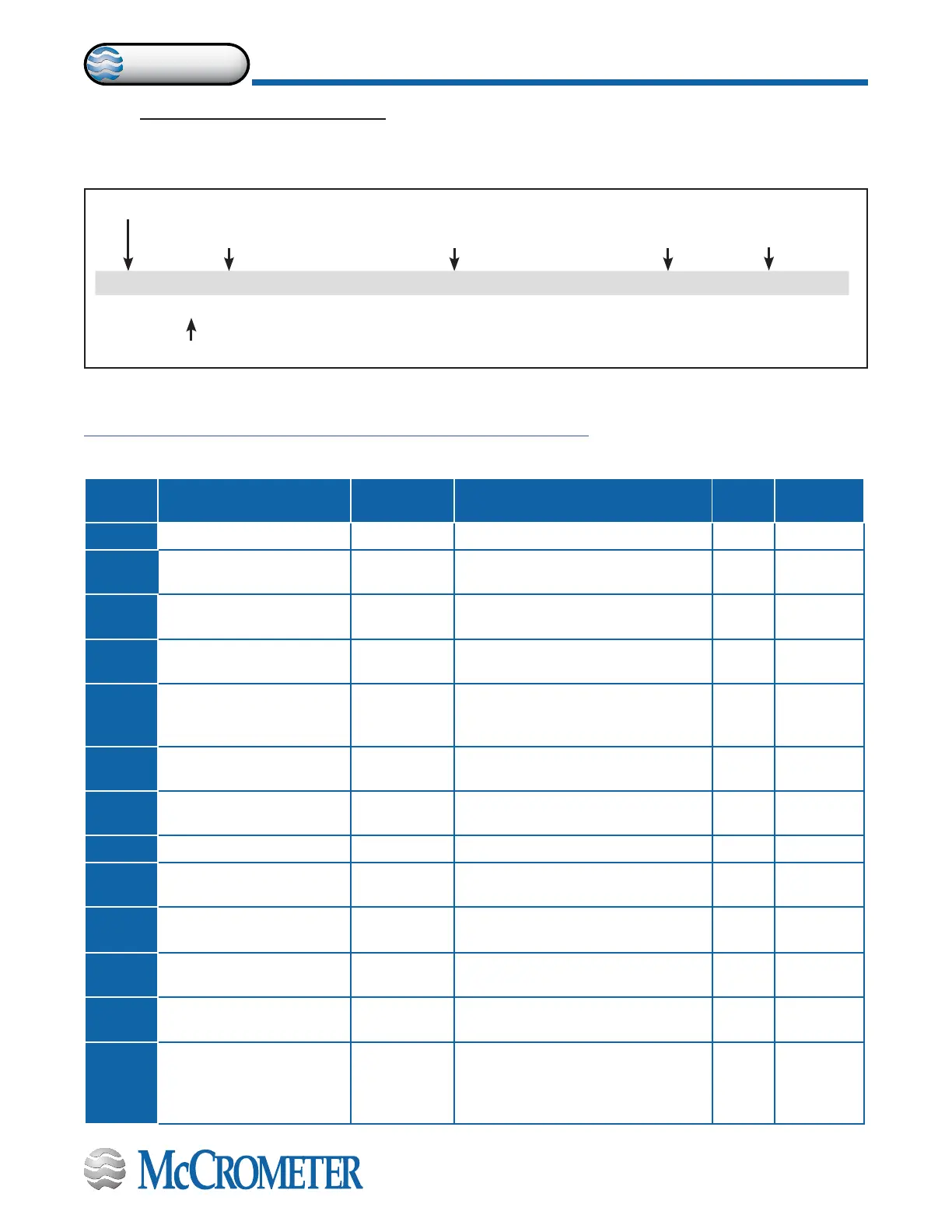
The example below shows what information each eld contains.
Note: For ProComm users who want to use MCP software, it can be downloaded from the McCrometer Web site under the
category of Installation, Operation, and Maintenance Manuals.
https://mccrometer.hachuat.com/asset-get.download-en.jsa?id=54942158007
5.1 Menu 1 - Sensor
1.1 Sensors model [Ins.position=x] AL4 [SIPOS]
This function is active with POS.1.3 on “Insertion”.
Menu Position
Function Name
Function Description
Converter Request Code
Access Level
MCP Command
Menu
Position
Converter Function Code
Function
Name
Function Description
Access
Level
MCP
Command
1.1
[S.model=x]
Sensor model AL4 [SMODL]
1.2
[Lining=UNSPEC.]
Lining Type Sets the ow sensor lining material
type.
AL4 (LIMAT]
1.3
[S. type= FULL
BORE]
Type of
sensor
Sets the sensor type: Full-bore or
insertion.
AL4 [STYPE]
1.4
[U.type= METRIC]
Unit type Sets type of measurement unit:
Metric or Imperial (inch).
AL4 [SUTYP]
1.5
[Diam.= mm xxx]
Diameter Sets the nominal diameter of the
sensor (0-2500). ND is written on the
sensor label.
AL4 [PDIMV]
1.6
[KA= +/- xx.xxx]
KA factor Sets the coecient of calibration
printed on the sensor label.
AL4 [CFFKA]
1.7
[KZ= +/-xxxxx]
KZ Sets the calibration Factor. Zero
adjustment
AL4 [CFFKZ]
1.8
[KD= +/-xxxxx]
KD Sets the calibration Dynamic Factor AL4 [CFFKD]
1.9
[Ins.position= x]
Insertion
position
This function is active when selection
1.3 is set to “Insertion”.
AL4 [SIPOS]
1.10
[KP dynamic= ON/
OFF]
KP dynamic This function is active when selection
1.3 is set.
AL4 [SIPOS]
1.11
[Ki= +/- xx.xxx]
Ki This function is active when selection
1.3 is set.
AL4 [CFFKI]
1.12
[Kp dynamic=
+/-xxxxx]
Kp This function is active when selection
1.3 is set.
AL4 [SIDKP]
1.13
[KC= +/- xx.xxx]
KC Sets the calibration factor. This
function is active if the sensor model
is NOT present on the sensor's table
standard parameters.
AL4 [CFFKC]
30124-60 Rev. 1.2 | 16DEC2019
Page 19
MENU DESCRIPTIONS


 To Next Page