11.9
Prealarm, pre-prealarm count-down coffee counter programming
When the machine is prefigured with the “Credit” option, it is possible setting two limit-values in respect of the number of coffees to be
prepared, “Prealarm” and “Pre-prealarm”. Those values notice the user beforehand that the count-down coffee counter value
is close to zero.
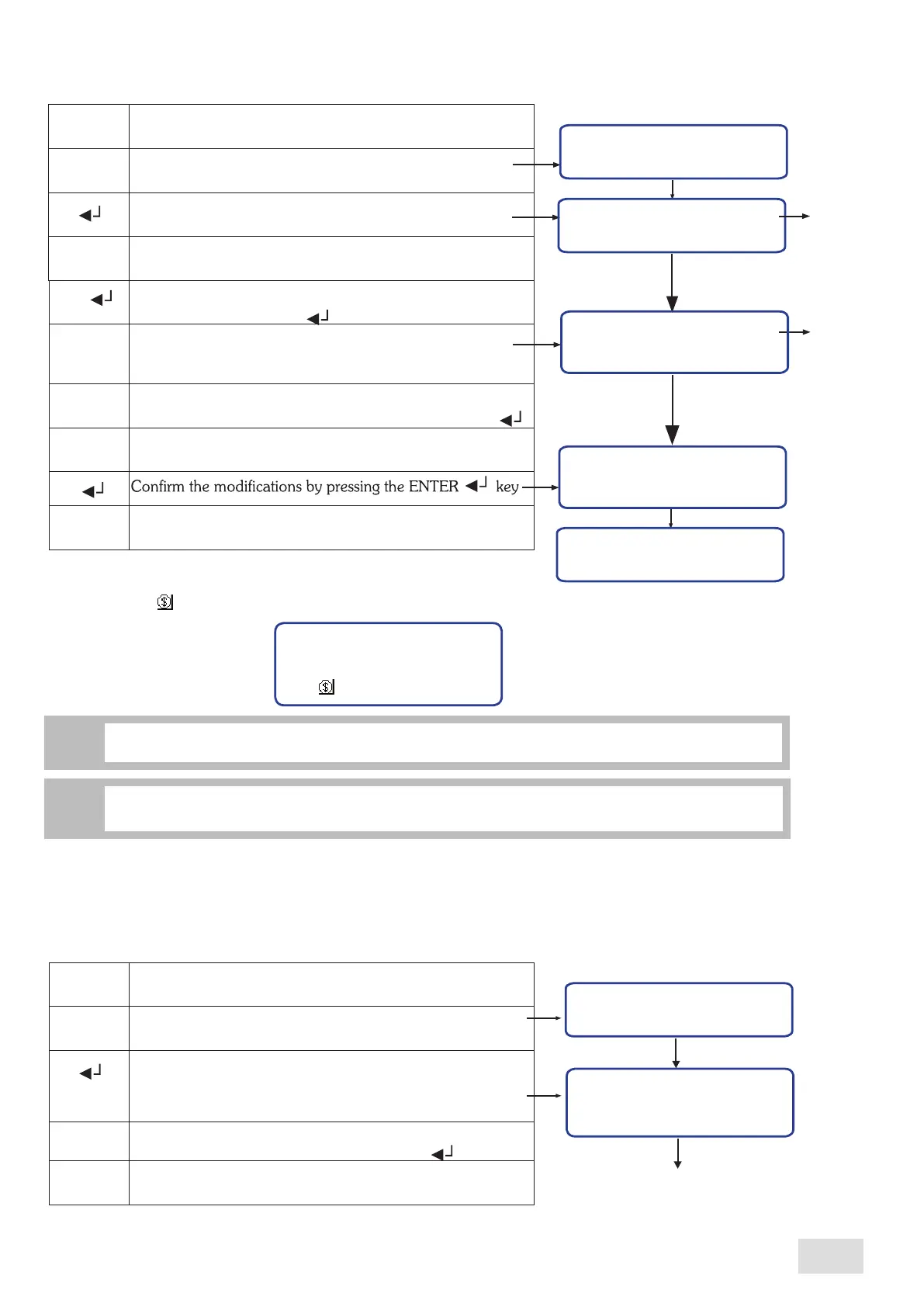
In order to set the limit-values, proceed as follows:
Cred. preal.
Cred. preal.
Enter into the programming menu
Scroll the menu until reaching the “Cred. preal.” submenu
Confirm in order to enter the designated submenu.
On display will be shown the count-down coffee counter
value, set in the previous submenu, and the prealarm
value “Thres.”
Write the new value wanted to be set as prealarm. In order
to confirm the number, press the Enter key “ ”
Confirm the set number
Credit: CCCCCC
Thres.: XXXXXX
^
M
^
^
CCCCCC: count-down coffee counter value
XXXXXX: prealarm value
11.8
Count-down coffee counter programming
When the machine is prefigured with the function, this submenu allows viewing and setting the number of coffees to be prepared
with the machine. Proceed as follows:
Credit
Credit
If the “Credit” has reached the zero value, the coffee preparation is disabled
and the symbol from the display remains fix:
CCCCCC
In order to eliminate the message from the display and activate the coffee brewing, set a new value
for the count-down coffee counter.
i
CCCCCC:
remained numbers
of coffee to be
prepared
1.1 bar
120°C
09:16 10-05-09 1
If the machine is not prefigured with the “Credit” function, the afferent submenu will not be
accesible
nor in the user’s programming menu neither in administrator’s programming menu.
i
In order to exit from the submenu, press the Menu “M” key
M
In order to enter into the modification page, simultaneously
press the keys “ ” and “ ”
On display will be shown the following page, with the
remained numbers of coffee to be prepared, so as the
possibility to set a new value
Write the new value wanted to be set as count-down coffee
counter. In order to confirm the number, press the key “ ”
Exit from the setting zone
^
^
Enter into the programming menu
Scroll the menu until reaching the “Credit” submenu
Confirm in order to enter the designated submenu
On display will be shown the remained numbers of coffee
to be prepared or the zero value
^
^
^
Imp. credit
Current: CCCCCC
New: XXXXXX
CCCCCC:
XXXXXX:
the new value
for count-down
coffee counter
Confirm?
NO YES
M
Credit
XXXXXX
remained numbers
of coffee to be
prepared
31
SAE Display
english



 To Next Page