11.12
Unlocking
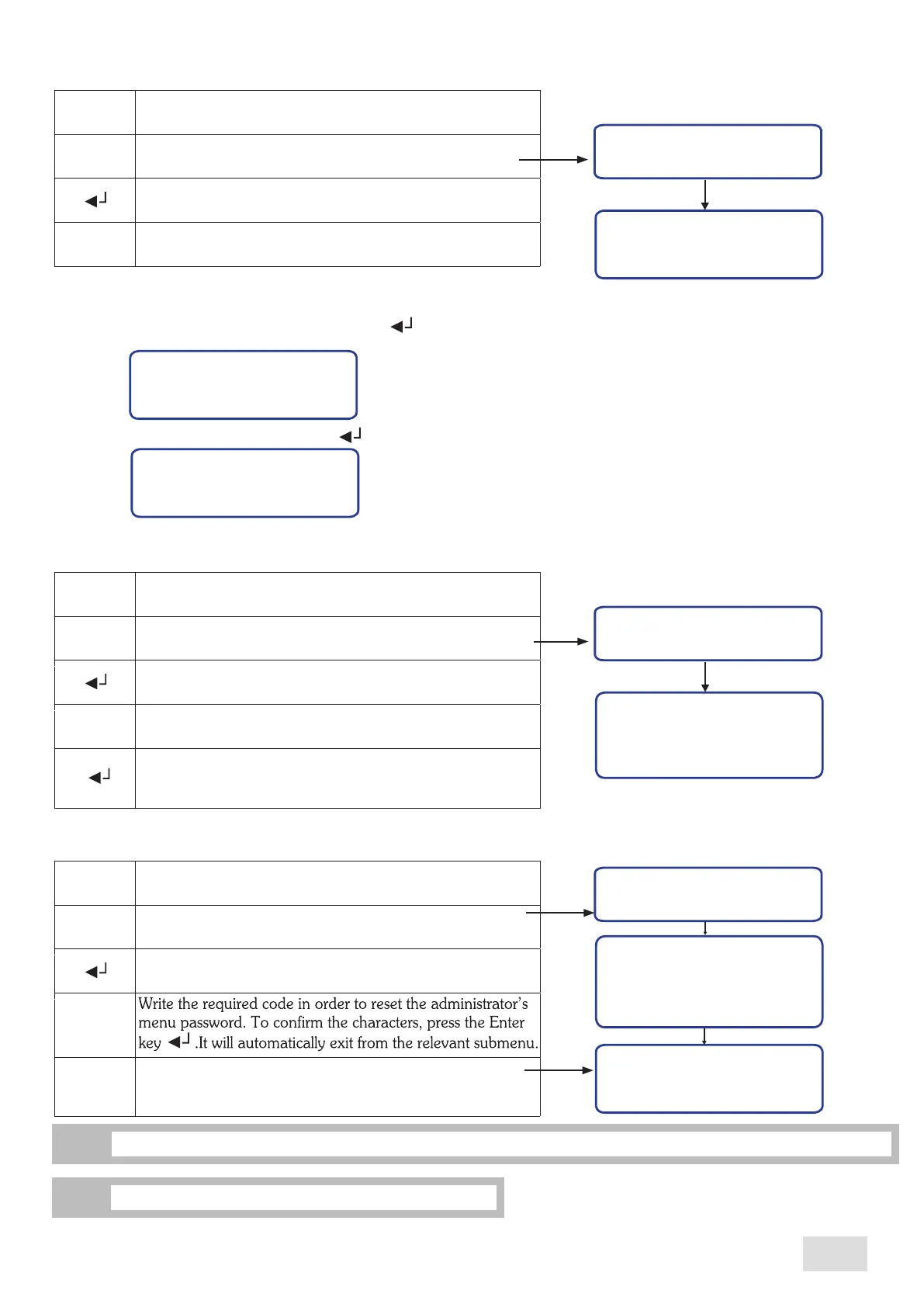
This submenu allows the reset of administrator’s menu password to the initial one, “ABCD”. Proceed as follows:
Unlock
Unlock
Enter into the user’s programming menu
Scroll the menu untill reaching the desired submenu
Confirm in order to enter the designated submenu
Ser: SSSSSSSSS
Cod: PPPP
< -- 0 -- >
^
^
^
These operations are accesible both from the administrator’s programming menu and user’s programming menu.
i
11.11
Language programming
Proceed as follows:
Language
Language
Enter into the programming menu
Scroll the menu until reaching the desired submenu
Confirm in order to enter the designated submenu
Italian
English
Romanian
^
Scroll the menu untill reaching the desired language to be set
^
^
Confirm the set programming language. It will automatically
exit from the relevant submenu; the language will be
allready changed
The submenu will be used by authorized personnel only.
i
11.10
Doser alarms
This submenu allows viewing and resetting the number of flow meter alarms. The 4 values shown on display are relevant to the
brewing groups, the number one group being the right side one. Proceed as follows:
Doser alarms
Doser alarms
Enter into the programming menu
Scroll the menu until reaching the “Doser alarm”
submenu
Confirm in order to enter the designated submenu
Exit from the menu
GR1:XXX GR2: YYY
GR3: ZZZ GR4: KKK
^
M
In order to reset the alarms, proceed as follows:
•Enter into the “Doser alarms” submenu;
•Simultaneously press the display’s keys “ ” and “ ”;
•On display will appear the following page:
•In order to confirm the reset, press the key” “; on display will appear the ”Doser alarms” submenu, as follows:
Reset. dos. al.?
NO YES
^
Doser alarms
GR1: 0 GR2: 0
GR3: 0 GR4: 0
33
SAE Display
english
Password
-- --
< -- A -- >
On display will appear the following page. Write the
“ABCD” password in order to enter intro the administrator
menu.



 To Next Page