22
How to Test Blood
1. Check dates on test strip vial being used. Do not
use either 4 months aer rst opening or aer
date printed next to EXP on label has passed,
whichever comes rst.
2. Clean the area to be lanced with an approved
disinfectant. Dry thoroughly.
3. Remove one Strip from vial. Close vial
immediately. Use test strips
quickly aer removal from vial.
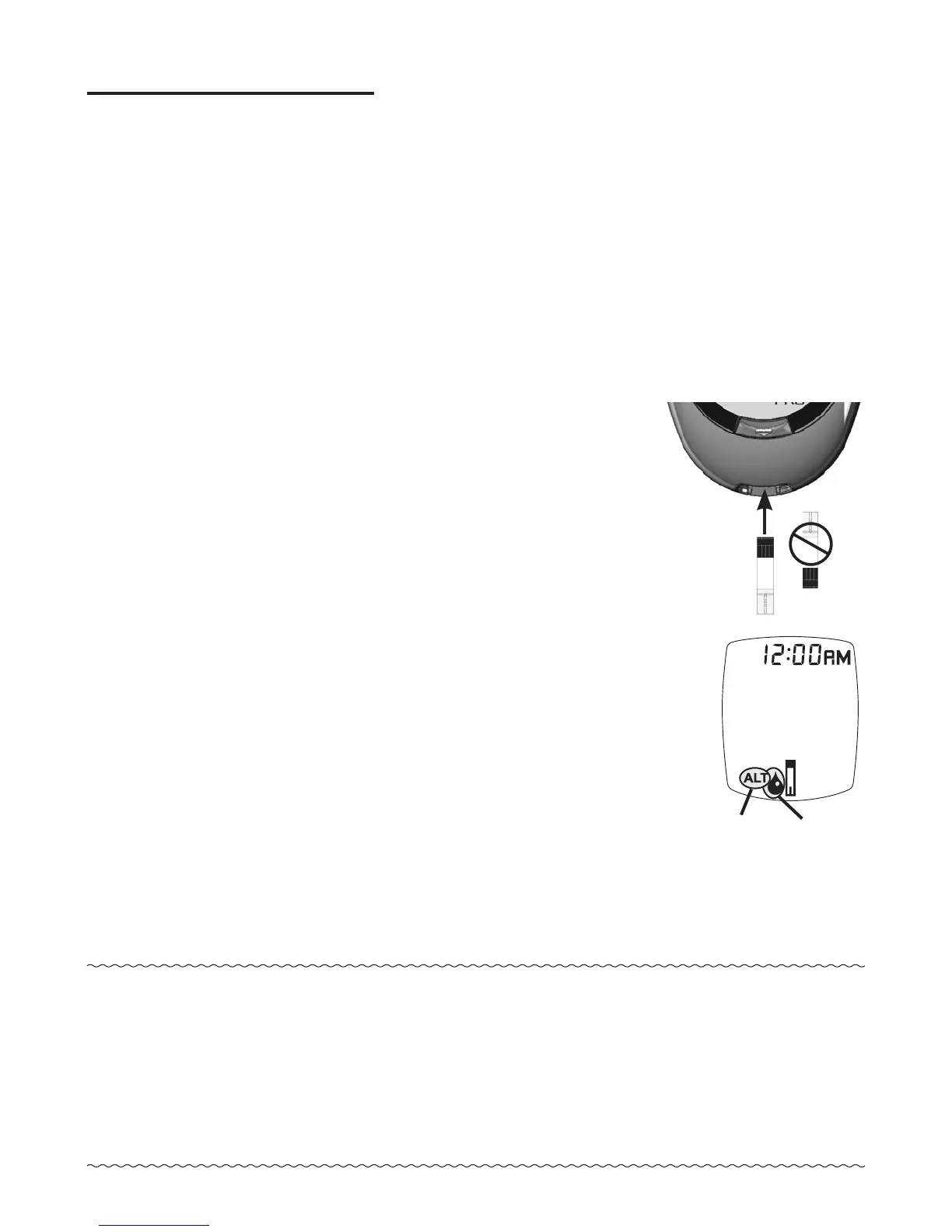
4. With meter o, insert test strip
Contact End (blocks facing up)
into Test Port. Meter turns on.
Keep test strip in meter until
testing is finished.
To mark test as alternate site
(forearm) result, press “ ▶ ”
Button. ALT Symbol appears in
Display. Press “ ◀ ” Button to
remove ALT Symbol.
5. Wait until Drop Symbol appears
in Display.
Note:
If test strip has been out of the vial too long
before testing, an error message appears upon
insertion of the test strip into the meter. Release
and discard old test strip. Use new test strip for
testing.
ALT
Symbol
Drop
Symbol



 To Next Page