www.marketdirect.com.au Ph: 1300 494 494
41
Select Water Heater Mode
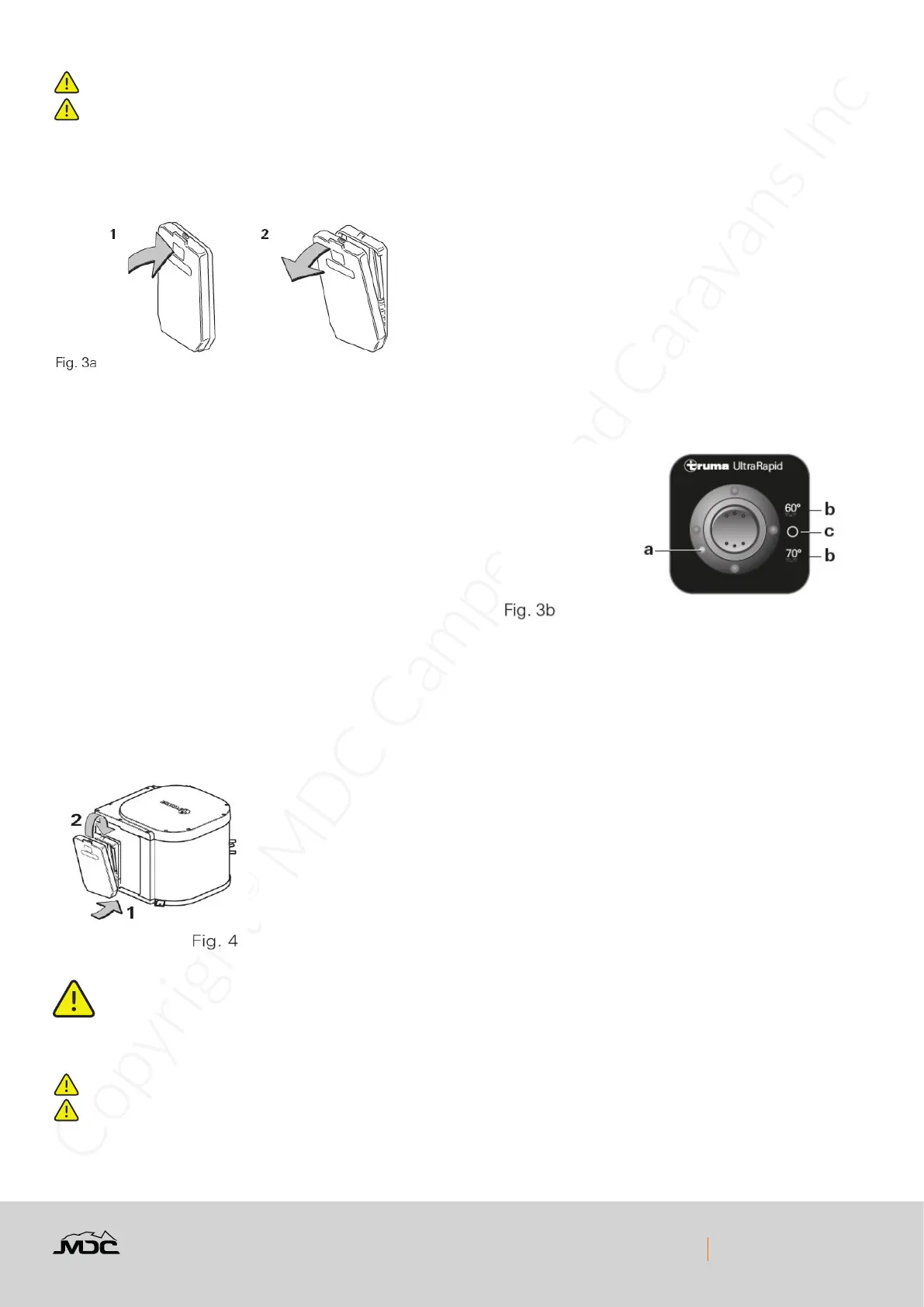
Use the control panel to select the water heater mode
a = Red indicator lamp “Fault”
b = Water heater “On” 60 °C or 70 °C
c = Water heater “Off”
If there is air in the gas supply line, it may take up to a minute before the gas is available for combustion. If the
appliance switches to “Fault” during this time, switch off the appliance
– wait 10 minutes – and switch on again!
When using the vehicle switches
Refer to operating instructions of the vehicle manufacturer or
see switch labels.
Switching Off Gas Operation
– Switch off the water heater to position (Fig. 3b - c).
If the water heater is not to be used for a longer period, mount
cowl cover (non-observance of this point can lead to the function of the appliance being impaired through water, dirt
or insects), close stop cock valve in the gas supply line and close the gas cylinder.
Before setting off on any journey, t cowl cap with the Truma UltraRapid switched off. Please ensure that it is secure
and has locked into place (risk of accident). Defective cowl caps must not be used. Drain the water heater if there is a
risk of frost! Warranty claims will not be accepted if this is ignored.
Red Indicator Lamp “Fault”
The red indictor lamp (a) lights up if there is a fault. For possible causes please refer to “Fault nding” on
page 6. To unlock, switch off the appliance, wait 10 minutes, and switch on again.
Maintenance
Do not modify this appliance
Servicing should only be carried out by authorised personnel.


 To Next Page