EHC-C www.easthigh.com.cn 5
2.4Counting
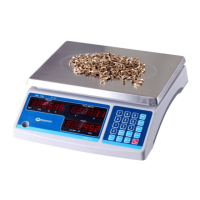
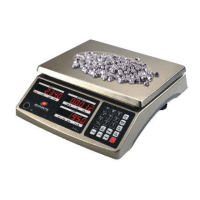
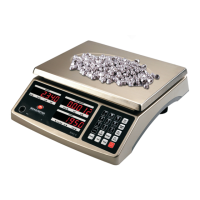
Use this mode to count parts of uniform weight. The indicatordetermines the quantity based on the average
weight of a single part.All parts must be uniform in weight for accurate measurement.
Establishing the Piece Weight (PWT)
Get the PWT by weighing a sample of known quantity
1) Place a known quantity of objects onto the platter and press the PCWT/SPL key for 4 seconds to enter
piece weight calculation mode.
2) The WEIGHT window will display the weight, the PIECE WEIGHT window will display “
”
(Sample Pieces), and the COUNT window will display the known quantity that you will input.
3) Use the number keys to input the known piece quantity. Press the Enter key to confirm.
Input a known PWT
1) With the platter empty, press and release the PCWT/SPL key to enter piece weight entry mode.
2) The WEIGHT window will display zeroes, the COUNT window will display “
” (Piece Weight), and
the PIECE WEIGHT window will display the piece weight that you will input.
3) Use the number keys to input the known piece weight. Press the Enter key to confirm.
Begin Counting
Place the parts on the scale and read the count. If a container is used,be sure to tare the empty container first.
NOTE:
1) The total load weight has to be greater than 20*d, where d is the Readability that is written at the top left
corner of the display. Any weight under 20*d will likely result in inaccurate counting.
2) The piece weight must be greater than the minimum piece weight (see Specifications table) or a
“
” error will be displayed when the Enter key is pressed.
3) In establishing the PWT mode, press the ZERO/ON/OFF key to exit this mode without storing the piece
quantity or weight.
4) The limited number of display digits may display rounding in some cases. As such, if you manually divide
the displayed total weight by the displayed piece weight, it may not equal the displayed piece quantity.
Despite this, the displayed piece quantity is correct.
2.5Accumulation
Use this mode to totalize the displayed values. Accumulation data(count and number of accumulations) is
stored in memory forreview.
Accumulate the values of count
In counting mode, press theAcckey to add the displayed value to the accumulated total.
The indicator will display “
Add
” in the WEIGHT window, the PIECE WEIGHT window will display the times of
accumulation instances, and the COUNT window will display the number of accumulated piece quantity.
Recall the accumulated values
Press and hold theAcckey for 4 seconds to recall the accumulated values. The WEIGHT window will


 To Next Page