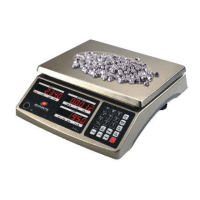
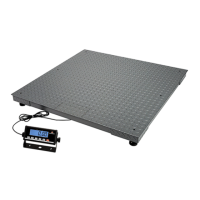
PS‐102 www.measuretek.net .7
C8 2
Zero range for ZERO/ON/OFF key:
0 –power-on zero -point ±1%FS;
1 - power-on zero –point ±2%FS;
2 - power-on zero –point ±3%FS;
3 - power-on zero –point ±4%FS;
4 - power-on zero –point ±5%FS;
5 - power-on zero –point ±10%FS;
6 - power-on zero –point ±20%FS;
7 - power-on zero –point ±50%FS;
8 - power-on zero –point ±100%FS;
9 - no limitation;
6 6
Para-
meter
Default Setting
12R977
setting
12R979
setting
C9 0
Select which zero point will be used after scale is powered on and current
weight signal is within the power-on zero-point range:
0 - Current weight;
1 - Calibration zero point;
2 - Power-off zero-point (power-off tare weight as current tare weight).
0 0
C10 0
Select which zero point will be used after scale is powered on and current
weight signal is NOT within the power-on zero-point range:
0 - Prompt power on zero point is over range;
1 - Current weight;
2 - Calibration zero point;
3 - Power-off zero-point (power-off tare weight as current tare weight).
0 0
C11 6
Zero tracking range:
0=no tracking; 1=±0.25d; 2=±0.5d; 3=±1d; 4=±1.5d;
5=±2d; 6=±3d; 7=±4d; 8=±5d, 9=±6d
6 6
C12 2
Digital filter intensity:
0= very weak, 1=weak, 2=middle, 3=strong
2 2
C13 5
Motion check range:
0=±0.25d; 1=±0.5d; 2=±1d; 3=±1.5d; 4=±2d;
5=±3d; 6=±4d; 7=±5d; 8=±6d; 9=±7d;
4 4
C14 1
Max. weight Display:
0=FS+0d; 1=FS+9d; 2=101%FS; 3=102%FS; 4=105%FS;
5=110%FS; 6=120%FS; 7=150%FS; 8=200%FS; 9= No limitation
1 1
C15 0
0=BMI function is disable
1=BMI function is enable
0 0
C16 0
0=not recover parameters (Cxx & Uxx) to default set
1= recover all parameters to default setting
0 0
CONFIG settings should only be performed by individuals with the required
knowledge.
technical


 To Next Page