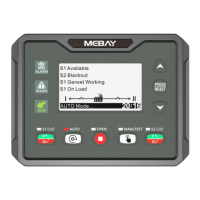
DC30D GENSET CONTROLLER USER MANUAL
12
Manual start and stop process:
Warming-up
time
Man-
ual
Start
0RPM
Idle
Rated speed
0S
2S
8S
10S
0S 10S 0S
10S 30S
Pre-
heat
delay
Start
Crank
delay
Crank test
time
Safe
time
Start idle
time
rated
runn-
ing
Stop idle
time
Wait
Stop
ETS
solen-
oid
hold
6) After the manual start is successful, pressing the "automatic key" can be converted
into an automatic file. The specific working time is as follows:
0RPM
0S
2S
8S
10S
0S 10S 1S 10S 0S
10S 30S
Start idle
time
rated
running
Man-
ual
Start
Idle
Rated speed
Pre-
heat
delay
Start
Crank
delay
Crank test
time
Safe
time
Cooling
running time
Stop idle
time
ETS
solen-
oid
hold
Wait
Stop
Warming-up
time
Stop delay
7) Automatic starting mode:
Press the "STOP" to ensure the stop gear before starting. Press "AUTO"
automatic gear indicator light on, at this time will wait for the remote start signal to
be valid, the unit will execute the start process in the following sequence. When the
unit enters the normal rated operation, the power generation closing relay will output
and switch to the power supply of the generating unit.
The controller will detect the remote start signal in real time. When the remote
start signal fails, the " Stop delay" will be executed. After the completion of the stop
delay, the engine high-speed " Cooling time" and the subsequent shutdown process
will be executed.
Auto start and stop process:
Auto
Start
delay
0RPM
Idle
Rated speed
Pre-
heat
delay
1S
0S
Start
Crank
delay
2S
Crank test
time
8S
Crank rest
time
8S
Cranking
time
10S
Safety
time
10S
Start idle
time
0S 10S
rated
runn-
ing
Stop delay
1S
Cooling
running time
10S
Stop idle
time
0S
ETS
solen-
oid
hold
10S
Fail to
stop
30S
Idle
Rated speed
Auto
Start
delay
Pre-
heat
delay
Warming-up
time


 To Next Page