DC30D GENSET CONTROLLER USER MANUAL
11
Alarm records checking
DC30D controller can save three group of alarm records which contains the alarm
record data includes detailed data such as alarm time, generator parameters, engine
parameters, etc.
How to check the alarm records:
1)Press the button for more than 3 seconds to check the alarm records under
stop mode.
2)In the history alarm list browsing interface, press to move up the cursor, and
press to move down the cursor to choose the record you need. Press to
confirm the record and come into history records checking page.
3)Press or to change the alarm record data. Press to return to the
history alarm list browsing interface.
4)In the history alarm list browsing interface, press to exit.
Control and operation instruction
Manual Start
In stop mode turn the starter key from OFF to ON position to power on the
controller, then change the starter key position to START to begin cranking; after the
engine fires, release the starter key(crank disconnect condition is gen
frequency>14.0Hz), then the controller can monitor and display the relevant
parameters of the generator set in real time.
Manual stop
Under any circumstances, if starter key is turned from ON to OFF position, it will
lead to shutdown.
Please note before manually start:
1) Please make sure if the connection is right and meet requests.
2) There is fuse in the DC power of controller and make sure if the battery + and - are
connected rightly.
3) Please make sure if all the parameters are right and the oil pressure indicators are
in normal light.
4) Please take appropriate measurement so that the genset shall be stopped under
emergency.
5) Manual start mode:
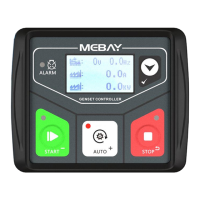
Press the "STOP" to ensure the stop gear before starting. Press "MANUAL"
manual gear indicator light on, at this time will detect the normal connection of
each sensor, if the sensor is open, then report the sensor open alarm, if normal, then
execute the start-up process of the unit. When the unit is running normally, press the
"STOP" and the controller will perform the parking process in the following
sequence:


 To Next Page