Page 18 Micro 26 - Service & Parts Manual
April 2019
Calibration Instructions
The Platform Overload Sensing System may require calibration in the event of a malfunction or
after the replacement of an Overload System component. Proper and correct calibration of the
Overload system is critical for normal and trouble-free machine operation. Read and understand the
instructions before beginning the calibration process.
Calibrate Tilt Sensor
Park the machine on flat level surface.
Note: Calibrating the level sensor requires that the machine be
perfectly level on both the X and Y axis. An inclinometer
should be used when ensuring level. Machine power must
be on.
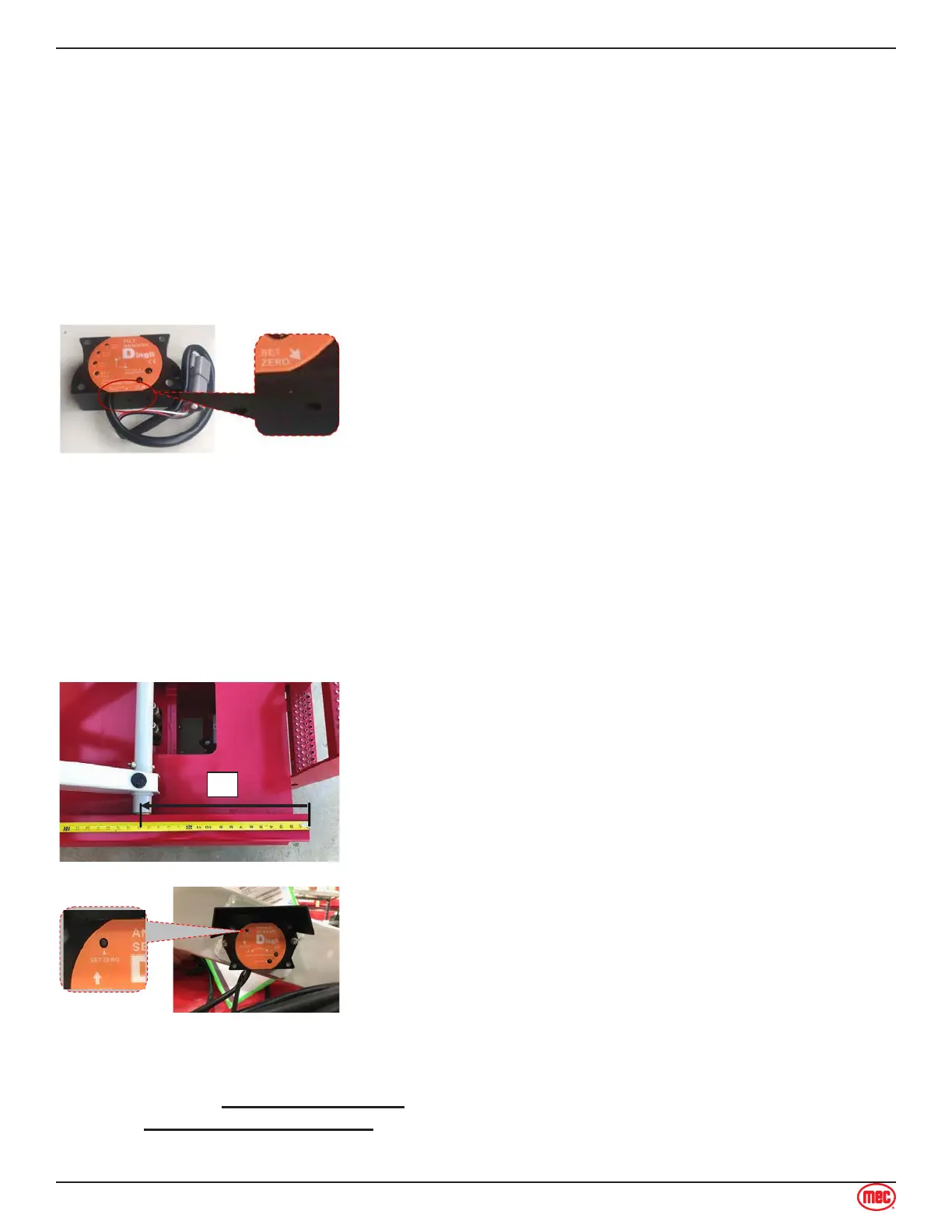
Using the diagram below, locate the “SET ZERO” button
located on the side of the sensor. Press and hold the “SET
ZERO” button until the LEDs alternate red and green flashes.
Release the button
Press the “SET ZERO” button three times. The LEDs will
turn off then only the green LED will illuminate, Calibration is
complete.
1.
2.
3.
Calibrate Height Sensor
Note: Calibrate Overload System must be performed after calibrating height sensor to ensure proper
and trouble-free machine operation.
Refer to the diagram below. Elevate the platform until the
round scissor tube is exactly 17” from the end of the slide
channel, measuring on the top of the slide channel.
Referring to the following diagram, locate the height sensor,
located inside the scissor beams. Press and hold the “SET
ZERO” button until the two LEDs alternate red and green
flash alternately. Release the button.
Press the “SET ZERO” button three times. If done correctly,
the red light will flash followed by the green light flash
followed by the green light illuminating solid. HEIGHT
CALIBRATION COMPLETE.
1.
2.
3.
Calibrate Overload System
Note:
The platform will lift automatically once the calibration has been initiated. Be sure that there
are no overhead obstructions when choosing a location on which to calibrate the overload
system.
Section 10 - Calibration Instructions
Calibration Instructions



 To Next Page