40
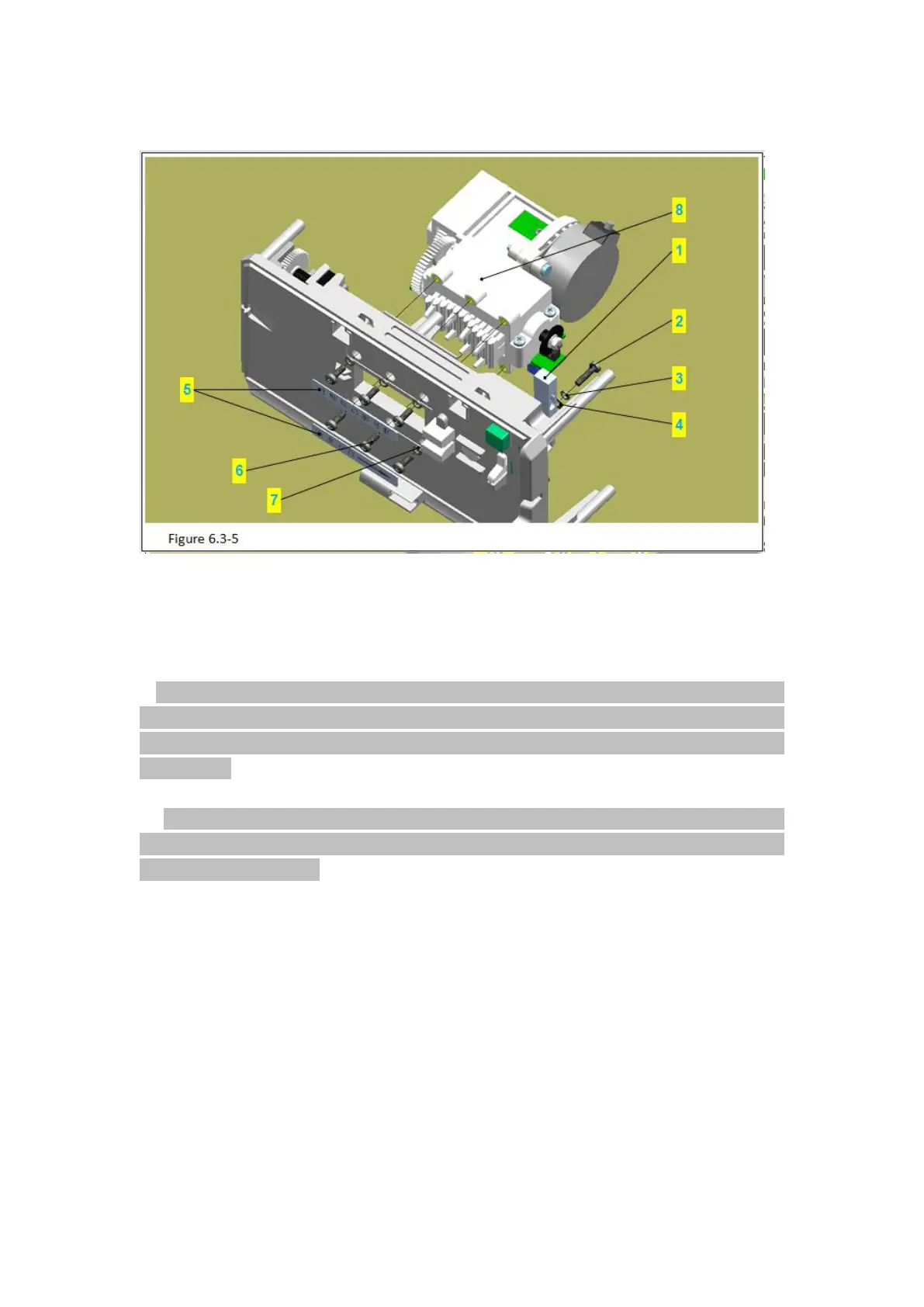
6.3.5 Remove the pump door components
Figure 6.3-5 Notes:
Code Name
1)Use pilers to take out the spring (figure 6.3-5/code name 2) in the door shaft (figure
6.3-5/code name 2).
Attention: move the door shaft for a certain distance in the direction of spring to ensure
the pilers tip can stick in and stick up the spring. Take care not to scratch the surface of the
door shaft, once the surface of the door shaft is scratched, it is easy to be stuck in the
shaft sleeve.
2)Use pilers to take out the door shaft.
Attention: move the door shaft for a certain distance in the direction of spring, stick the
pilers tip into the groove of the door shaft and pull it out. Take care not to scratch the
surface of the door shaft.
3)Remove the cover board (figure 6.3-5/code name 5).
6.3.6 Remove Components of the Peristaltic Pump



 To Next Page