41
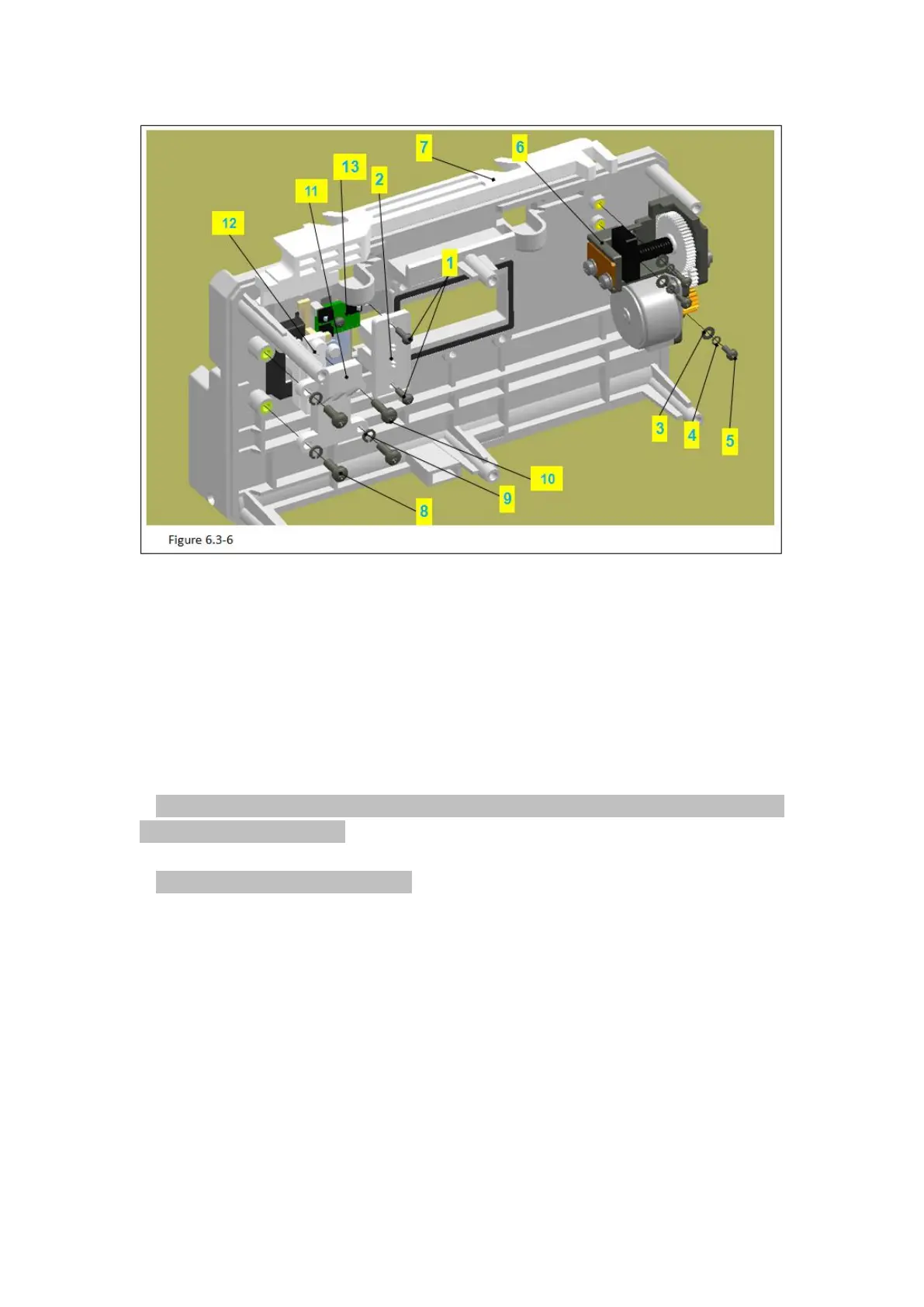
Figure 6.3-6 Notes:
Code Name
8 –Components of the Peristaltic pump
1) Use phillips screwdriver to take out the M4 machine screws (figure 6.3-6/code name 2)
in the pressure sensor (figure 6.3-6/code name 3).
2)Remove the pressure sensor.
Attention: Do not break off the connection wire of the pressure sensor and take down
the pressure from the board.
3)Use pilers to tear down the middle board label (figure 6.3-6/code name 5).
Attention: Do not break the surface.
4) Use phillips screwdriver to take out the 6 M3.0 machine screws (figure 6.3-6/code name
6).Remove the M3.0 spring washer (figure 6.3-6/code name 7).
5) Remove components of the peristaltic pump (figure 6.3-6/code name 8).
6.3.7 Remove the Door Drive and Components of the Middle board



 To Next Page