15
There are 82 built-in songs coving a variety of styles. You can play the
drums while listening to one of these songs.
Playing Along with a Song
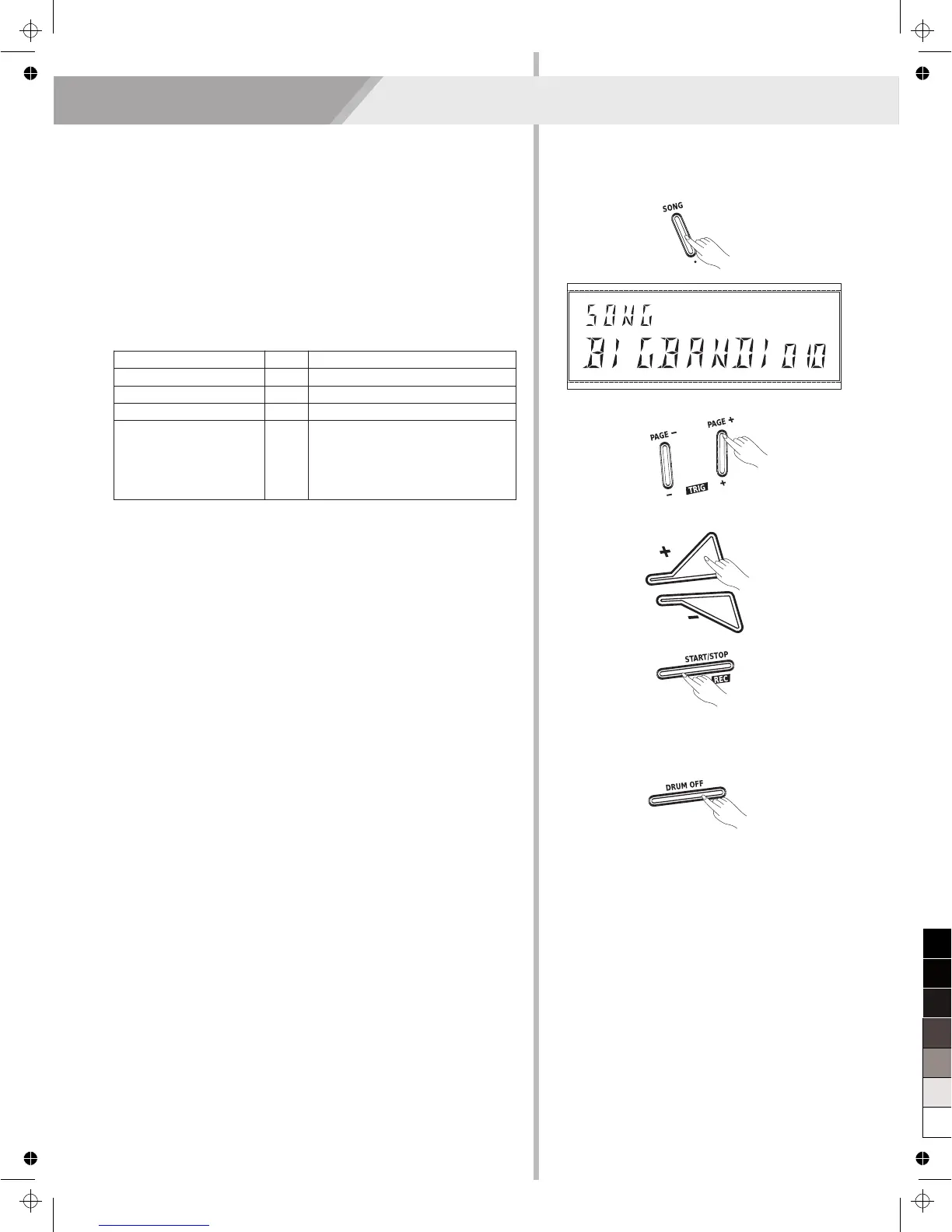
1. Press the [SONG] button to enter the selection menu.
2. Press the [PAGE +] / [PAGE -] button to select the menu that you
want to edit.
Playing Along with a Song
Parameter
DELETE
SONG NAME
ACCOMPANY VOLUME
DRUM VOLUME
Value
---
1~82
0~16
0~16
Description
Select a song.
Adjust the accompaniment volume.
Adjust the drum volume.
Delete user song.
Press [SAVE/ENTER] button to
enter “CONFIRM N”,then press [+]
to switch “CONFIRM Y” display and
press [SAVE/ENTER] to confirm.
3. Use the [+] / [-] button to adjust the value.
4. Press the [START/STOP] button to play/stop song.
Mute the Drum Part of Song
If you want to learn a song, you can first practicing this song while
playing songs. As you have controlled the drum part of a song, you can
use this mute function to make some challenges, mute the drum part,
or decrease the drum volume gradually.
Press the [DRUM OFF] button to mute the drum part, the [DRUM OFF]
button will light.


 To Next Page