17
Song Recording
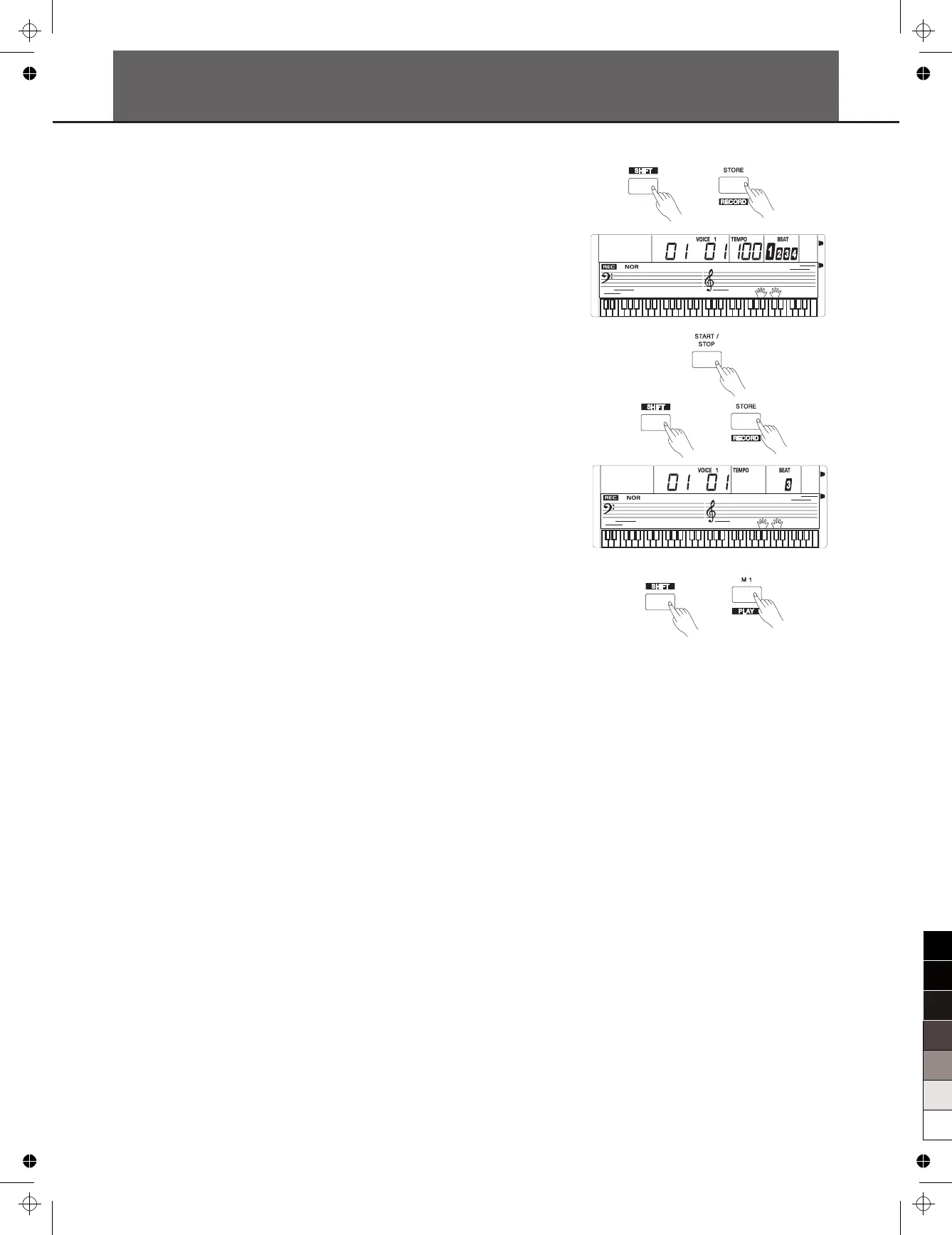
You can record your performance (up to 350 notes), and the
accompaniment.
1. ,
the record flag appears on the LCD, the beat flashes.
2. Play the notes you want to record or press the [START/STOP]
button to start recording. turn on the
chord mode, and play the chords on the left of the keyboard.
3.
again to stop recording. The record flag disappears.
4. to
play the notes you recorded.
5.
6. recording,
can stop recording and play the notes you recorded.
Note:
If you turned off the keyboard, the data you have recorded will be lost.
Holding down the [SHIFT] button and press the [RECORD] button
To record accompaniment,
Holding down the [SHIFT] button and press the [RECORD] button
Holding down the [SHIFT] button and press the [PLAY] button
Holding down the [SHIFT] button and press the [PLAY] button
again to stop it.
During holding down the [SHIFT] button and press the
[PLAY] button



 To Next Page