Connections
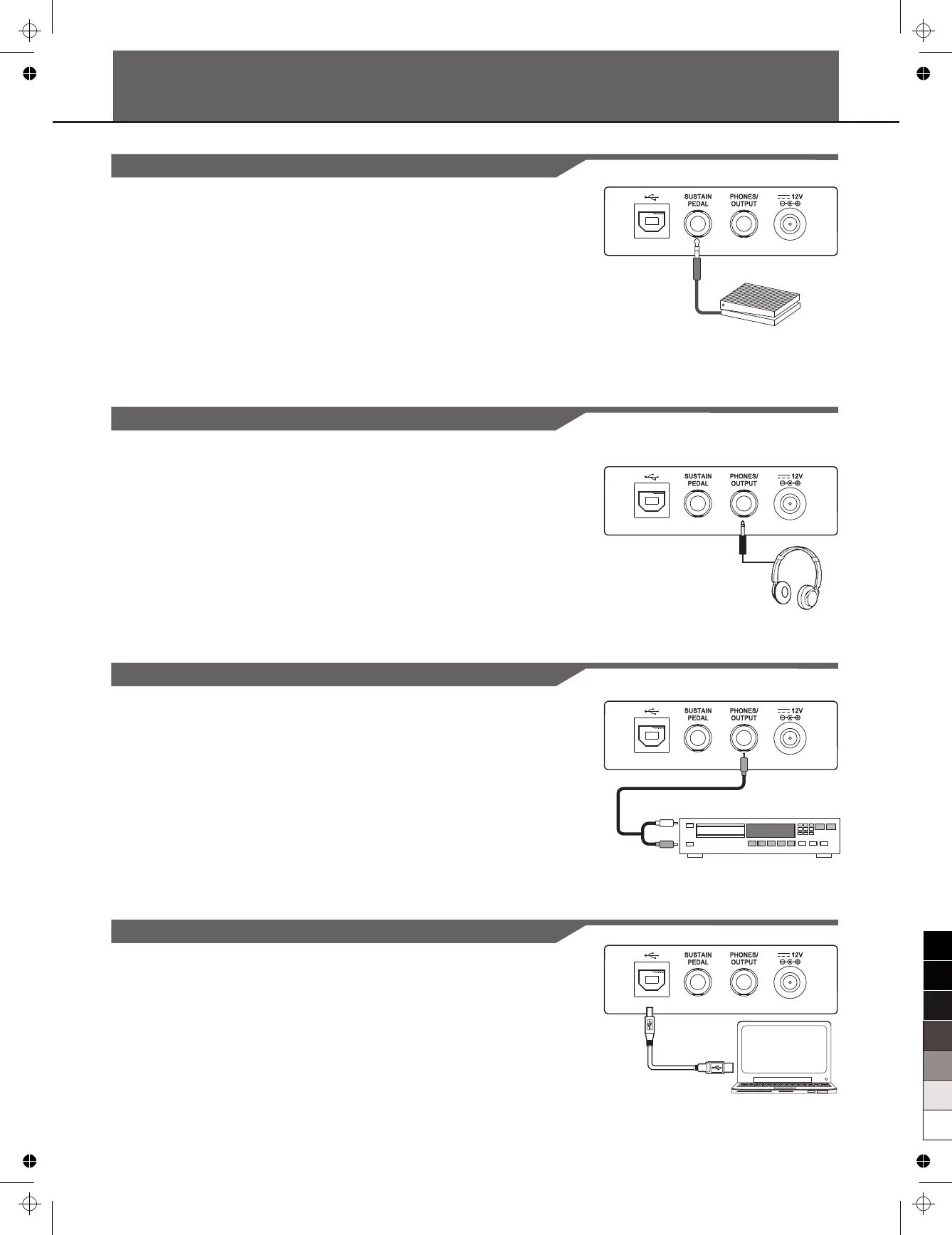
Connecting a Computer
7
Use a USB cable to connect the instrument to a computer. The
instrument receives and transmits MIDI messages via the USB
connector.
Connecting a pair of Headphones
A standard pair of stereo headphones can be connected to the
PHONES jack for private practice or late-night playing. The internal
stereo speaker system is automatically shut off when a pair of head
phones is plugged into this jack.
Note:
Do not listen with the headphones at high volume for long periods
of time. Doing so may cause hearing loss.
Connecting an Audio Equipment
The PHONES jack can be also connected with an audio equipment,
such as an amplifier, mixer, recorder,etc.
Note:
To avoid damaging the speakers, the volume has been set
to the minimum level before connecting the power and other devices.
make sure
Connecting a Footswitch
An optional footswitch can be plugged into the sustain jack and be
used to switch sustain on or off. Simply by pressing a sustain
footswitch, you will have a natural sustain as you play.



 To Next Page