Playing the Voices
9
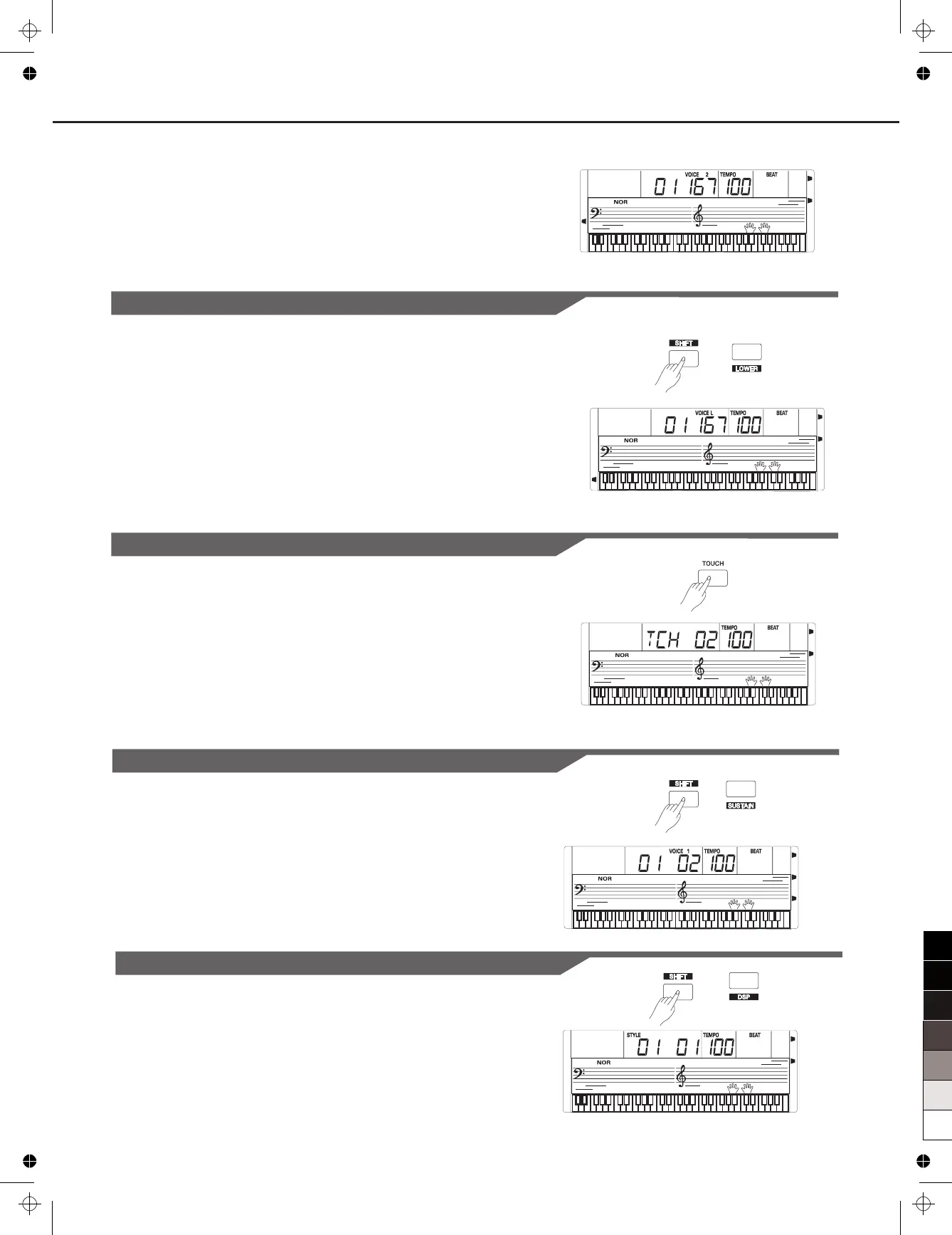
2. Selecting a voice for VOICE 2.
Use the data dial, the number keys, the [+] button or the [-] button
3. Play the voices.
to
select the desired dual voice.
You will hear two different voices layered together, just like two
instruments playing at the same time.
Touch
The keyboard is equipped with a touch response feature that lets you
dynamically and expressively controls the level of the voice with your
playing strength – just as on an acoustic instrument. Press the
[TOUCH] button to adjust touch parameter: OFF, 1, 2,3. Press [+] and
[-] buttons simultaneously to its default value.restore
Sustain
When the Sustain feature is ON, all notes played on the keyboard
would have a longer sustain.
to turn the SUSTAIN effect ON or
OFF.
Note:
When you step on the “sustain pedal”, the sustain effect is stronger
than the effect by pressing the [SUSTAIN] button.
Holding down the [SHIFT] button and
then press the [SUSTAIN] button
DSP Effect
The DSP simulates sounds in the real environment. With the DSP
effect, you can add ambiance and depth to your performance.
you turn on the instrument Holding
down the [SHIFT] button and then press the [DSP] button
The DSP effect is set to ON when .
to turn on or
off the DSP effect.
Lower
The lower function splits the keyboard into the left and the right hand
areas, each with a different voice.
.
Holding down the [SHIFT] button and press the [LOWER] button to
turn on the LOWER VOICE, LCD lights the LOWER VOICE icon and
displays “VOICE L” and its number.
The left hand voice is the lower voice
“VOICE L”
The default split point is #F3.
1.
When you play in real time, you can activate Split Mode simply by
pressing this button.
2. Press [+]/[-] button, or numeric button to select the voice you want.
DUAL
LOWER
TO UCH
SUSTAIN
DSP



 To Next Page