Inputfilename:Ifyouwanttoenteranewnameforthesavedsong,youcanpressthe[]keyboardor[]
keyboardtomovethepositionofcharacteryouwanttomodifyandthenpresstheotherspecialkeyboardtoname
thesong.Asongnamecanconsistofupto8characters.
←→
Press[FUNCTION+/NEXT]buttonafterenteringnewsongnametoconfirm.TheOverWri“?”willappearonthe
LCDwhenthereisasamesongnameinthedisk.Press[FUNCTION-/BACK]or[-]buttontorename.Press[+]
buttontooverwritetheoriginalfile.
The"DISKFUL"willappearontheLCDifthereisnomorespaceinthedisk.
TheLCDwilldisplay:"Protect!"ifawrite-protecteddiskisload.Pressnumberbuttonor[+]/[-]/[FUNCTION-/BACK]
buttontoreturnrenamingsong.
NOTE:
Savememory
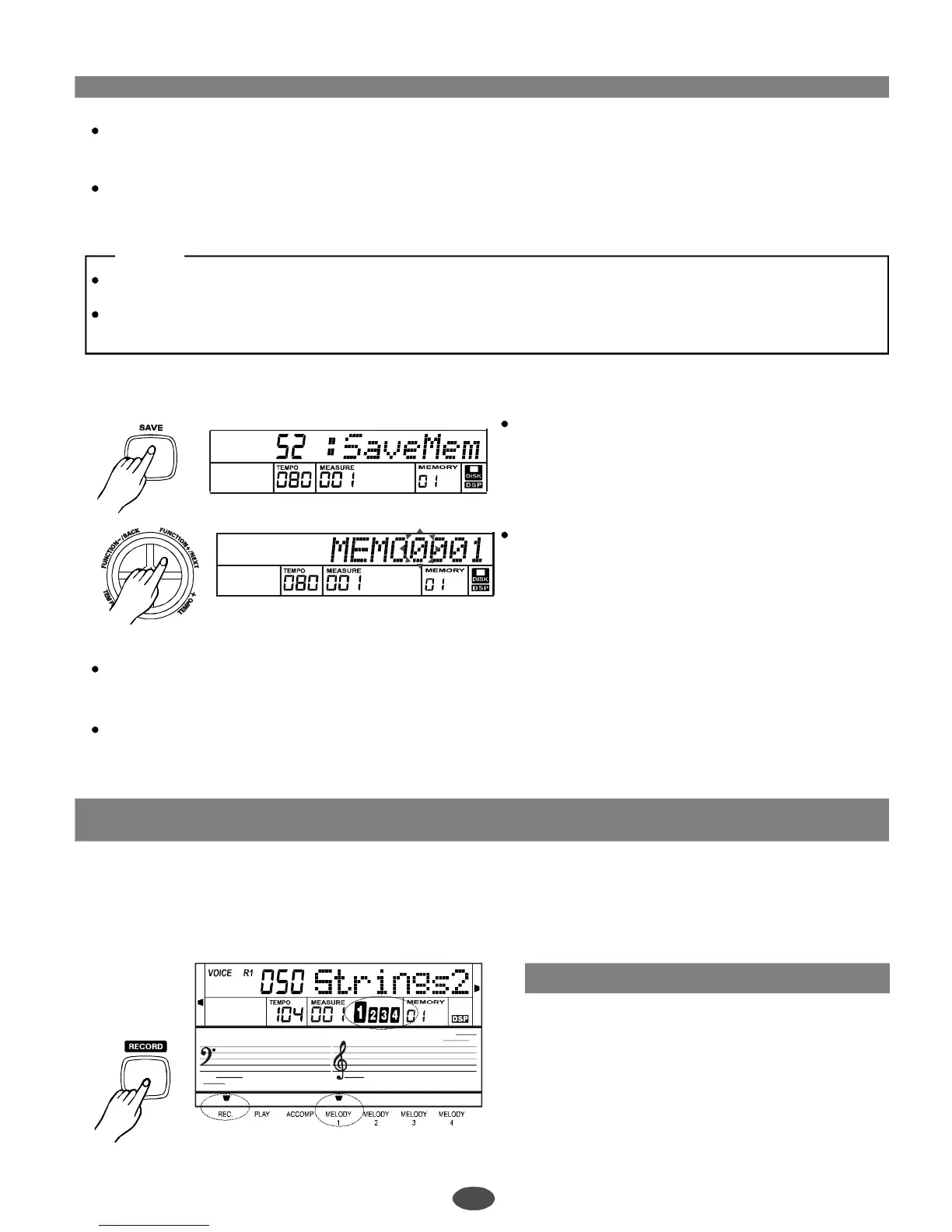
Press[SAVE]and[+]buttontoselectSavememory
filefunction.
Press[FUNCTION+/NEXT]buttontoentersave
memoryfilemode.LCDwilldisplaymemoryname.
Ifyouwanttoenteranewnameforthenewmemfile,pressthe[]keyboardor[]←→keyboardtomovetheposition
ofcharacteryouwanttomodifyandthenpresstheotherspecialkeyboardtonameofmem.Amemnamecan
consistofupto8characters.
Press[FUNCTION+/NEXT]buttonafterenteringnewsongnameifyouconfirm.The"OverWri"will? appearon
theLCDwhenthereisasamesongnameinthedisk.Press[FUNCTION-/BACK]or[-]buttontorename.
Press[+]buttontooverwritetheoriginalfile.
2
Record
Startrecording
Thereisoneusersongcanberecordedinthe
keyboard.
Eachsonghas5tracks(1ACCOMPtrack,4MELODY
tracks).Youcanrecordtheusersongandsavethem
intodiskwiththestandardMIDIformat.
Press[RECORD]button.TheRECflagwillappearon
theLCDandenterrealtimerecordingmode.The4
beatswillflashsimultaneityontheLCD,indicatingthat
itisreadyforrecord.
26
PDF 文件使用 "pdfFactory Pro" 试用版本创建 ÿ ÿ www.fineprint.com.cn



 To Next Page