Loadmidfunctionisonlyusedforthemidifilesthatbesavedbythepiano.IfthemidifilessavedfromPC
orothermididevices,theirnameswillnotdisplayonLCDandthisfunctionwillbenoeffect.
IfyoumodifiedthemidifilewithPC,themidifilewillnotdisplayinthisfunction.
Ifdataiserror,LCDwilldisplay"ERRORREC".
Ifyouhaveloadedamidifilebythisfunction,therecordedmemorydatawillbeoverwritten.Youcancontinuetoedit
recordeddatabyrecord.
Thisfunctionisonlyusedforthememoryfilesthat
savedbythepiano.Ifnot,LCDwilldisplay
"ERRORMEM".
NOTE:
NOTE:
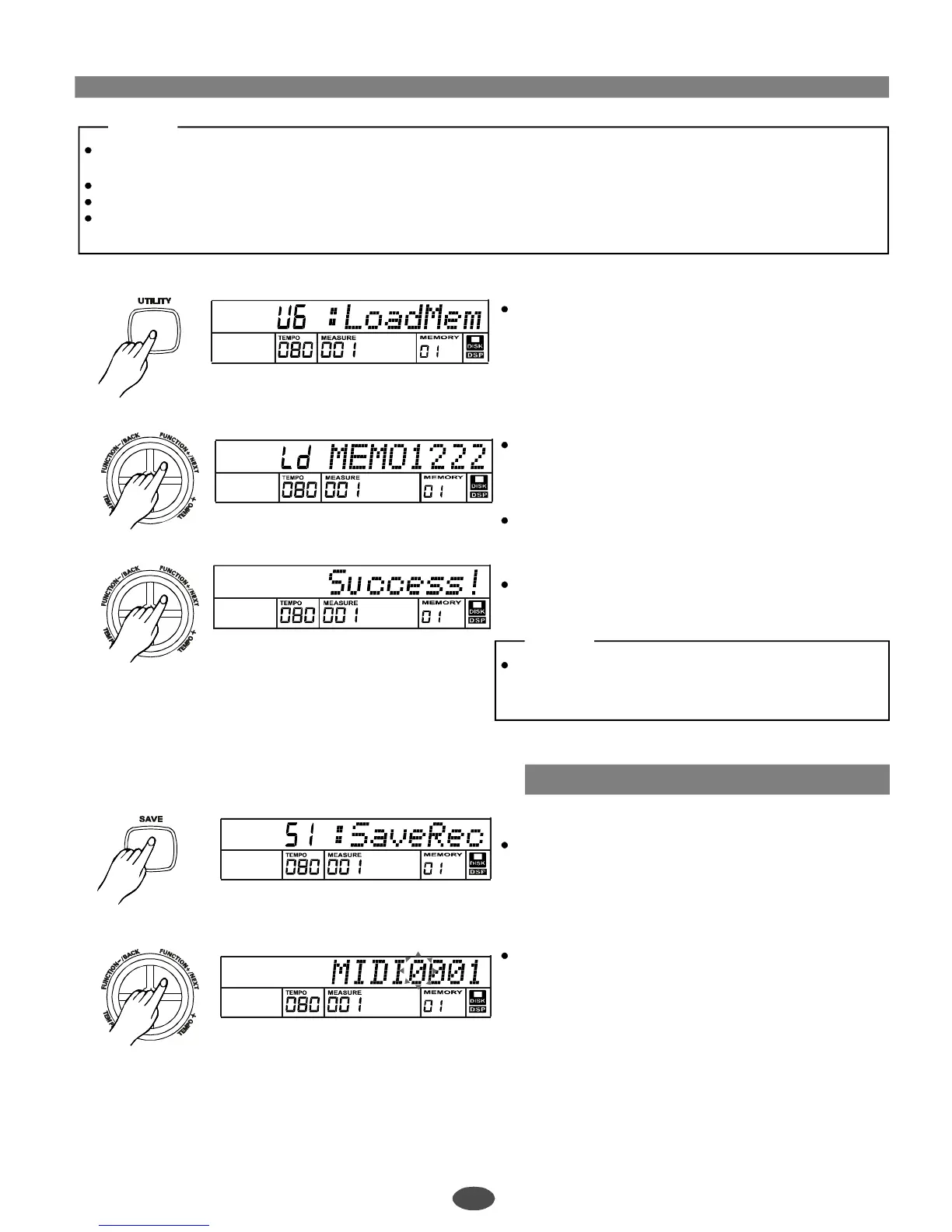
Selecttheloaddiskmemoryfunctionbypressingthe
[UTILITY]and[+]buttonorrotatingdatadial.
"LoadMem"willappearonthedisplay.
Press[FUNCTION+/NEXT]buttonandthedisk
memoryname(.mem)willdisplay.
Press[+]buttonordatadialtoselectthememyou
wanttoload.
Press[NEXT]buttonandLCDwilldisplay"Wait".LCD
willdisplayasbelowifthememoisloadingattheend.
…
Loadmemory
Savemidi
6
1
Disksave
Press[SAVE]buttontoselectDiskSavemidjob.
Press[FUNCTION+/NEXT]buttontoentersavemidi
filemode.
"MIDI0001"willappearontheLCDandthecharacter
"0"willflashtobechangedbykeyboard
Youcanpresssomespecialkeyboardstoremovethe
"flash"charactertorenameordeleteit.
Astandardmidiformatfilewillbesavedinthedisk.
Thefileisalwayslocatedintherootofdisk.Thismidi
filecanbecontinuedtoeditbyMIDIfunction.
25
PDF 文件使用 "pdfFactory Pro" 试用版本创建 ÿ ÿ www.fineprint.com.cn



 To Next Page