RX8000 Integrated Receiver/Decoders
1553-FGB 101 759 Uen K
www.mediakind.com
3.9.2.4.4. Configuration
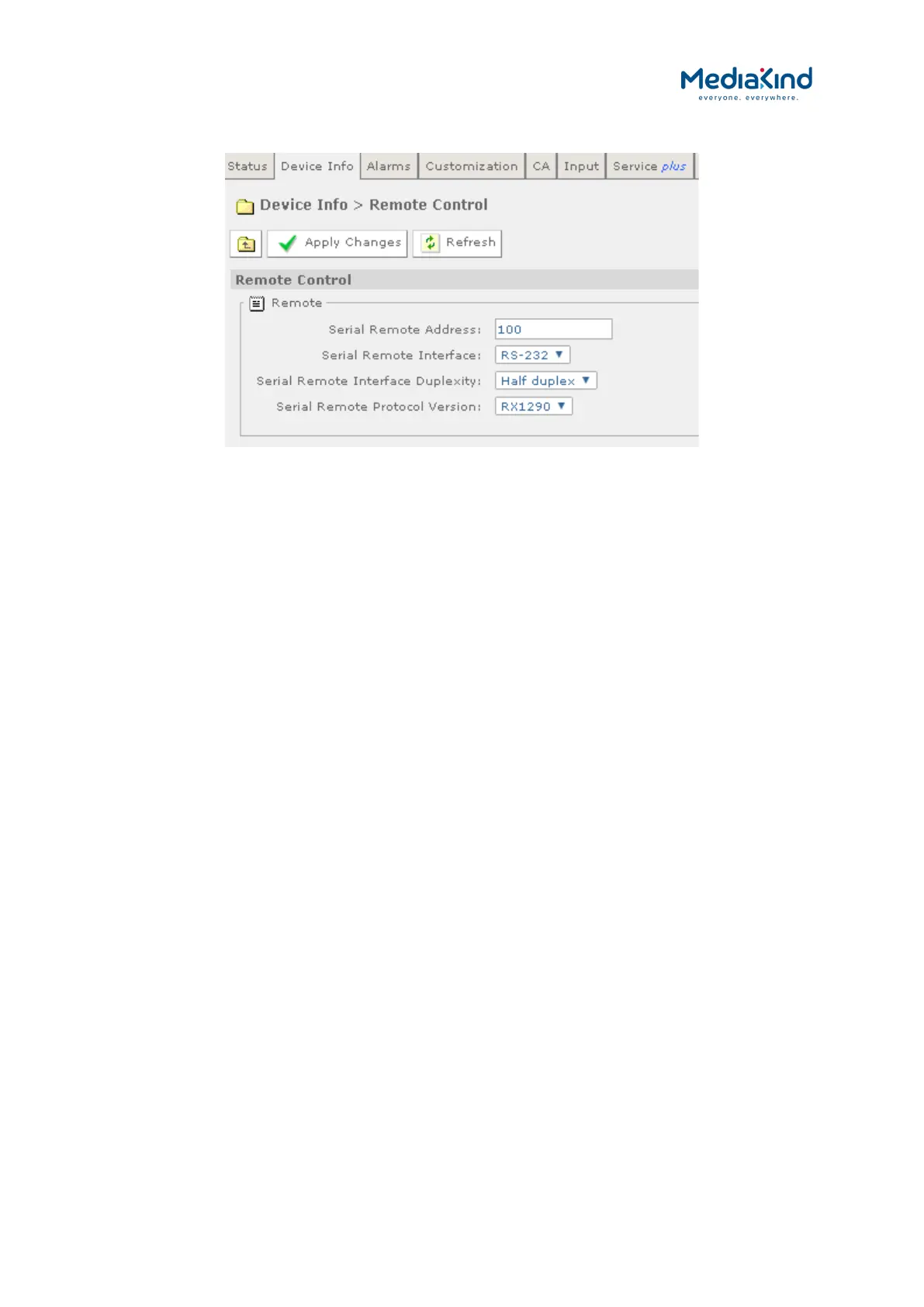
Figure 3-21 Device Info > Remote Control
• Serial Remote Address – This defines the Serial Remote
Address assigned to the unit. When connected to a network
that controls multiple IRDs, each address should be unique.
• Serial Remote Interface – Configures serial interface
standard to apply to the Remote Control port:
• RS-232 –This configures the Remote Control port to use RS-
232 mode.
• RS-485 – This configures the Remote Control port to use RS-
485 mode and makes it possible to control multiple IRD from a
single controller where the devices are connected to a common
cable-rail.
• Serial Remote Interface Duplexity – Configures the duplex
mode to apply to the Remote Control port:
• Half-Duplex
• Full-Duplex
• Serial Remote Protocol Version – This selects which of the
serial remote protocol versions to use:
• RX8000 –This is the default serial remote control protocol to
use which controls most of the functionality available to the
IRD.
• RX1290 – This configures the IRD to follow the RX1290 serial
remote control protocol where possible. Some of the RX1290
functionality may not be available on the IRD and the RX1290
protocol cannot access all of the features supported by the
RX8000, so controlling the IRD using this protocol version will
be limited.
3.9.2.5. Device Info > Modules
This page gives a list of all modules contained in the equipment chassis.


 To Next Page