21
q
w
q
w
User manual for medifa 5000 operating table Version 2.1
Initial commissioning
12. Initial commissioning
CAUTION
Risk of injury!
Operation with both hands is absolutely necessary for safety reasons, since the operator must exert his/her
own body strength for adjustment, depending on the patient’s body weight!
12.1 Attaching and adjusting the head plate
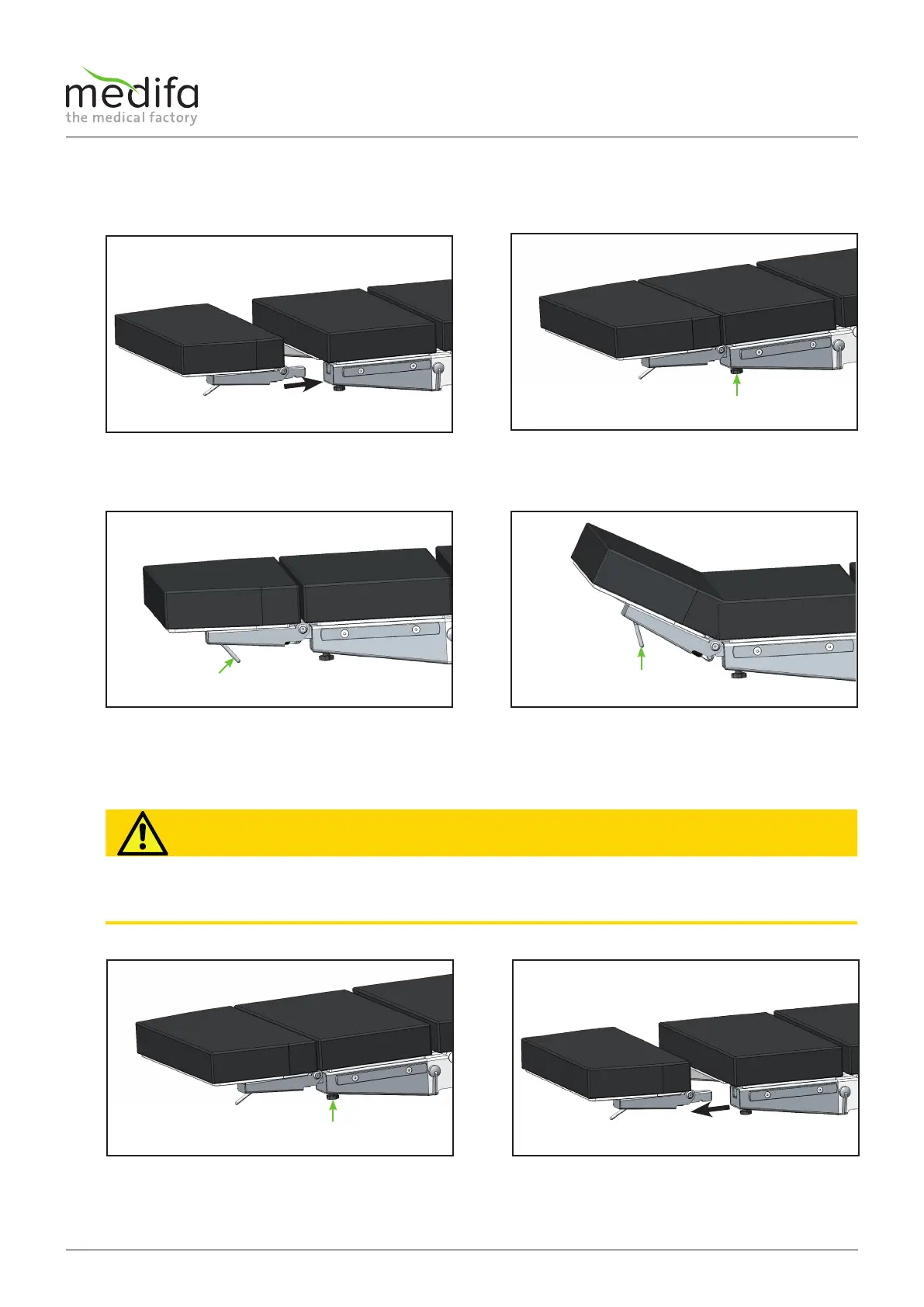
1. Insert the two square bolts of the head plate into
the square openings on the table.
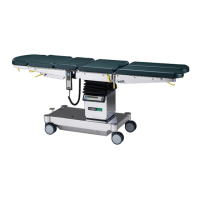
2. Hold the head plate and tighten the black star
knob screws [1] on both spars of the table.
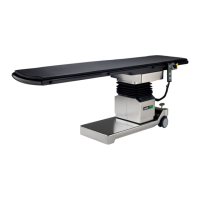
1. Hold the head plate and pull the release lever [2]
at the head end upwards.
2. Hold the head plate and move it to the desired
position.
3. Release the release lever [2]. The head plate is
locked in the end position.
1. Hold the head plate and loosen the black star
knob screws on both spars of the table.
2. Pull the head plate out of the square opening on
the table.
12.2 Removing the head plate


 To Next Page