17
Operation
Having connected the M8 connector to the bar, power up the 24V supply and check
for a green constant LED on the bar. This indicates that the bar is running correctly
with a good ion output.
Caution
Always turn o the 24V supply before connecting or disconnecting the M8 connector.
Failure to do so could result in stored charges giving a small electric shock.
Setting the Rate
The 960IPS features a variable output frequency. The frequency that should be set
depends on the ionising product and the distance to the target object.
Maintenance
Ionising bars become contaminated with usage. Dirt build-up on the body of the
ioniser and, particularly on the pins, will cause a drop in performance. To get the best
from your bar, it should be cleaned as part of regular machine maintenance.
If regular cleaning is not carried out, the bar will detect the drop in performance
and trigger the Clean Pin alert. The LED will ash red and the output signal will be
activated.
Before cleaning, ensure that the equipment is switched o.
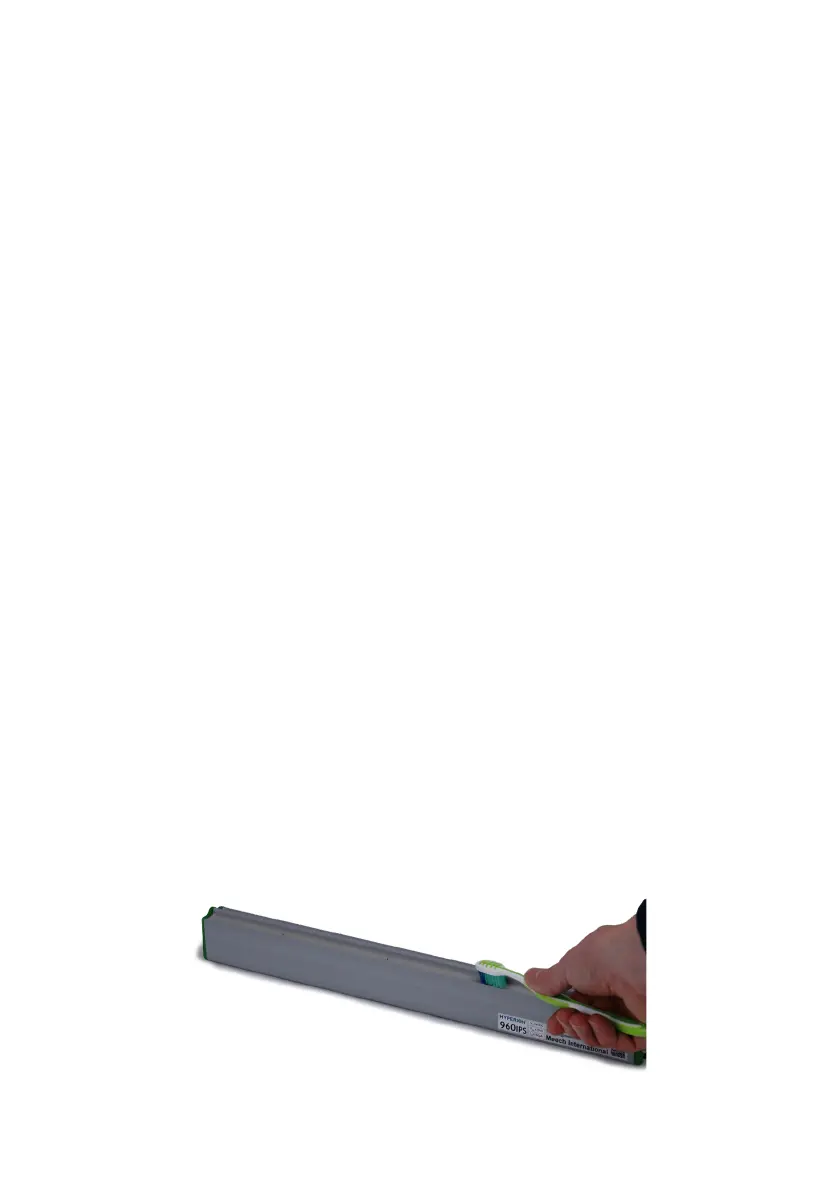
Emitter pins can be cleaned very eectively with a brush. A dry toothbrush is ideal.


 To Next Page