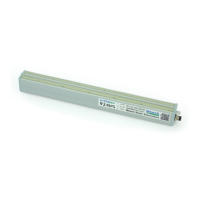
LED Status
When the equipment powers on, the LED will show green whilst the system monitors
the bars performance. If it then starts to ash red or go solid red, check the ion level
with the BarMaster.
Solid Green indicates there is no BarMaster connected.
Flashing Green indicates the BarMaster has been connected
Flashing Red indicates more cleaning required, or metal object close to pins
Solid Red indicates the ion level has dropped well below the alarm setting, prompting
a serious fault warning. Check installation for metallic objects on the emitter pins.
If the Output voltage was reduced for example from 15000V to 5000V and the Ion
level was not reset. This will aect the calibration and the bar will alarm repeatedly
after a short period.
Adjust the output voltage to 7500V and ensure the ion level reads 99% and the LED is
green.
a. If Ion level is 0% bar is faulty.
b. If 10-59% with a 60% alarm setting, return to the clean bar section.
If after cleaning a 80-99% Ion level is reached, you should then reduce the output
voltage to the required level. Only then can you reset the Ion Ref.
If the Ion level is well below the alarm level % the Ion output, it will shut down and a
solid red LED will show.
Should the solid red LED persist, connect your BarMaster and follow the
Troubleshooting section or contact your local Meech distributor.
Warning
Do not reset the Ion Reference without cleaning the ionising bar rst. Resetting the
Ion Reference with a low or 0% reading will provide a green LED, but will only mask
any problem with the system.
The 960IPS requires a grounded 24V DC supply & earth stud. The 0V line must
be connected to ground. Failure to do so, will result in damage to the bar or the
24V supply and will void the warranty.
20


 To Next Page