Main Control Menu
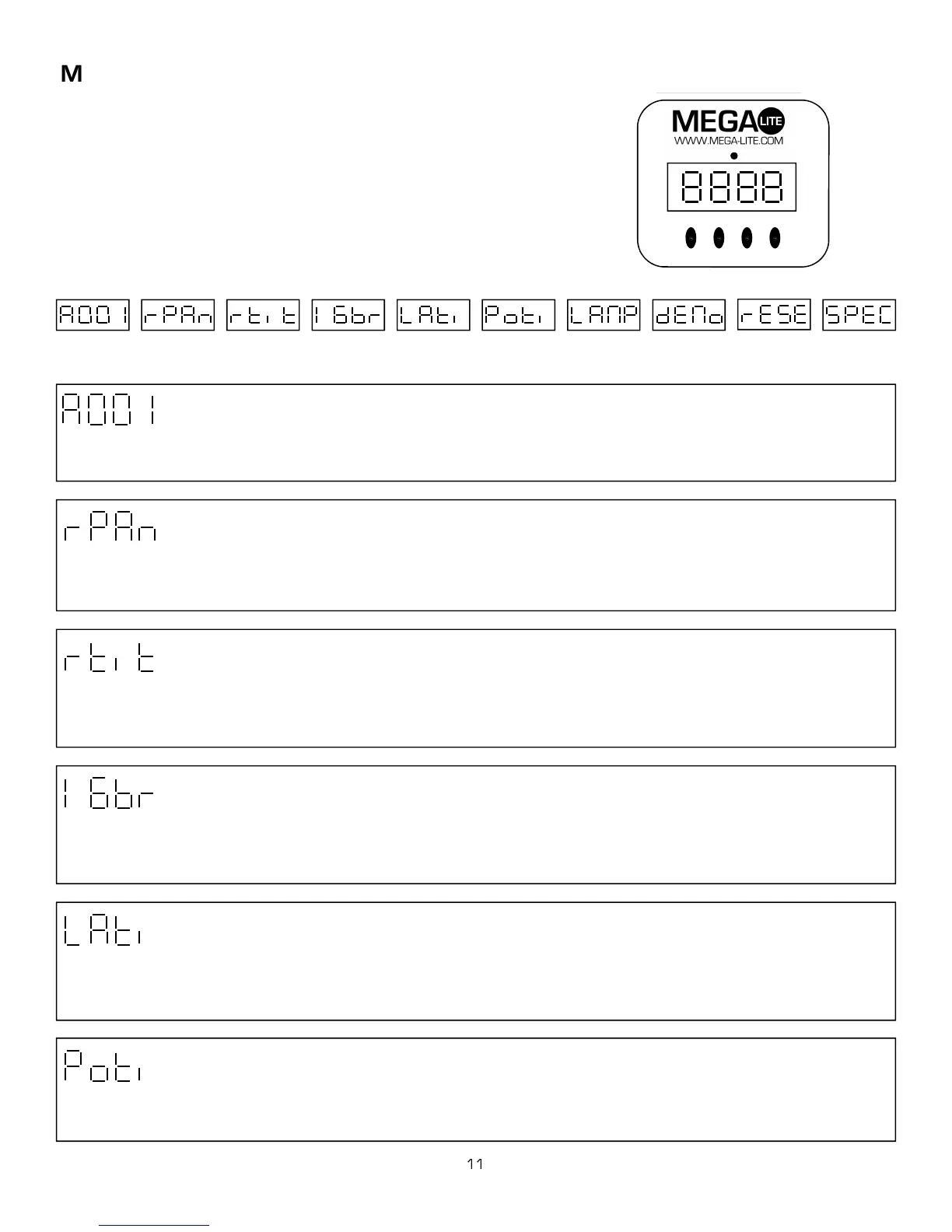
The control board on the fixture base is your interface to access and control
all the functions on the unit. Its digital display gives you a code view of the
options and functions including errors and diagnostics. The following will ex-
plain each function and its options.
MODE
MODE
ENTER
ENTER
DOWN
DOWN
UP
UP
DMX
DMX Address Reverse Pan Reverse tilt
# DMX Channels Lamp hours
Power hours Lamp on/off Demo Advanced
Unit Reset
0-512 On/Off
On / Off On / Off = Hours = Hours On / Off 2 Modes Reset 10 Functions
DMX Address
Reverse Pan
Use the up/down keys to select the required DMX channel. Press Enter to confirm or Mode to exit and return to main menu.
The display will flash if there is no DMX signal been received from the console. The Axis 500 uses 16 or 14 DMX channels
Reverse Tilt
This function allows you to invert the Pan direction. Use the up/down keys to select, on to invert pan and off not to invert the
pan. Press Enter to confirm or Mode exit and return to the mail menu.
#DMX Channels
This function allows you to invert the Tilt direction. Use the up/down keys to select, on to invert tilt and off not to invert the tilt.
Press Enter to confirm or Mode exit and return to the mail menu.
This function allows you to chose from fine pan and tilt 16 bit resolution or 8 bit pan and tilt movement. It also determines if the
unit will operate on 16 or 14 channels of DMX. Use the up/down keys to select, on to select 16 bit resolution and off to select
8 bit resolution. Press Enter to confirm or Mode exit and return to the mail menu.
Lamp Hours
This option allows you to read the number of hours the lamp has been powered on. Press Enter to confirm or Mode exit and
return to the mail menu. You should reset the lamp hour meter every time you replace the lamp. To reset the counter hold the
up and down and press enter.
Power Hours
This option allows you to read the number of hours the unit has been powered on. Press Enter to confirm or Mode exit and re-
turn to the mail menu.



 To Next Page