Pan/Tilt feedback
This function allows you to return the moving head to the required position after changing the position by external force. Use the
up/down keys select on if you wish to enable this function or off if you wish not to return the moving head to the required position
and press Enter to confirm or Mode to cancel and return to main menu.
Caution:
If feedback was switched off, the pan/tilt position is changed by external force and the feedback is switched on again ,
the moving head might not be synchronized with the DMX signal. You have to make a reset in order to synchronize the moving
head with the DMX signal.
Display options
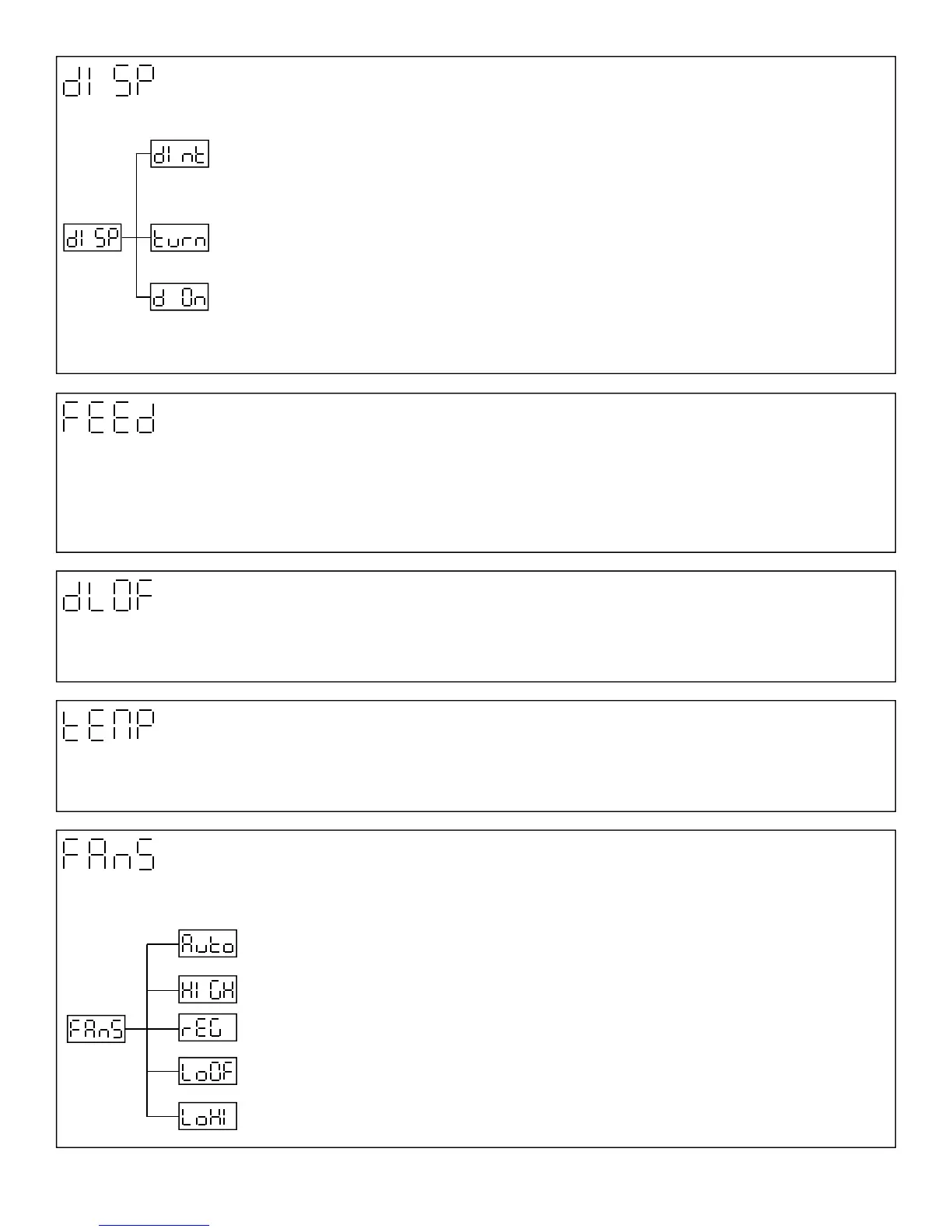
This function allows you to set display intensity, reverse the display and turn the display on of off.
Display intensity: with this function you can adjust the display-intensity from 20% to 100%. Use
up/down Keys to select the level of display intensity and press Enter to confirm or Mode to cancel and
return to menu.
Reverse display: with this function you can rotate the display 180º. Use the up/down key to select rota-
tion of display and press enter to confirm or mode to cancel and return to main menu.
Display on/off: this function allows you to keep the display on or to turn off the display automatically 2
minutes after last pressing any key. Use the up/down keys to select on if you wish to keep the display on
or off if you wish to turn the display off after 2 minutes. Press Enter to confirm or Mode to cancel and
return to the main menu
Lamp DMX Control
This function allows you to switch on and off the lamp by DMX. Use the up/down keys to select On if you want to switch off the
lamp by DMX or Off if you don’t want to switch off the lamp by DMX. Press Enter to confirm or Mode to cancel and return to
main menu.
Temperature
Inside temperature readouts of the fixture in Celsius. If inside temperature below 80ºC are not critical but not recommended for
long periods of time. 80ºC and more will cause the lamp to switch off. Please note that the outside temperature should not ex-
ceed 45ºC
Fan speed
By using this function you can choose between 5 types of fan speed. Browse through this menu by using the up/down keys.
Press Enter to confirm and Mode to return back to the main menu.
14
Automatically: raises its speed and slows down to control the inside temperature of the light. This
function can’t be controlled by DMX
High Speed: The cooling fans work on max speed
Regular: The cooling fans automatically raises its speed and slows down to control the inside tem-
perature of the light.
Low/High speed: The fan keeps the adjusted low speed until the maximum inside temperature is
exceeded, then the fan automatically switches from low to high speed
Low speed lamp off: The fan keeps the adjusted low speed until the temperature exceeds the maxi-
mum inside temperature, then the lamp automatically switches off.



 To Next Page