5
Main Power Connection
Caution!
1. Do not connect fixture to a dimmer system.
2. This unit must be earthed. (electronically grounded)
3. Replace fuse only with the specified type and rating.
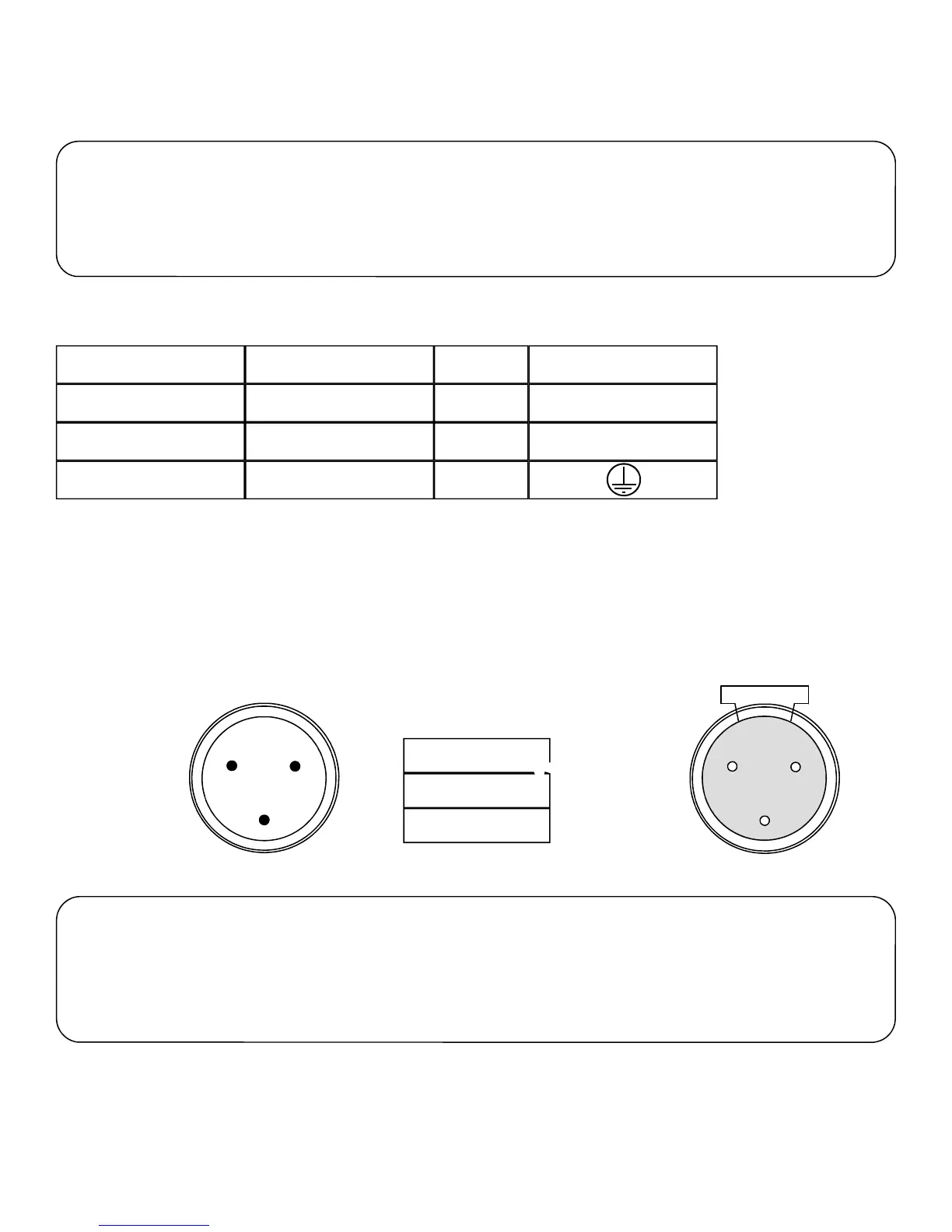
The occupation of the connection-cable is as follows:
Cable (USA) Cable (EU) Pin International
Black Brown
White
Green
Light Blue
Yellow/Green
Live
Neutral
Pin
L
N
1
2
3
1
3
2
DMX-512 Connection
110V 50/60hz Connection
The fixture is equipped with 3 pin XLR Sockets for DMX input and output. The sockets are wired in parallel. Only use a shielded
twisted pair cable designed for RS-485 and 3 pin XLR plugs and connectors in order to connect the controller with the fixture or
the fixture with another.
DMX—input
DMX—output
1. Shield
2. Signal (-)
3. Signal (+)
Caution!
At the last fixture the DMX signal needs to be terminated with a terminator. Solder a 120
Ohm resistor between the (-) and the (+) signal into a 3 pin XLR plug and plug it in to the
last fixture on the signal run. Pre-manufactured terminator plugs are available for
purchase from your Mega-Lite dealer (HOS-DMXT).
Note: After switching the unit on it will automatically detect whether DMX 512 data is received or not . If it is not receiving DMX
512 data the display screen will start to flash “A001” with the set address number. Once it receives proper DMX 512 signal the
display will stop flashing.



 To Next Page