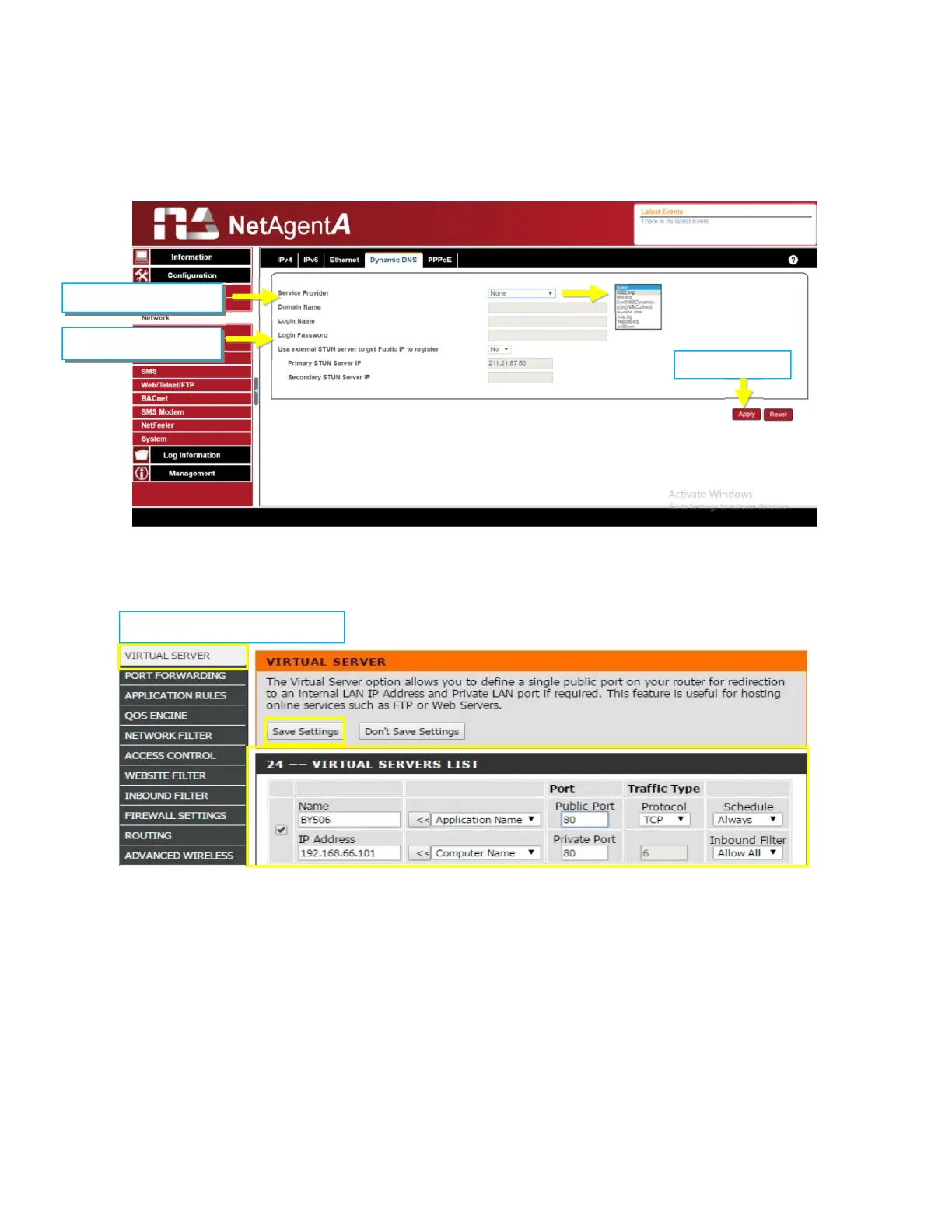
If to use iCV99.net as Service Provide which host by Megatec, instruction as below:
1. Ensure NetAgentA is able to connect to Internet. Select icv99.net from the drop down
list of the Service Provider. The Domain Name and Login Name will automatically be
fill-in with serial number of the device. Enter the password of the NetAgentA which is
printed on the NetAgentA label, then click Apply.
2. If using router, please login to router and direct IP and port number under virtual
server for port forwarding. Kindly refer to router’s manual
1.Select icv99.net
2. Enter password
Router Configuration



 To Next Page