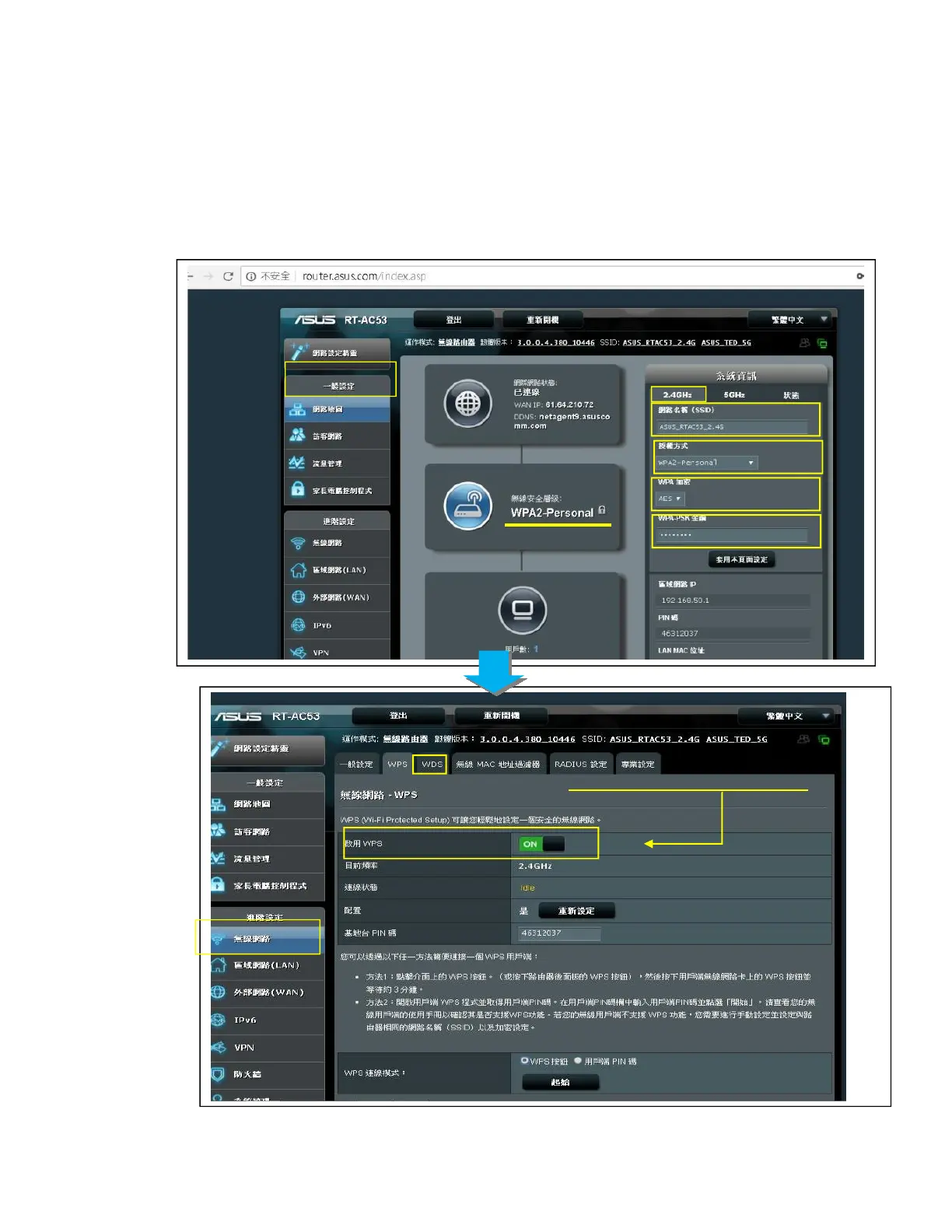
Configuration > Wireless LAN
This is to configure NetAgentA Wireless network with compatible USB wireless dongle.
Login to the Wireless Router
(1)SSID : Name it (any)
(2)Authorization:Select WPA2-Personal
(3)WPAEncryption:AES
(4)WPA-PSKKey:Enter any password (8~63 digits ASCII code)
(1)
(2)
(3)
(4)
Ensure Wireless>WPS>Enable WPS is
“ON”



 To Next Page