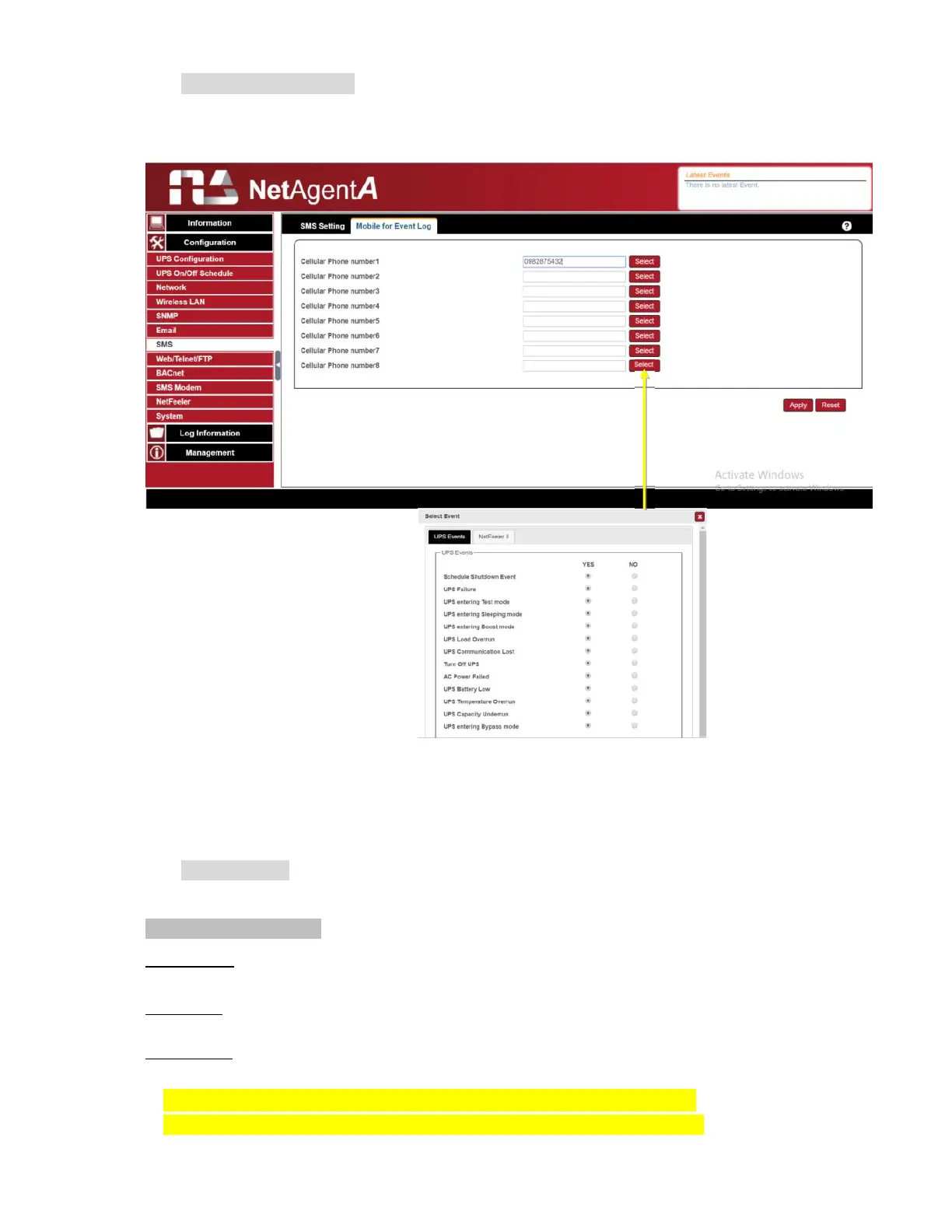
Mobile for Event Log
To set the recipient’s mobile number for SMS notification when event or NetFeeler event
occurs. A total of 8 mobile numbers can be assign.
Configuration > Web/Telnet/FTP
To set permission for each user account for Web,Telnet and FTP access with up to
8 users. Also to enable/disable specific port for HTTP/HTTPS, Telnet/ SSH and FTP
HTTP/HTTPS
Enter specific port number to access or disable for HTTP, HTTP proxy, HTTPS
HTTP/HTTPS Account
User Name:
To set password for NetAgentA Web access.
Password:
To set password for NetAgentA Web access.
Permission:
To set No Access / Read/ Read&Write)
Permission Rule: At least one user account must be Read/Write
Permission Rule : User name with Read and Write cannot be blank



 To Next Page