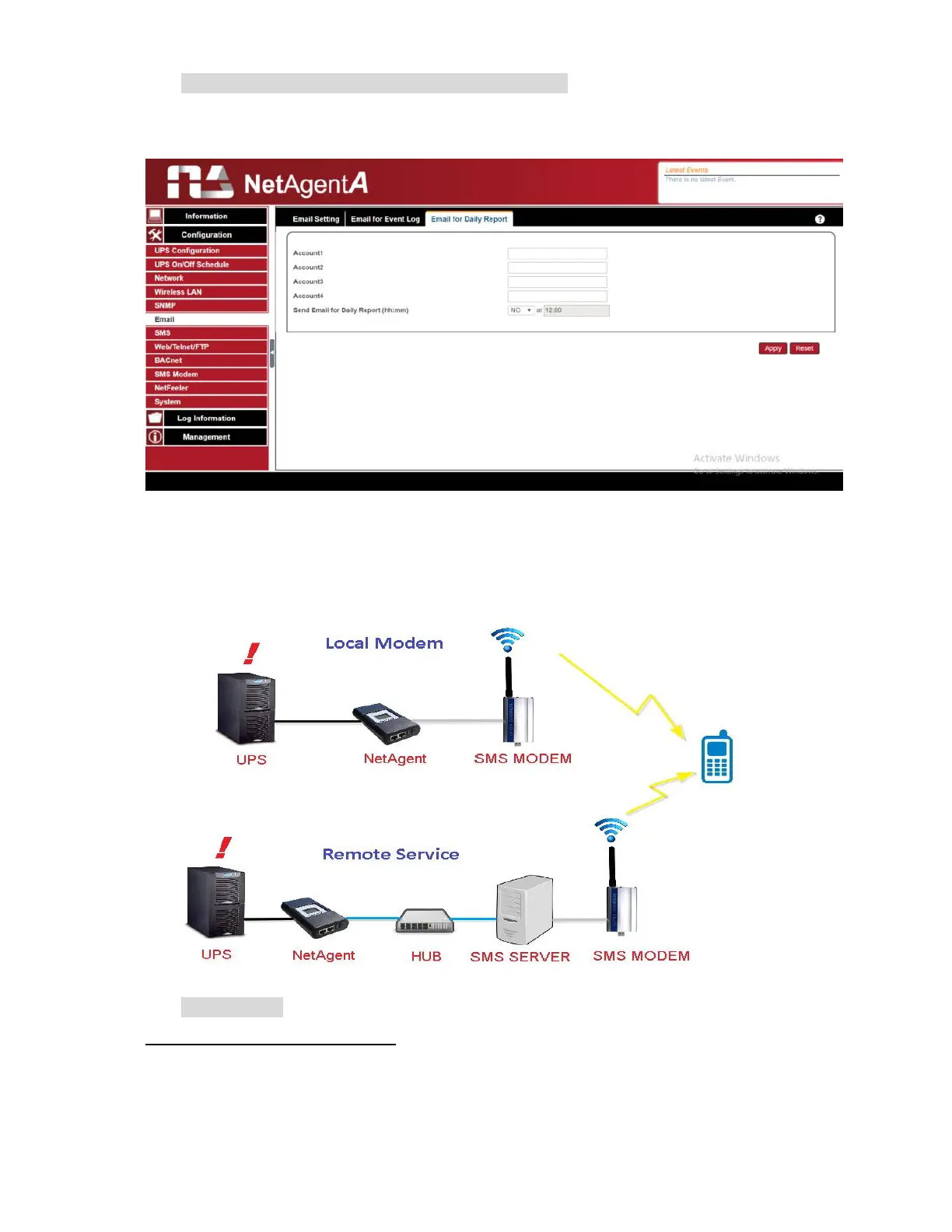
Email for Daily Report (To receive daily report)
This section is to set email addresses to receive NetAgentA’s Daily Report at pre-set time.
It is valid for up to 4 email addresses. Daily report will be the content of event and data log.
Configuration > SMS
When UPS events occurs, it allows Short Message Signals (“SMS”) to be sent and
received using a GSM/GPRS/CDMA Modem. Operation information are as below for
single and three ports of NetAgentA.
SMS Setting
Send SMS When Event Occurs:
Disable :No SMS Service
Use Local Modem:When GSM modem is connected to NetAgentA directly
(Refer to SMS Modem section for its installation)
Use Remote Service:When GSM modem connects to PC with SMS Server
software installed
(Refer to SMS Server section for SMS Server Software installation)



 To Next Page