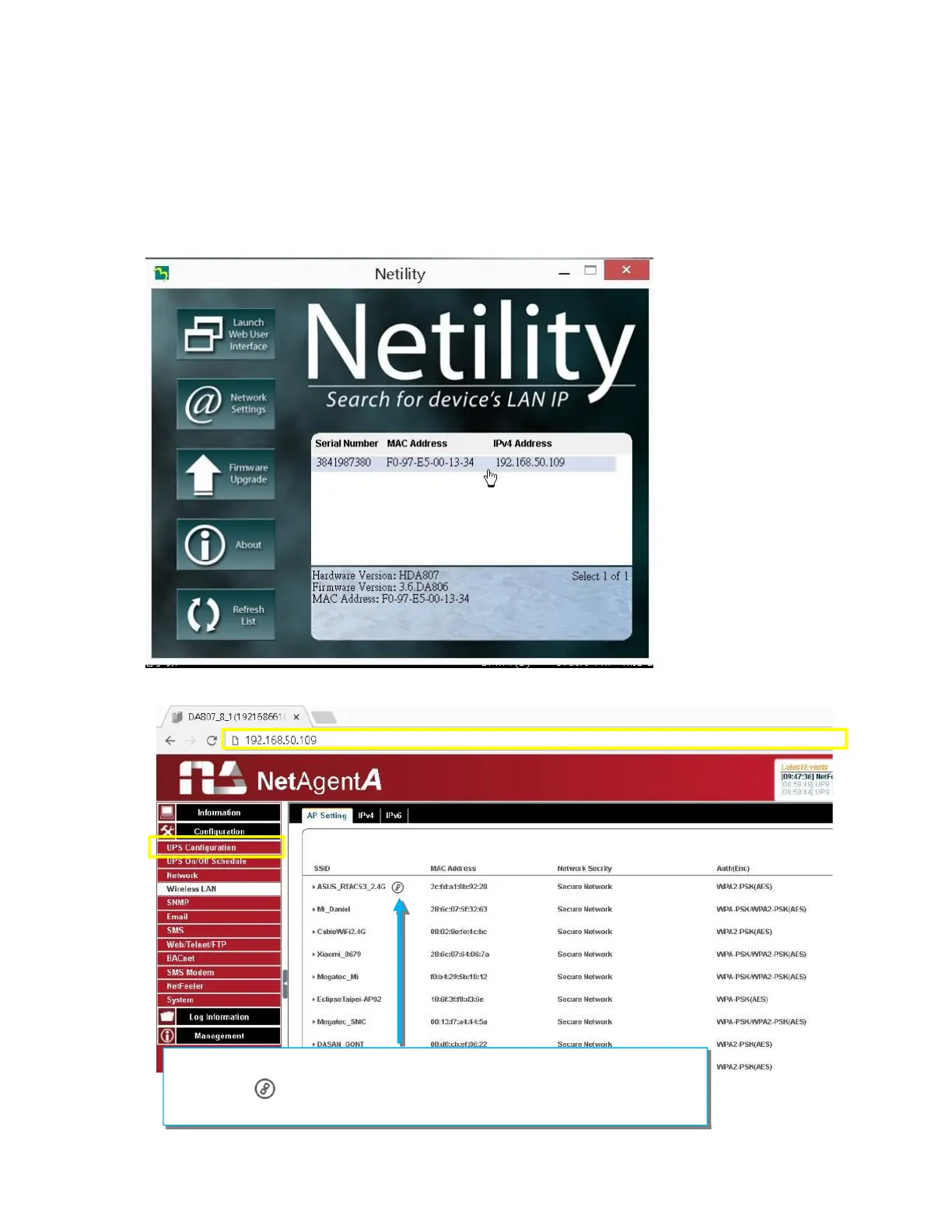
Open up Netility to login to NetAgentA:
(1)Once NetAgentA is connected with wireless router via WPS, Netility should be
able to find this wireless NetAgentA
(2)Login to NetAgentA’s webpage , under Configuration > Wireless Lan
webpage, it shows
the wireless signal
(With distance of 6-10 meters. Router RT-AC53 still shows with full signal)
When NetAgentA connects with wireless router, it shows
this sign to indicate the router that NetAgentA is connecting.



 To Next Page