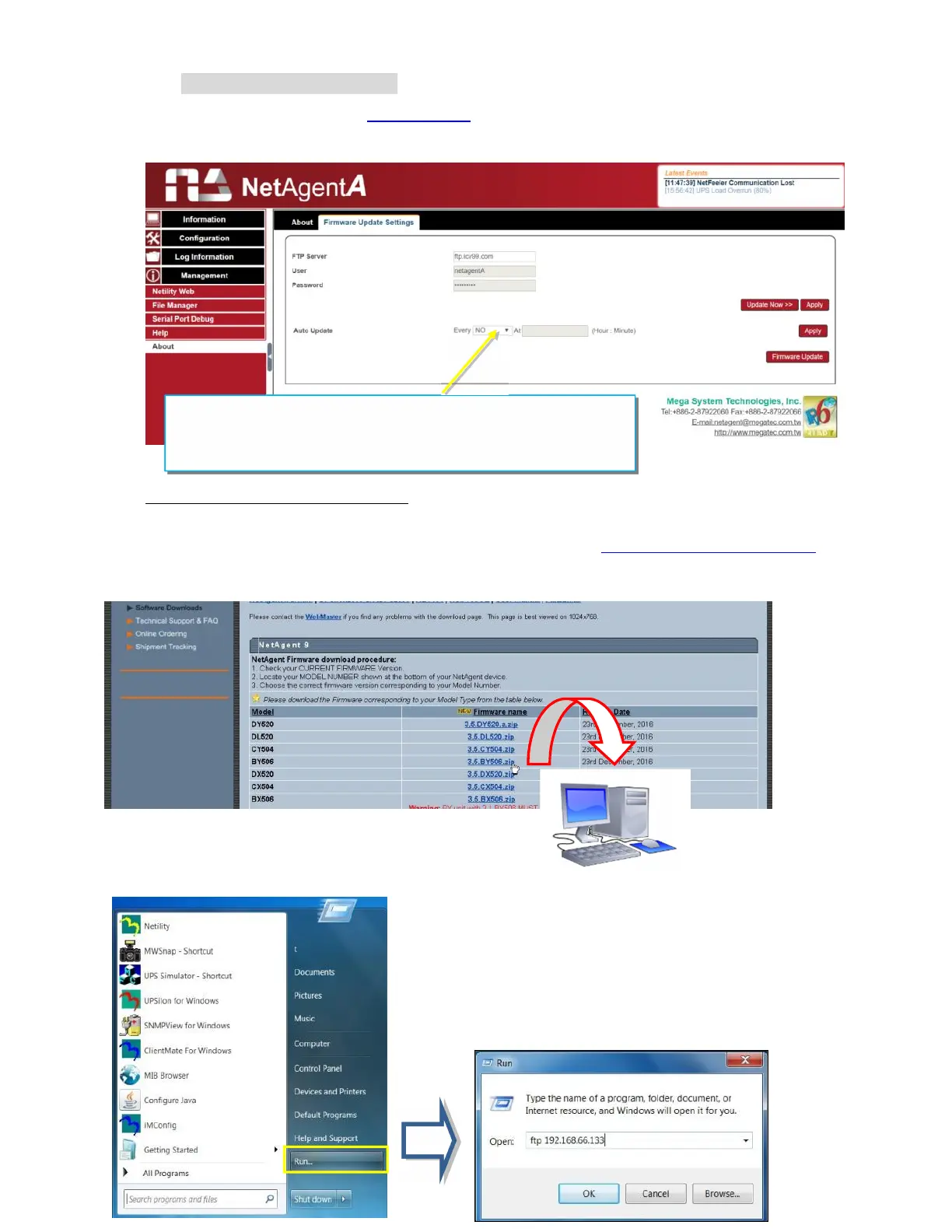
Firmware Update Settings
Default FTP server is set as ftp.icv99.com with its username/password. Click on Update
Now, NetAgentA will connects to the FTP server and upgrade to the latest firmware
version accordingly. Or, it could upgrade per preset time.
Update Firmware from FTP Client
-Select on Enable
-Download the appropriate firmware version from website (http://www.megatec.com.tw)
-Unzip the file and known the directory path
Execute ftp + NetAgentA’s IP address
To enable NetAgentA’
s FTP firmware upgrade, please
download the appropriate firmware version from the
website and upgrade through FTP Client Software.



 To Next Page