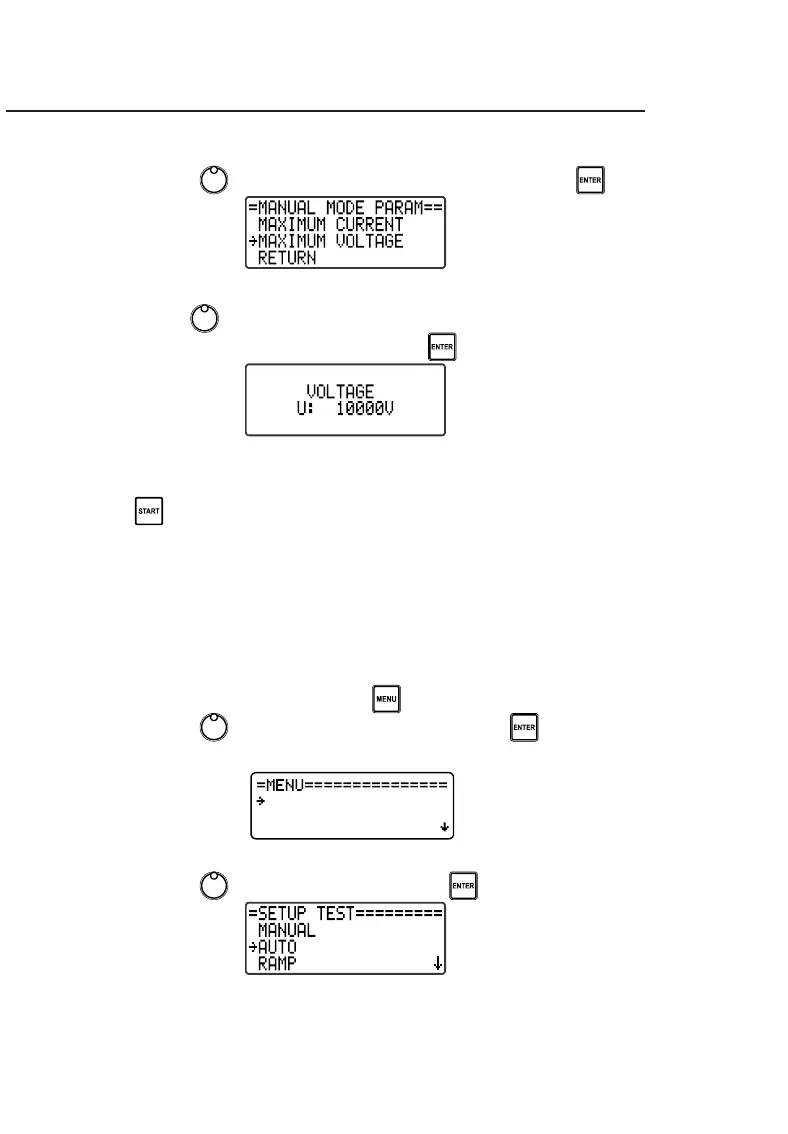
9.1.2. Maximum voltage
• Use the control , to select MAXIMUM VOLTAGE and press .
Use the control to select the desired maximum voltage value (from
3000 to 80,000 V in steps of 100 V) and press to confirm.
After all parameters have been set, exit the MENU and start the test by
pressing .
9.2. Auto mode
In this fully automatic mode the operator will program the maximum
current, maximum test voltage and maximum test time.
To configure these parameters follow the instructions below:
• Access the device's MENU using the button.
• Use the control , to select SETUP TEST and press .



 To Next Page