9.3. Ramp test
In this fully automatic mode the operator will indicate max current, the
max. voltage, dwell time, ramp up ratio and ramp down ratio.
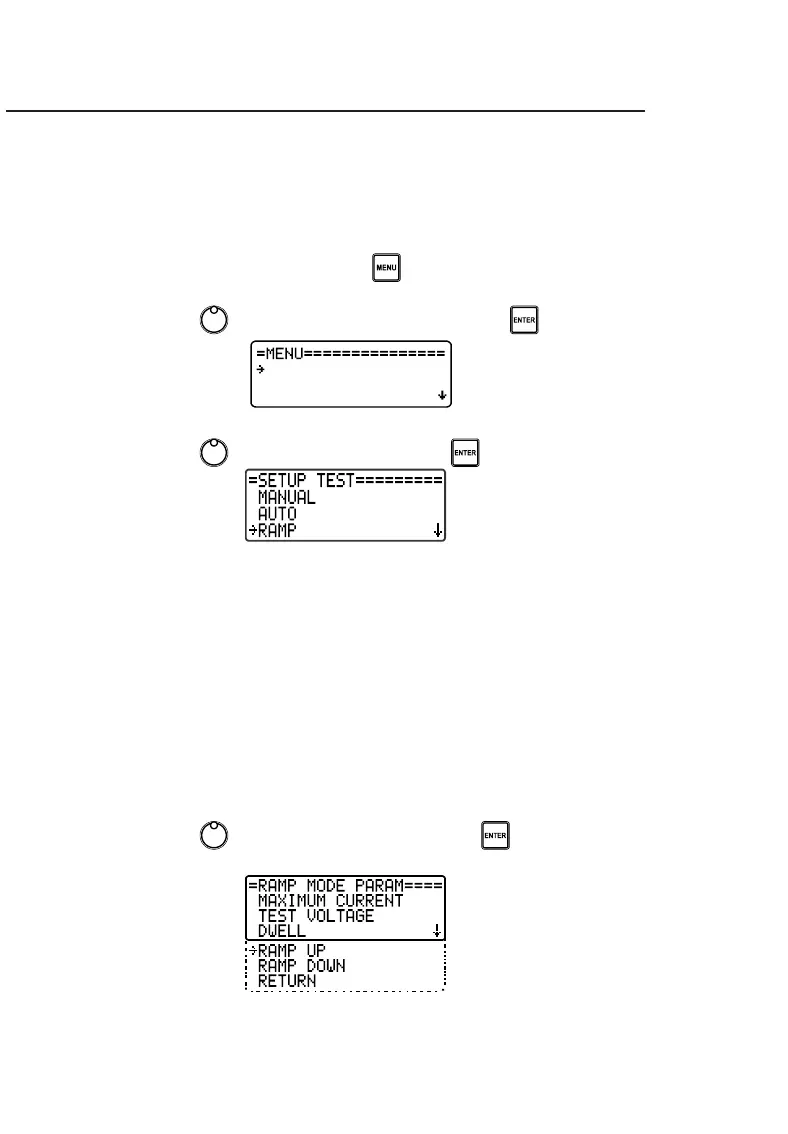
To configure these parameters follow the instructions below:
• Access the device's MENU using the button.
• Use the control , to select SETUP TEST and press .
• Use the control , to select RAMP and press .
9.3.1. Maximum current
(See 9.1.1, pg. 24)
9.3.2. Test voltage
(See 9.2.2, pg. 26)
9.3.3. Dwell time
(See 9.2.3, pg. 26)
9.3.4. Ramp up
• Use the control , to select RAMP UP and press .



 To Next Page