EasyManua.ls Logo

MEGABRAS HP80KV - SVT - Maximum Voltage Setting; SVT - Time Step Configuration

Default Icon
77 pages
Print Icon
To Next Page IconTo Next Page
To Previous Page IconTo Previous Page
Loading...
9.4.2. Maximum voltage
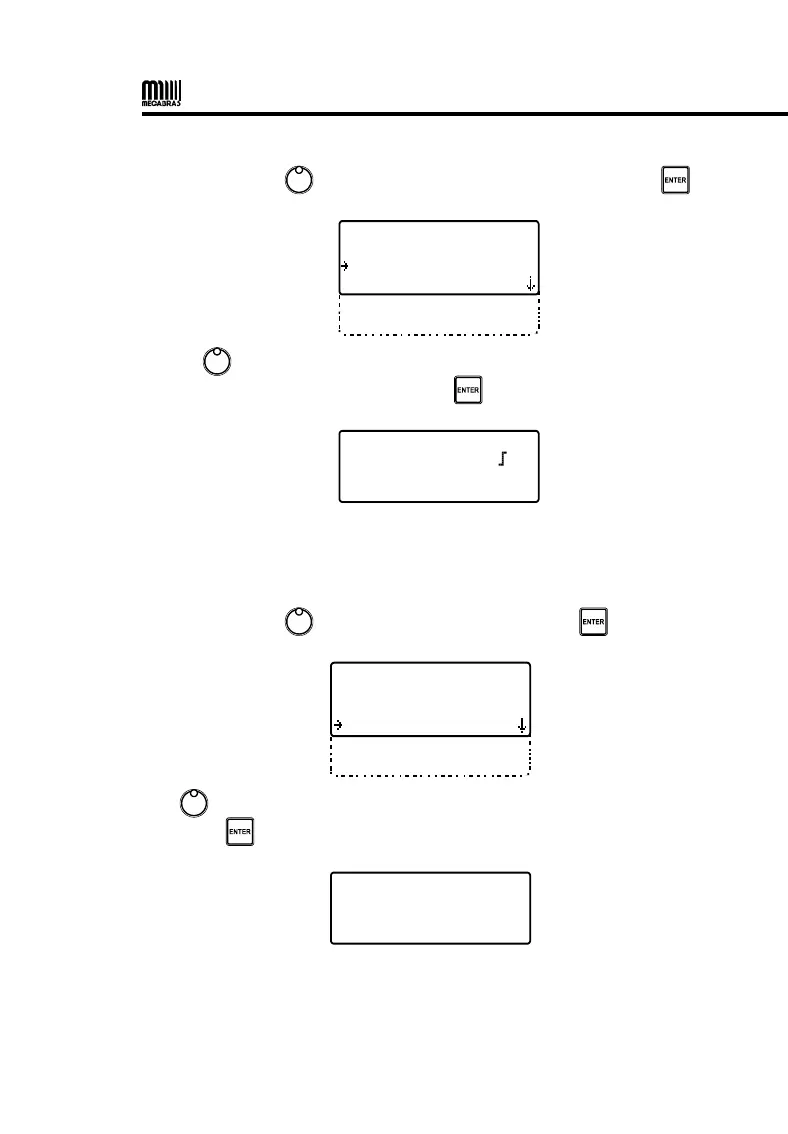
• Use the control , to select MAXIMUM VOLTAGE and press .
   
 
 
 
 

• Use to select the desired maximum voltage value (5,000 to
80,000 Vs in 100 V steps) and press to confirm.

 
  

9.4.3. Time step
• Use the control , to select TIME STEP and press .
  

 
 
 

Use to select the duration of the test steps (from 15 to 120 seconds)
and press to confirm.

 
 

30

Table of Contents

Related product manuals