16
Print quality and changing paper
The printer cover is removed by turning the two fasteners through a quarter turn and pulling the panel off.
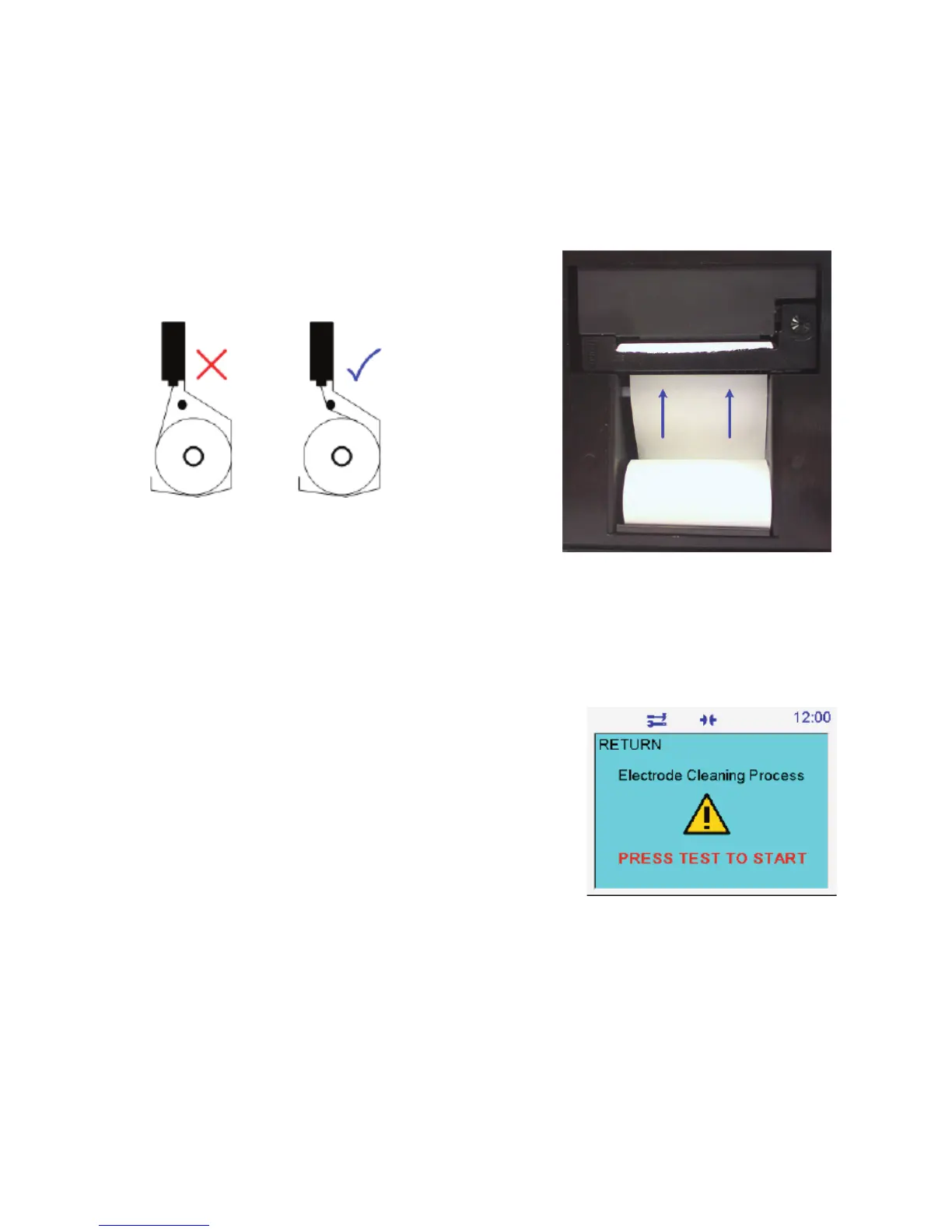
The printer ribbon may need to be moved on to improve print quality. To do this, remove the printer cover and turn the
right hand rotary winder in direction indicated on the ribbon case.
To change the printer ribbon, simply press the ribbon assembly where it says, “PUSH EJECT,” to remove the old ribbon
and replace with a new one. The part is an Epson ERC-09, Megger part number 25995-002.
Paper is fed into the housing with the lose paper facing the rear of the instrument. Ensure that the paper is neatly cut
and not curled up at the end.
Holding the end of the paper roll, insert the paper under the cross bar and into the printer slot as shown (blue arrows)
in the drawing opposite. Press the print feed key repeatedly until the paper is just visible feeding through the print
mechanism.
Replace the printer front cover by first locating it at the base of the panel and secure it with the fasteners which are
turned back a quarter turn to secure the panel in place. Finally press the paper feed button to advance the paper
through the front cover paper slot.
Vessel and Electrodes
The oil test vessel and electrodes require no maintenance other than
cleaning. Electrodes can be unscrewed and replaced with another shape
electrode. Electrodes should be examined regularly to ensure no pitting has
occurred and the electrodes renewed where pitting is evident.
VCM100D/VCM80D
The VCM100D/VCM80D is not a user serviceable items but may require periodic cleaning using a clean cloth dampened
with Isopropyl Alcohol (IPA).
Test vessel motorised stirrer
Megger’s motorised stirrer is integrated into a modified lid assembly and simply replaces the vessel lid. Power is
connected via a flush mounted rear insert and is disconnected as the stirrer assembly is lifted. This unit is not user
serviceable.



 To Next Page