7
Instrument controls and indicators
Keypad printer panel
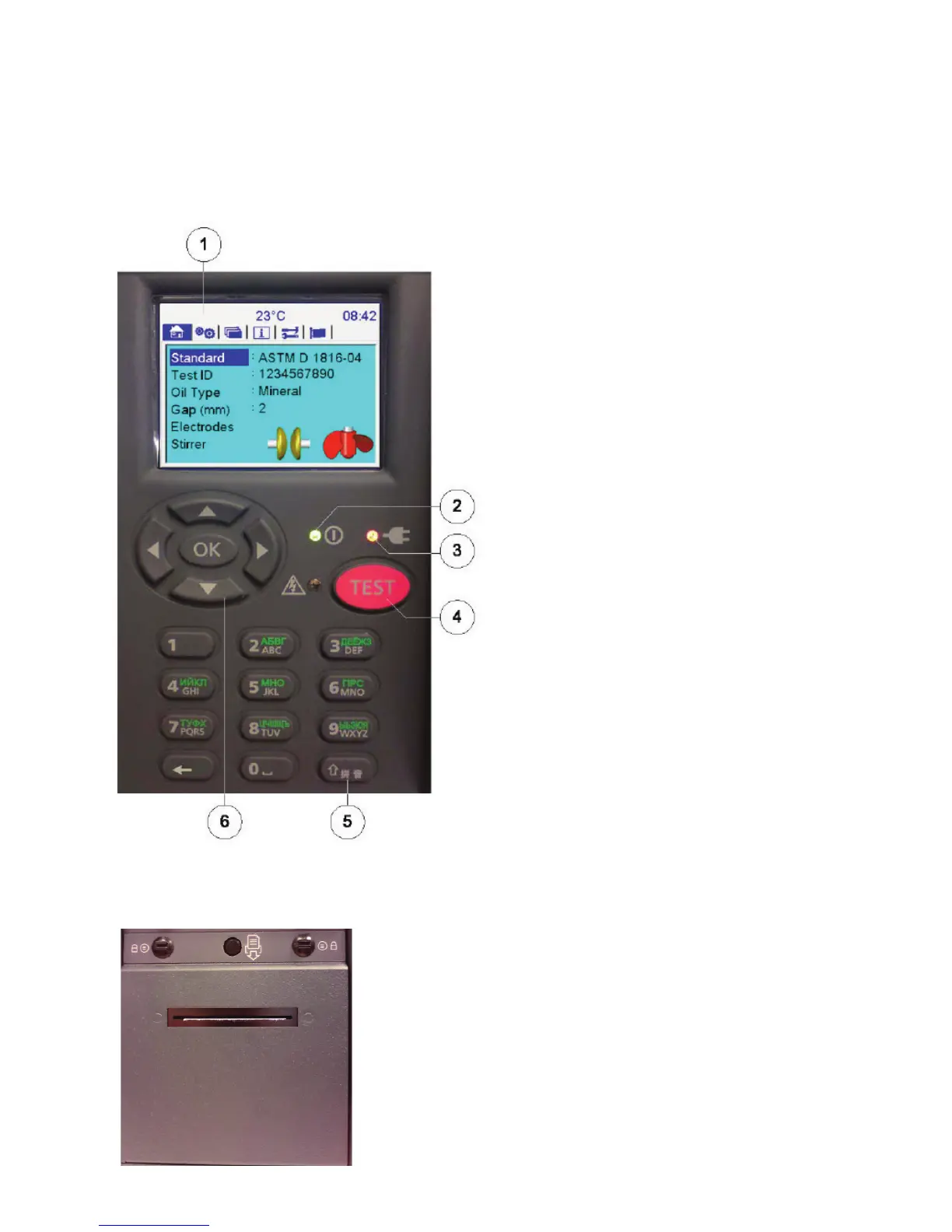
The control panel, illustrated below, is located to the front right side of the instrument and contains a QVGA colour
screen (1), navigation keypad with ‘OK’ (6) button and a ‘TEST’ (4) button. The operation is user friendly and driven
from six top level windows. A start-up LED (2) is used during instrument initialisation. The lower, vertical section of the
front panel houses an ON/OFF power switch and a USB Type A interface socket
Item description
1. 3.5 inch, backlight, bright colour
QVGA display
2. On/off LED
3. External power LED / icon
4. TEST’ button with associated red
warning LED
5. 12 key alphanumeric keypad
6. Navigation keypad with ‘OK’ select button
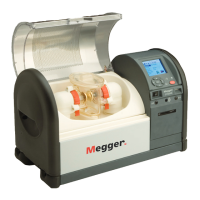
The instrument printer panel, shown below, houses the optional internal printer. A flat panel replaces the printer if not
ordered. The printer is a dot matrix impact printer with 57.5 mm wide paper roll. Paper results printed on this printer
will not blacken in high temperatures. The panel has two locking studs and a central print advance button.



 To Next Page