Installation
Rev 2.2
35Mellanox Technologies
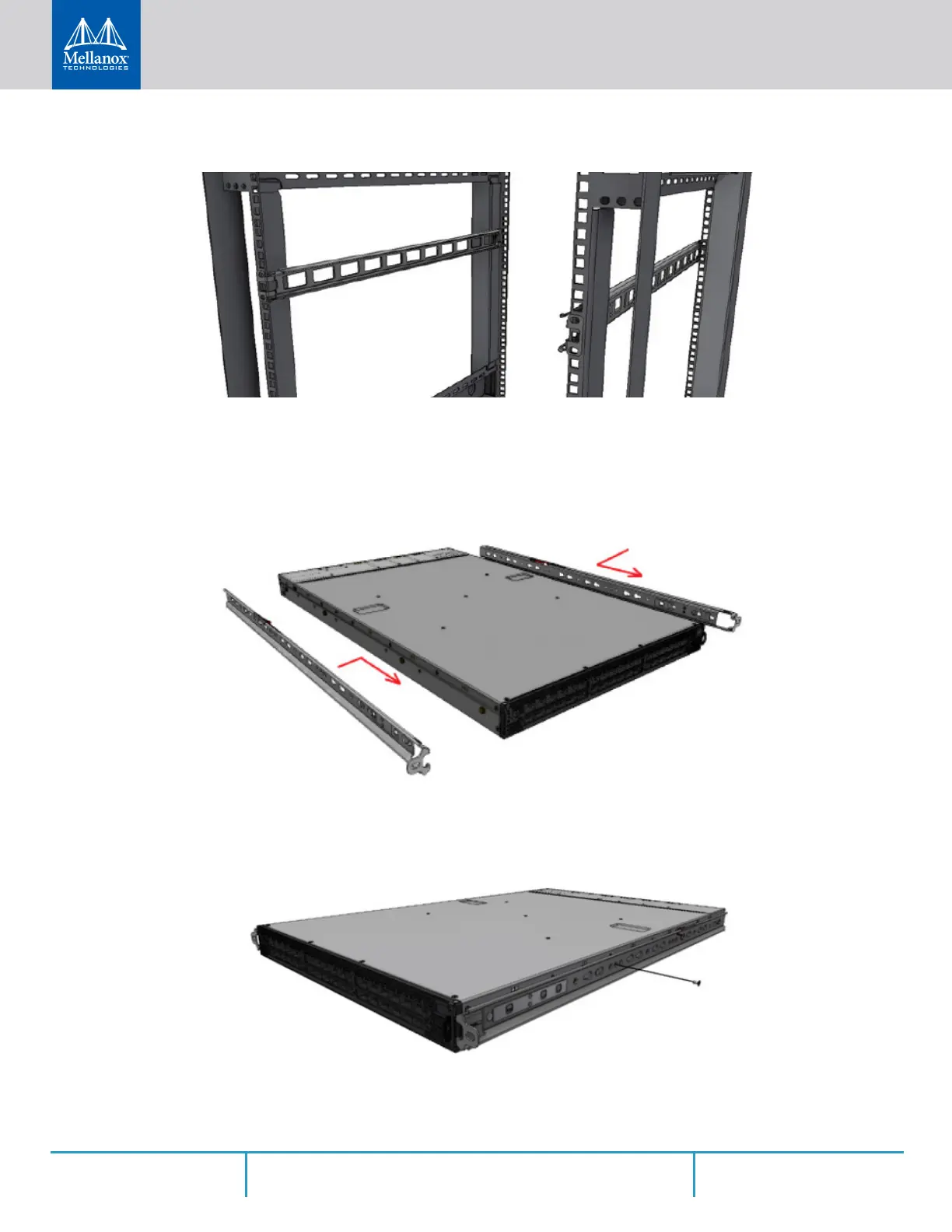
Figure 22: Mounting the Outer Rails into the Rack
Step 3. If cable accommodation is required, route the power cable and/or Eth cable through either
of the outer rails.
Step 4. Attach left and right inner rails (A+B) to the switch sides, by gently pushing the switch
chassis’ pins through the slider key holes, until locking occurs.
Figure 23: Attaching the Inner Rails to the Switch
Step 5. Secure the chassis in the inner rails by screwing the 2 flat head Phillips screws (F) in the
designated points with a torque of 1.5±0.2 Nm.
Figure 24: Securing the Chassis in the Inner Rails
Step 6. Slide the switch into the rack by carefully pushing the inner rails into the outer rails installed
on the rack.



 To Next Page
 Loading...







