D39374 | Date 08/2018 37
Operation and control
Cancel program
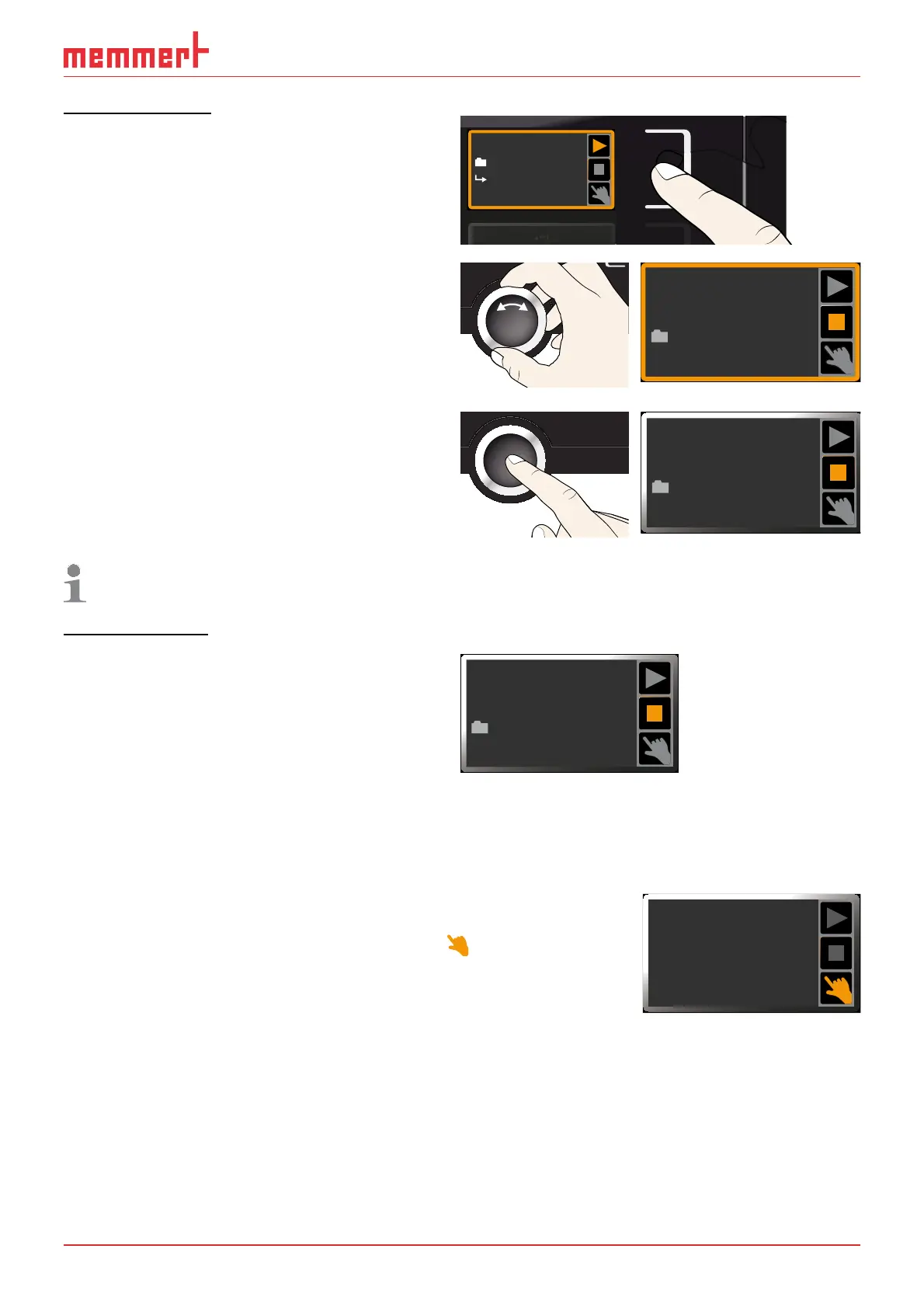
You can cancel an active program at any
time.
1. Press the activation key to the right of
the status display. The status display is
automatically highlighted.
manueller Betrieb
Fr 20.10.2010 20:31
GRAPH
Test 012
Ramp 3
10:4412.Sept.2012
2. Turn the turn control until the
■
stop
symbol is highlighted.
Cancel program
Test 012
10:4812.Sept.2012
3. Press the confirmation key to confirm.
The program is cancelled.
End
Test 012
10:4912.Sept.2012
A cancelled program cannot be resumed at the point it was cancelled. It must be
restarted from the beginning.
End of program
End
is shown on the display to indicate
that the program has finished.
End
Test 012
10:4912.Sept.2012
You can now
► restart the program as described
► select another program to run in menu mode (see page 59) and run it as de-
scribed.
► Return to manual mode. To do so, reactivate it by pressing
the activation key next to the status display, then turn
the turn control until the hand symbol
is highlighted
in colour and press the confirmation key.
5.4 Temperature monitoring
The appliance is equipped with multiple overtemperature protection (mechanical/elec-
tronic) in accordance with DIN 12 880. This serves to avoid damage to the chamber load
and/or appliance in case of a malfunction:
► electronic temperature monitoring (TWW)
► automatic temperature monitor ( ASF)
► mechanical temperature limiter (TB)
Manual Mode
12.Sept.2012
13:44



 To Next Page