D39374 | Date 08/2018 43
Operation and control
5.6.2 Pressure pattern
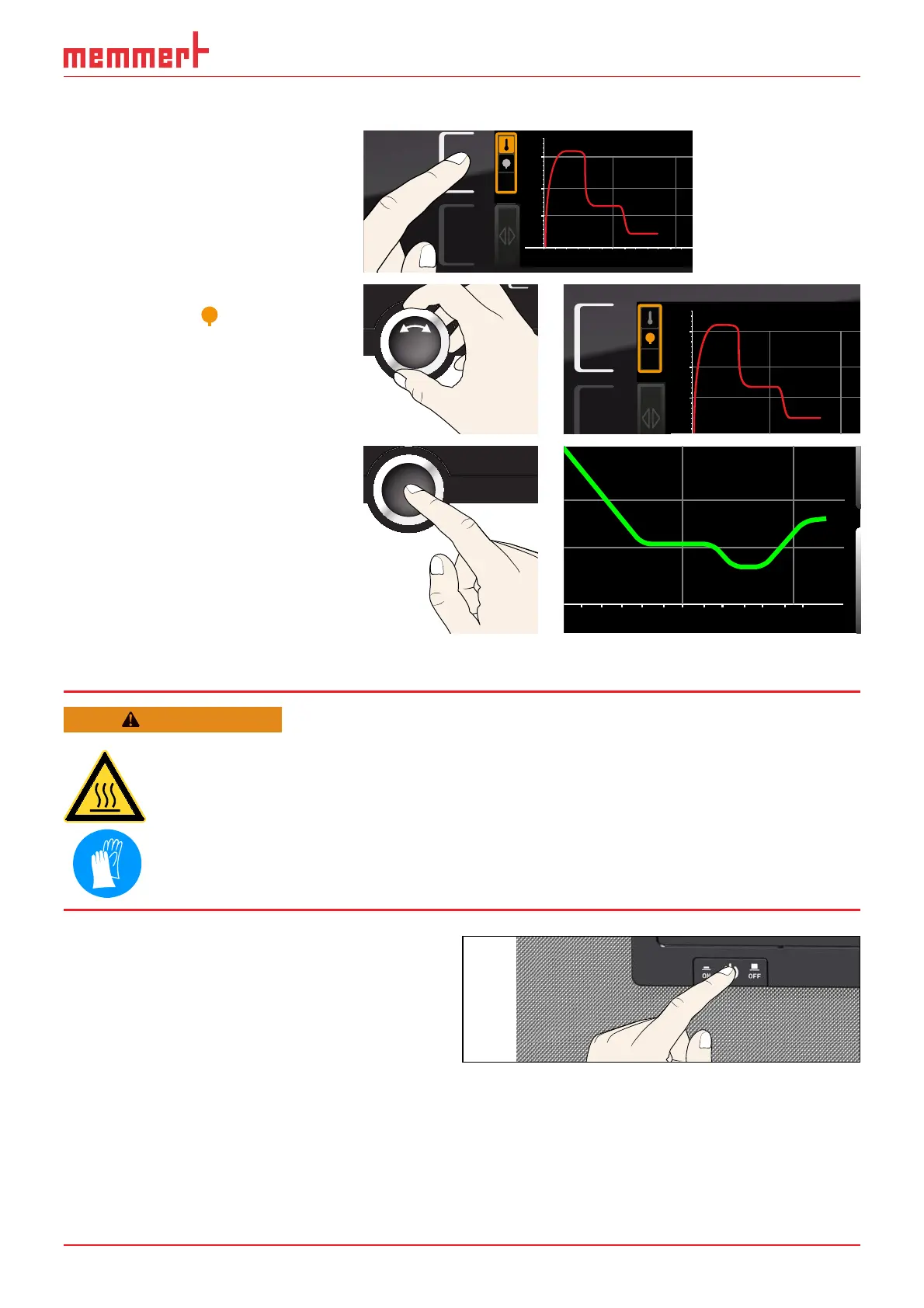
1. Activate graphic representa-
tion as described above and
then press the activation
key next to the parameter
selection.
0 4 8 12162024
°C
40
20
60
80
100
Fr 20.10.2010 2
12.09.2012
14.00 16.00 18.00
2. Set the pressure with the
turn control
.
°C
40
20
60
80
100
Fr 20.10.2010 2
12.09.2017
3. Press the confirmation key
to confirm. The pressure
curve is now displayed in
green. You can change the
display range as described
above, as well as extend or
reduce it.
0 16.00 18.00
5.7 Ending operation
WARNING
Depending on operation, the surfaces in the working chamber
and the chamber load may still be very hot after the appliance is
switched off. Touching these surfaces can cause burns. Wear heat-
resistant protective gloves or wait until the appliance cools down
before touching.
1. Switch off active appliance functions
(turn back the set values). Switch off
the pump module or vacuum pump.
2. Remove the chamber load (door
cannot be opened until atmospheric
pressure is reached inside the unit).
3. Switch off the VO with the main
switch (Fig. 31).
ON
Fig. 31 switch off VO



 To Next Page