D39374 | Date 08/2018 53
Menu mode
7.3.7 Gateway
The setup entry gateway is used to connect two networks
with different protocols.
The gateway is set the same way as the IP address (see
page 50).
7.4 Date and time
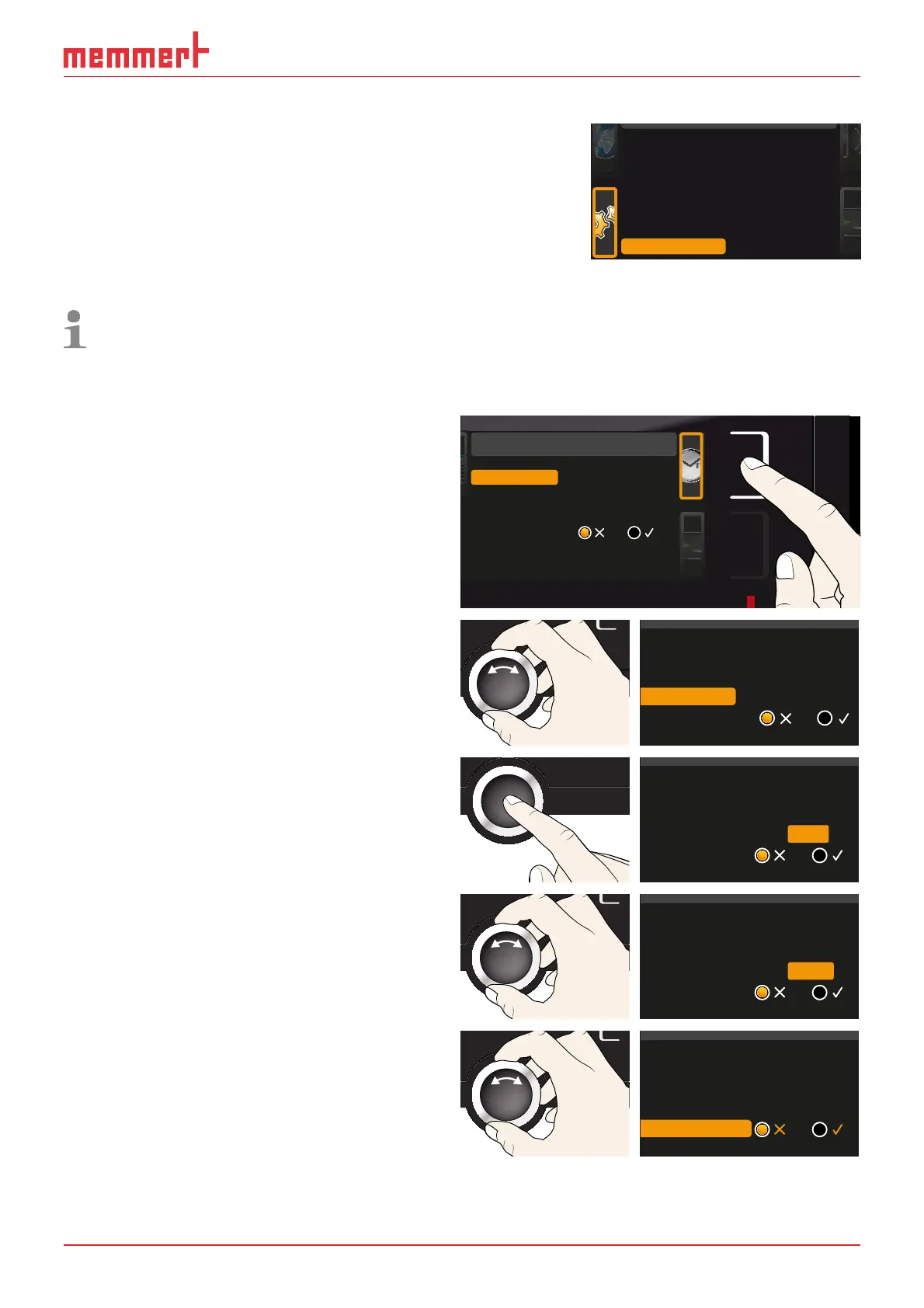
In the TIME display, you can set the date and time, time zone and daylight saving time.
Always set the time zone (and daylight saving time yes/no) before setting the date
and time. Avoid changing the set time after that since this can lead to gaps or over-
lapping when recording measured values. If you still need to change the time, you
should not run a program immediately before or after doing so.
1. Activate the time setting. To do so,
press the activation key on the right
side of the
TIME display. The display is
enlarged and the first adjustment op-
tion (
Date) automatically highlighted.
Date and time
Time
Time zone
Daylight savings
12.05.2012
12:00
GMT 01:00
Date
2. Turn the turn control until Time zone
is highlighted.
Time
Daylight savings
12.05.2012
12:00
GMT 01:00
Date
Time zone
3. Accept the selection by pressing the
confirmation key.
Time
Daylight savings
12.05.2012
12:00
GMT
Date
Time zone
01:00
4. Set the time zone of the installation
site with the turn control, e.g. 00:00
for the UK, and 01:00 for France, Spain
or Germany. Accept the selection by
pressing the confirmation key.
Time
Daylight savings
12.05.2012
12:00
GMT
Date
Time zone
00:00
5. With the turn control, select the Day-
light savings
entry.
Time
12.05.2012
12:00
GMT 00:00
Date
Time zone
Daylight savings
Remote Control Off
Gateway 192.168.5 .1
2/2



 To Next Page