- 11 -
INSTALLATION
1
Purchase a mount, available separately. Make sure to use screws and wall mounts
that meet the VESA standard. This unit uses 100mm x 200mm - M6 screws. Length
of screw should not exceed 8mm.
2
Select a wall to mount the TV, and check for obstructions below the mount, which is
where your cables will run. You can also hire a professional installer to install the wires
behind the wall, if it is an interior wall.
3
Determine the location on the wall and make sure it is close enough to an AC outlet.
Also make sure that nothing obstructs the view.
4
Locate the studs, as you want to make sure that at the very least, one stud is used to
attach the mount.
5
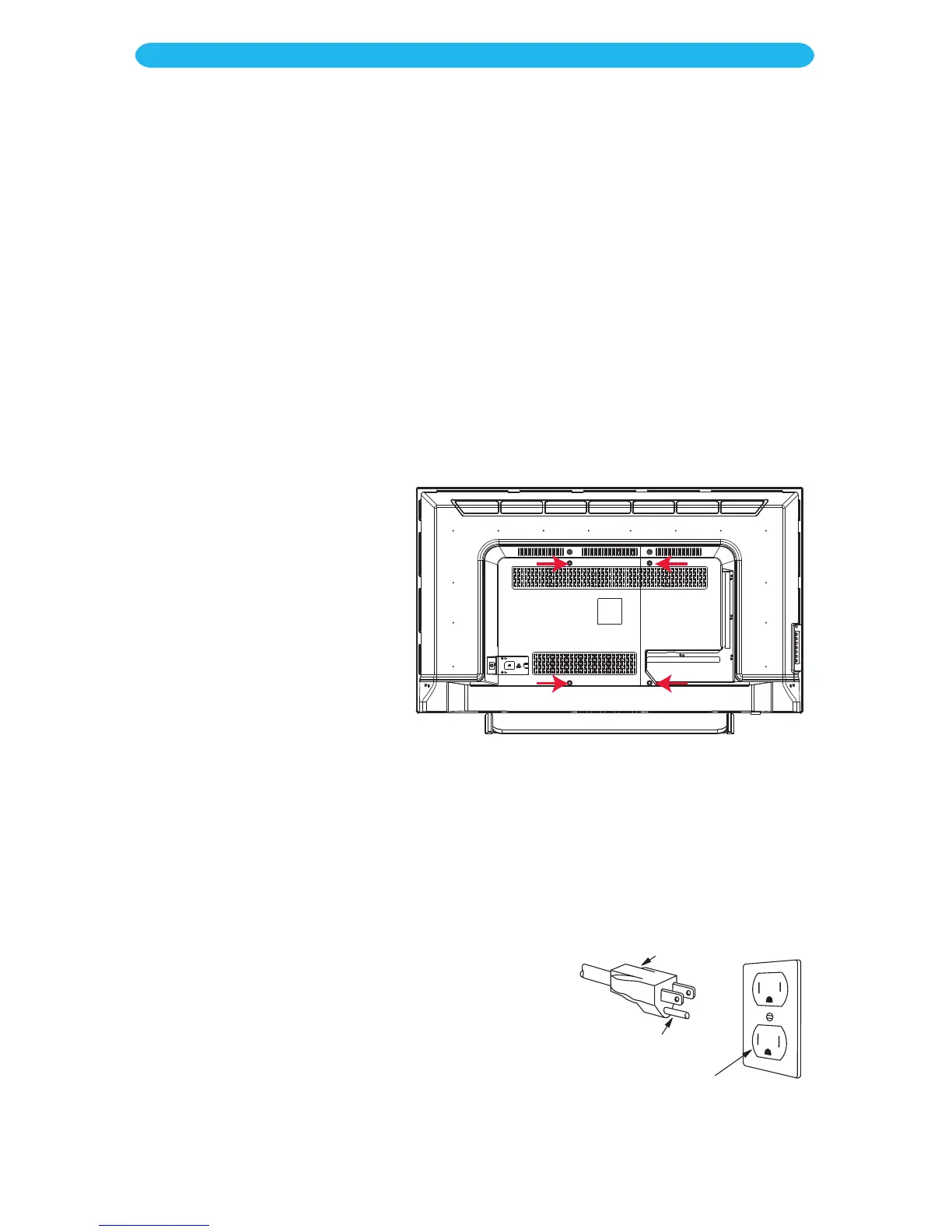
Attach the mounting rails
of the purchased mount to
the TV using the four screw
holes as marked in the
illustration to the right.
Do not over-tighten screws,
but tighten them enough to
firmly secure.
6
Follow the instructions included with the Mount to complete the wall mounting.
7
Connect the cables as shown on the following pages.
8
Insert the AC plug (with the 3 blades) into a
conveniently located AC outlet having 120V,
60Hz.
3-Pronged Plug
Ground Plug
3-Prong Receptacle
Wall Mounting the Unit



 To Next Page